2025
Cogniphant
Designing an Inclusive
Multi-Role Platform for
SEND Support
Early ADHD detection for schools
Early ADHD detection for schools
About Cogniphant
About Cogniphant

At the time we joined, the product was live and already being used in schools.
But it was early. Very early.
At the time we joined, the product was live and already being used in schools.
But it was early. Very early.
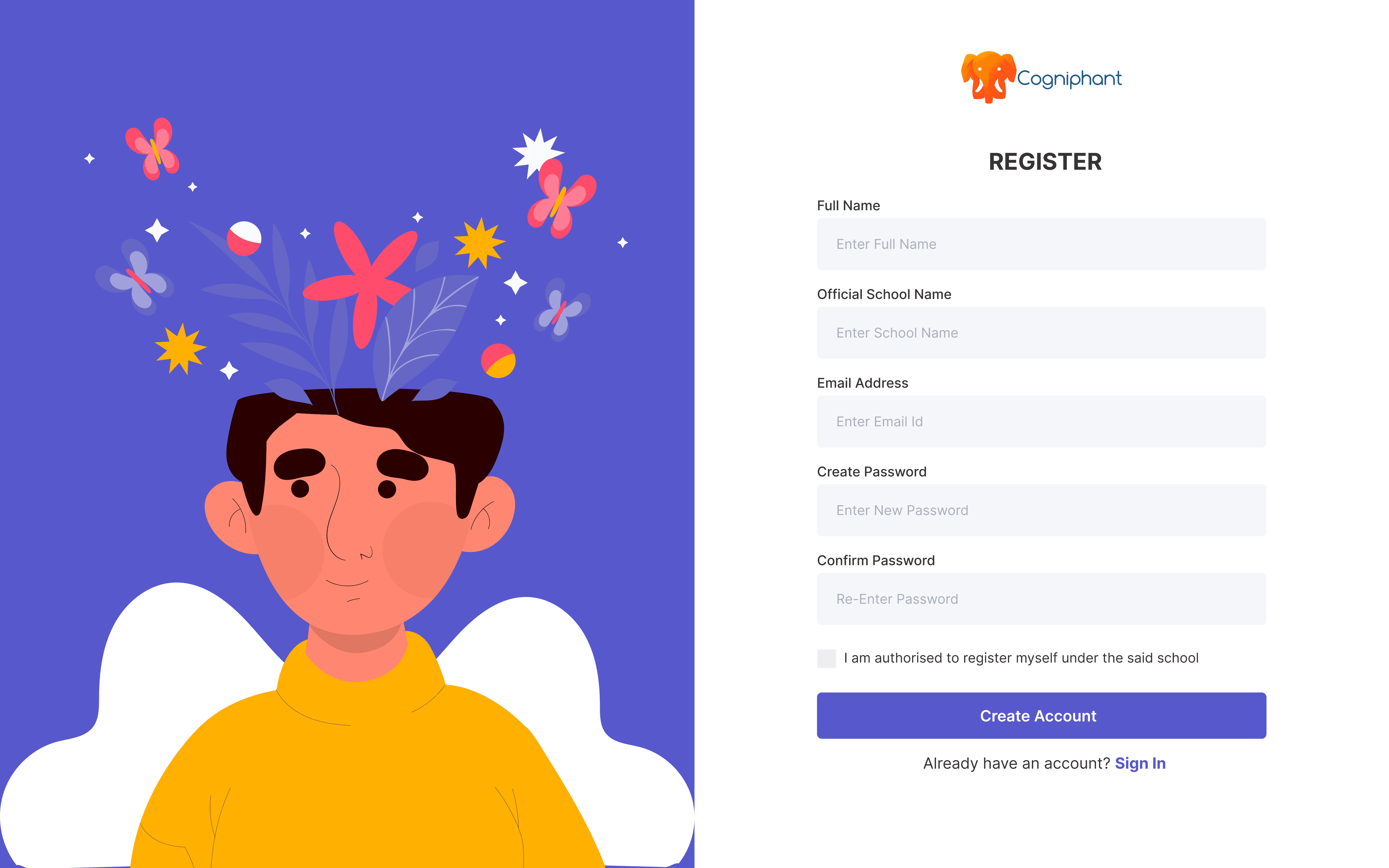
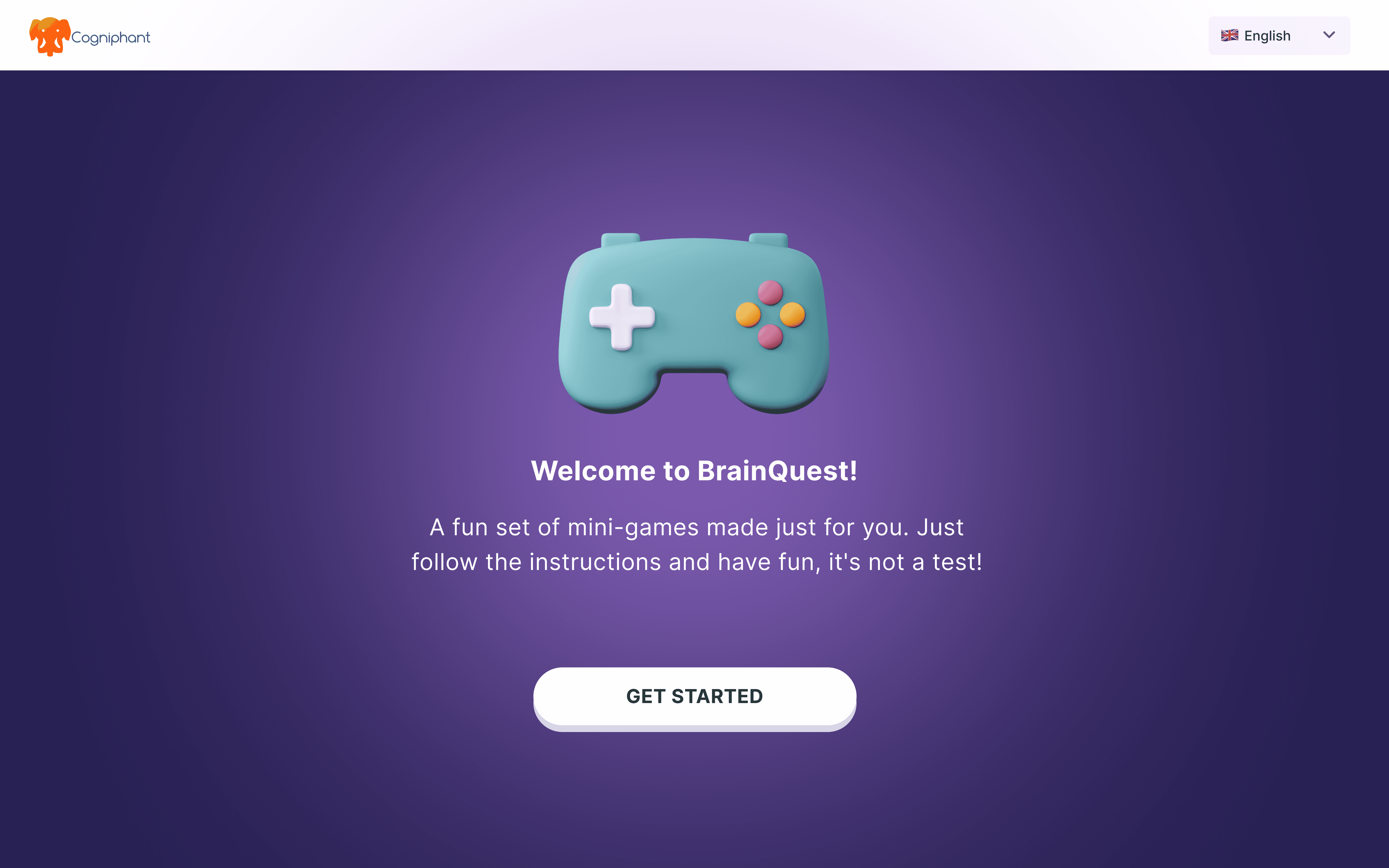
When we first opened the platform, this is what we found.


Cogniphant had a clear vision for where the product was going. But the gap between what existed and what they wanted to build was significant. That gap is where our work began.
When we first opened the platform, this is what we found.
Cogniphant had a clear vision for where the product was going. But the gap between what existed and what they wanted to build was significant. That gap is where our work began.
🎯
Cogniphant's vision was bigger than two features. They wanted to build a complete multi-role platform where SENCOs, teachers, and parents could collaborate around a student's SEND journey - from initial screening all the way through to ongoing support and documentation.
Cogniphant's vision was bigger than two features. They wanted to build a complete multi-role platform where SENCOs, teachers, and parents could collaborate around a student's SEND journey - from initial screening all the way through to ongoing support and documentation.
The problem was they didn't have the design capacity to get there. That's why they partnered with us. Our job wasn't to fix what existed. It was to design everything from scratch.
The problem was they didn't have the design capacity to get there. That's why they partnered with us. Our job wasn't to fix what existed. It was to design everything from scratch.
The challenge was real - how do you design a platform that works for three very different roles, stays true to an early-stage startup's vision, and still holds up when the product eventually expands beyond ADHD?
The challenge was real - how do you design a platform that works for three very different roles, stays true to an early-stage startup's vision, and still holds up when the product eventually expands beyond ADHD?
My Role
My Role
I worked across the full design process alongside one other designer, with our university supervisor providing periodic feedback. There was no in-house design team at Cogniphant, which meant we were making product decisions, not just delivering design assets.
I worked across the full design process alongside one other designer, with our university supervisor providing periodic feedback. There was no in-house design team at Cogniphant, which meant we were making product decisions, not just delivering design assets.
My responsibilities spanned research, user interview, interaction design, visual design and prototyping.
My responsibilities spanned research, user interview, interaction design, visual design and prototyping.
Understanding the SEND Ecosystem
Before designing anything, we needed to understand the world we were designing for.
Cogniphant gave us a starting point.

The SEND Workflow
Support doesn't follow a straight line. SENCOs screen, coordinate, document, and track, across roles, over time, with no single tool connecting any of it.
The Teacher's Role
Teachers notice things in classrooms but have no structured way to flag or escalate concerns. Their input often gets lost.
The Parent Gap
Parents are the last to know. Usually contacted only when something has already escalated.
A screening tool alone wouldn't be enough.
The platform needed to reflect how these three roles actually work together.
Before designing anything, we needed to understand the world we were designing for.
Cogniphant gave us a starting point.
The SEND Workflow
Support doesn't follow a straight line. SENCOs screen, coordinate, document, and track, across roles, over time, with no single tool connecting any of it.
The Teacher's Role
Teachers notice things in classrooms but have no structured way to flag or escalate concerns. Their input often gets lost.
The Parent Gap
Parents are the last to know. Usually contacted only when something has already escalated.
A screening tool alone wouldn't be enough.
The platform needed to reflect how these three roles actually work together.
Early ADHD detection for schools
About Cogniphant
Project Overview
Project Overview
Background
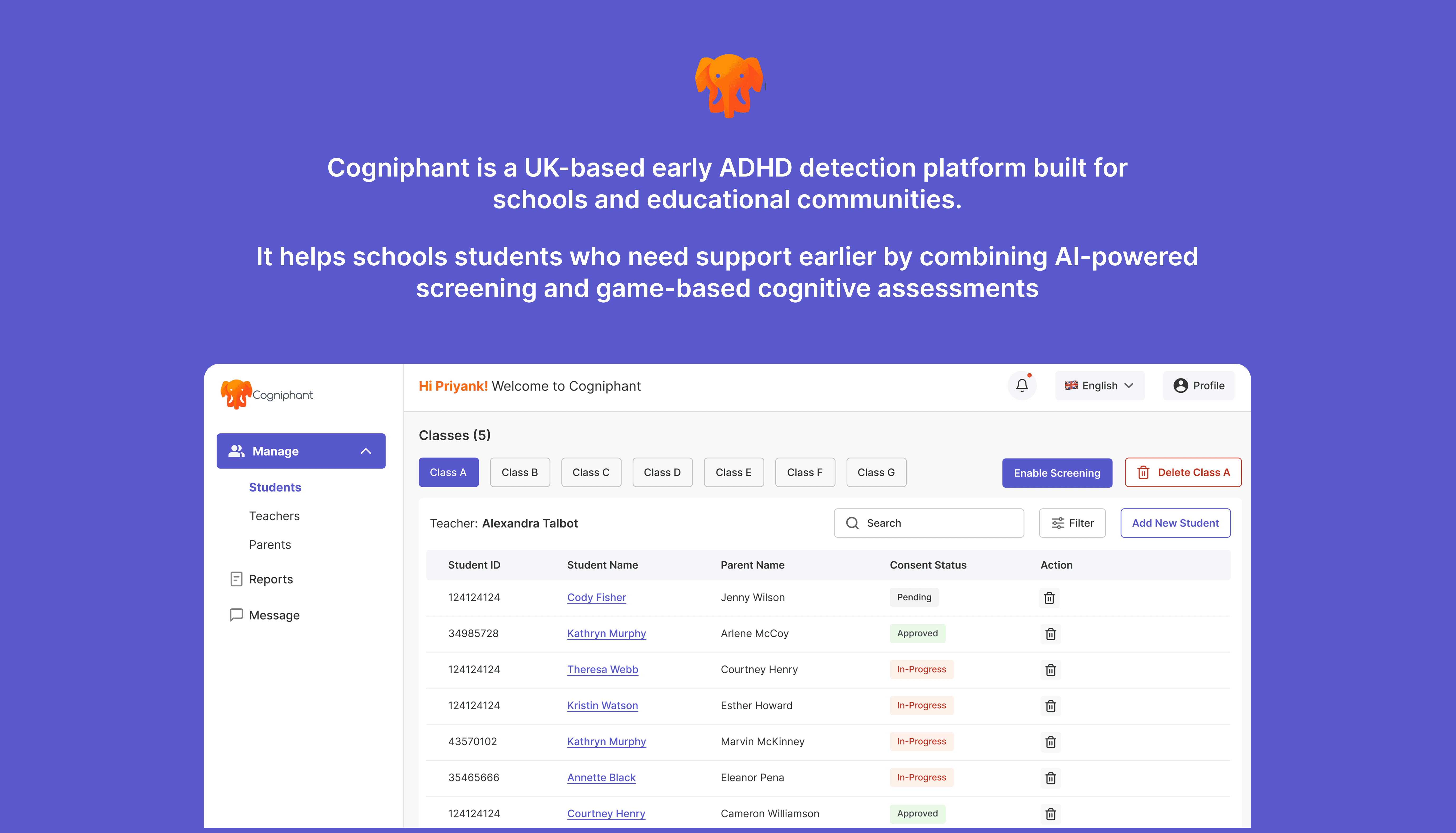
Cogniphant is an early-stage platform used in UK schools to support students with SEND needs. At the time of the project, it consisted of only two disconnected features with no dashboards, role-based workflows or collaboration tools to connect SENCOs, teachers, and parents.
Challenge
Build a structured, multi-role platform from the ground up, reducing admin burden, improving collaboration, and giving each stakeholder the clarity they need to support students effectively.
Objective
Replace fragmented, paper-based SENCO workflows with a centralised
digital system
Design role-specific experiences for SENCOs, teachers, and parents.
Each tailored to their context
Scale the platform beyond ADHD to support all SEND students across
UK schools
Reviewing Existing Data and Insights
Before running our own research, we reviewed everything Cogniphant had already gathered. Previous SENCO interviews, the UK school SEND screening process, and the existing platform itself. Taken together, these gave us a grounded starting point, and surfaced the gaps we'd need to dig into further.
Insight I Got From The Previous Interviews
SENCOs were managing documentation across paper, email, and spreadsheets with no shared system between roles. The platform was adding to their workload, not reducing it.
How SEND Screening Actually Works in Schools
Screening isn't a single step, it moves across teacher observation, SENCO review, and parent consent. Any platform that ignored this handoff would fail in real workflows.
What the Platform Audit Revealed
No role separation, no connective thread between the two existing features, and nothing to guide a user on what to do before or after each task.
This told us where the real gaps were. But we still needed to hear it directly from the people using it.
Heuristic Evaluation
Heuristic Evaluation
We began by conducting a heuristic evaluation of Cogniphant’s existing platform to understand where users, especially SENCOs and teacher were struggling.
I walked through the existing platform, a game assessment tool and a teacher questionnaire, against real school workflows. What I found -
Our evaluation of the existing tool surfaced core usability issues:
No separation between roles ❗️
Confusing navigation ❗️
Lack of continuity between assessment and documentation ❗️
No clear place to track a student’s history ❗️
Disconnected features that didn’t support real workflows ❗️
These findings helped us map the core usability gaps and shaped our early direction before moving into user interviews and redesign.
These findings helped us map the core usability gaps and shaped our early direction before moving into user interviews and redesign.
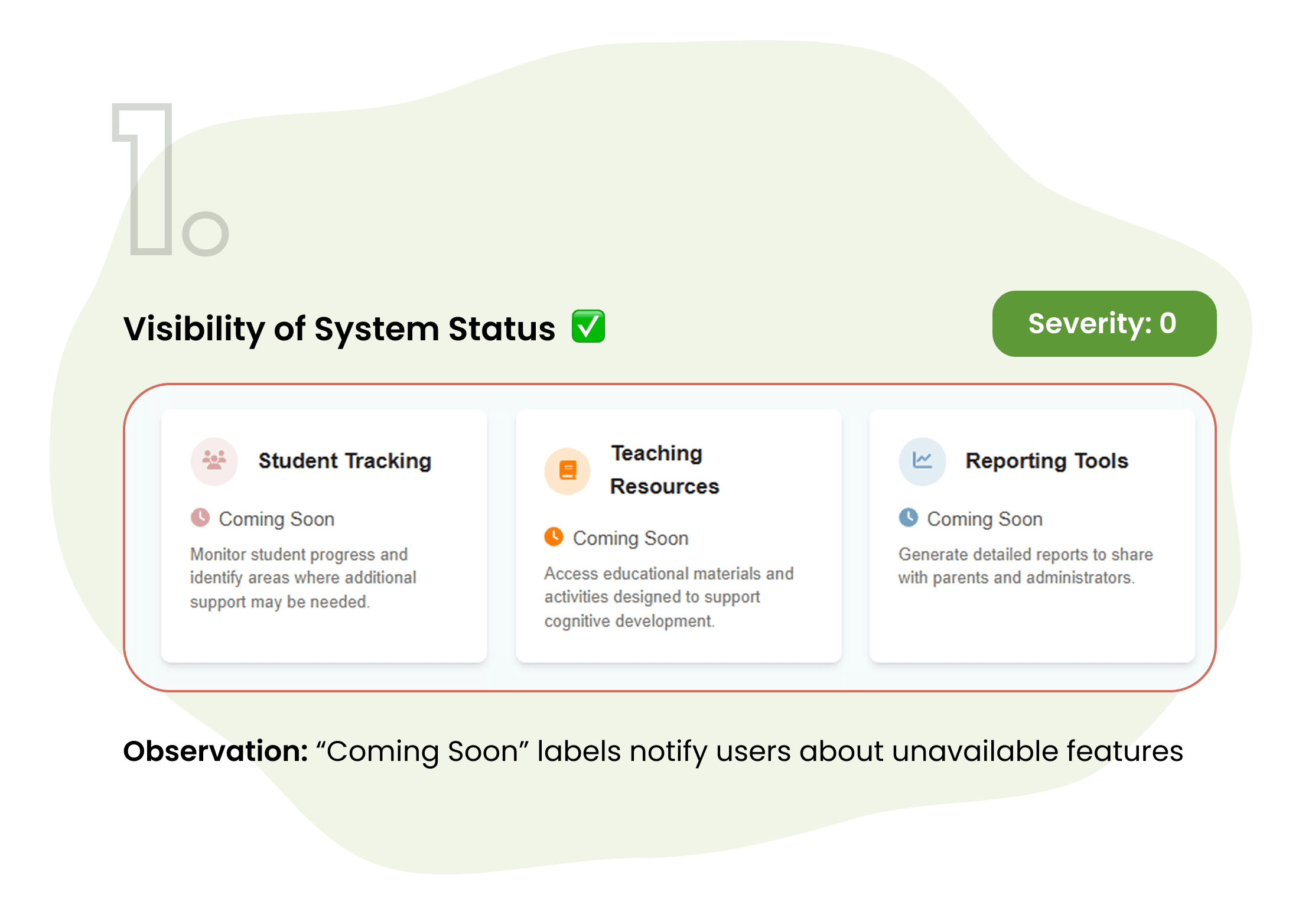
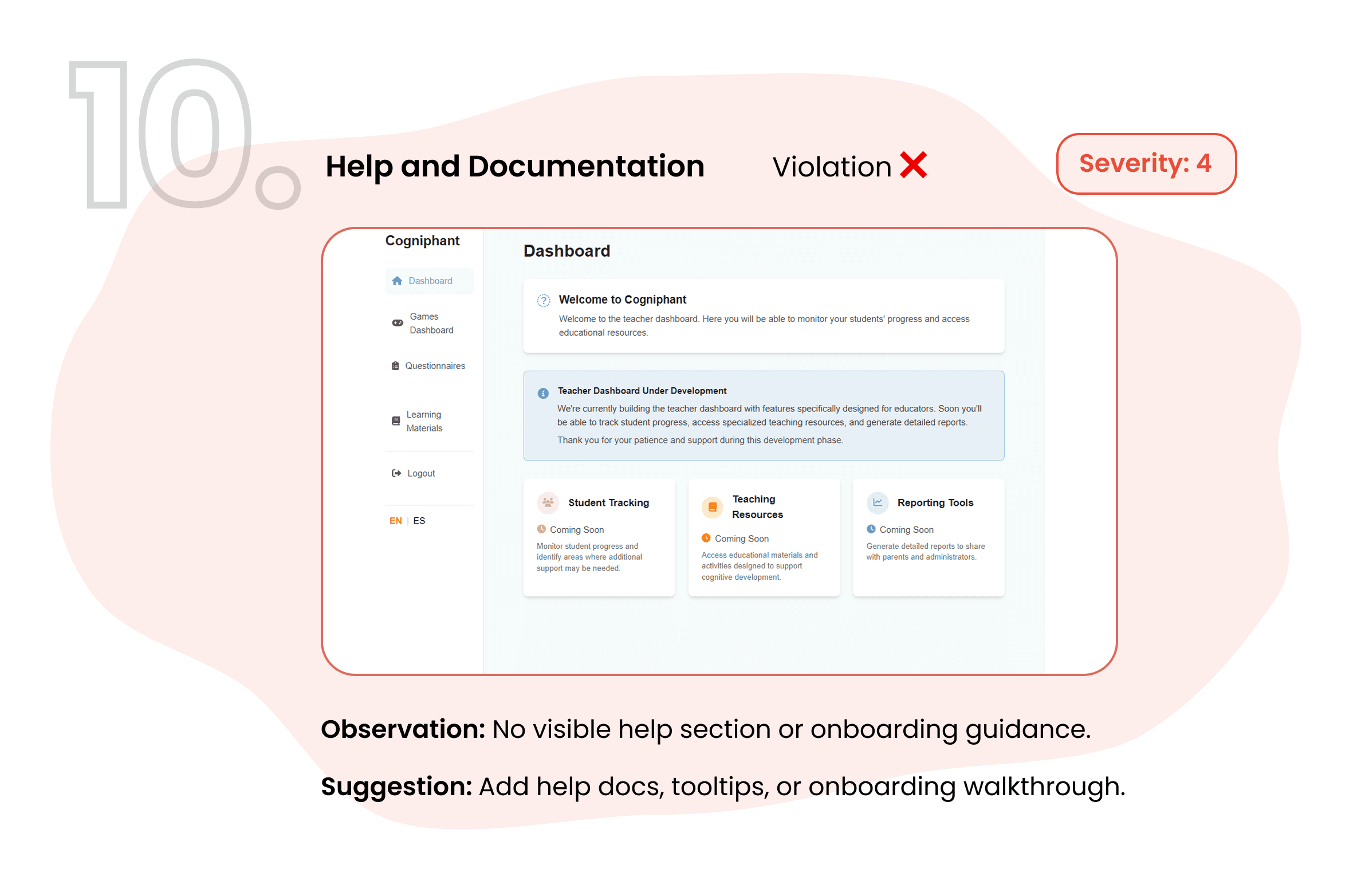
No role separation, all three user types saw the same view
The two features had no connective workflow between them
Nothing guided users on what to do before or after each task
User Interview
User Interview
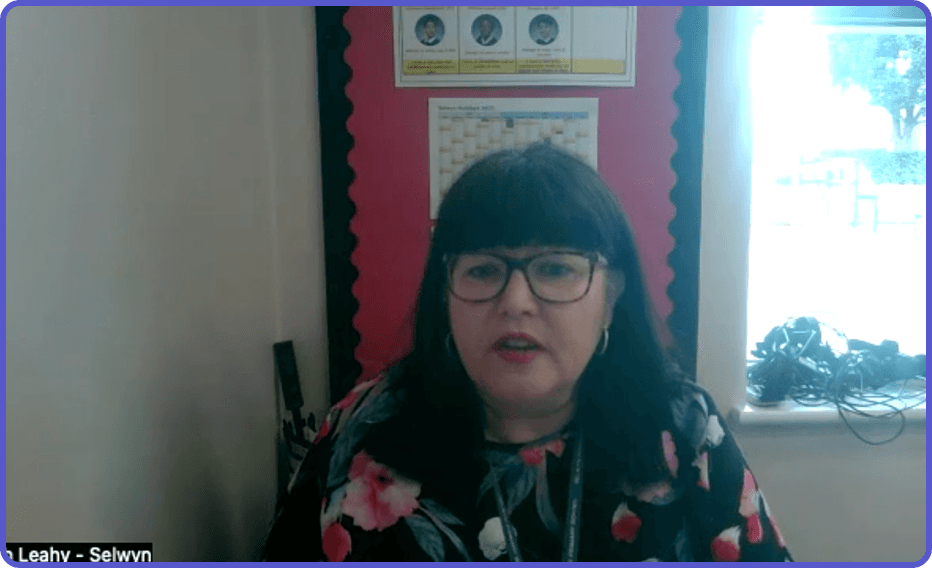
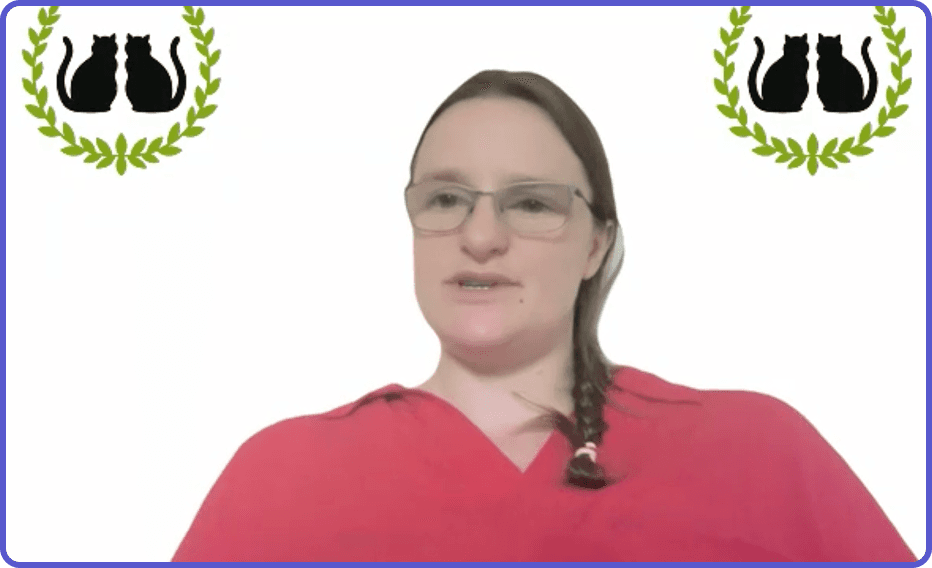
To gather grounded insights, we conducted interviews with two SENCOs managing extensive SEND caseloads and one parent actively involved in SEN support processes. Additionally, we reviewed previous interview data provided by our project partner to further improve our understanding.
To gather grounded insights, we conducted interviews with two SENCOs managing extensive SEND caseloads and one parent actively involved in SEN support processes. Additionally, we reviewed previous interview data provided by our project partner to further improve our understanding.
What we learned:
What we learned:
✅ SENCOs need a system that centralizes documentation and progress tracking
✅ SENCOs need a system that centralizes documentation and progress
tracking
✅ Teachers value quick, classroom-friendly ways to log assessments
✅ Teachers value quick, classroom-friendly ways to log assessments
✅ Parents want simple, transparent access to their child’s status
✅ Parents want simple, transparent access to their child’s status
✅ The platform must reduce cognitive and administrative load, not
add to it
✅ The platform must reduce cognitive and administrative load, not
add to it

3. Competitive Inspiration
3. Competitive Inspiration
To identify opportunities for a more effective multi-role support system, we analyzed four key tools used across ADHD assessment and SEN support. Comparing their strengths and limitations helped us understand where Cogniphant could differentiate, particularly around school-wide collaboration, documentation workflows, and parent engagement. This analysis grounded our design decisions in real market gaps rather than assumptions.
To identify opportunities for a more effective multi-role support system, we analyzed four key tools used across ADHD assessment and SEN support. Comparing their strengths and limitations helped us understand where Cogniphant could differentiate, particularly around school-wide collaboration, documentation workflows, and parent engagement. This analysis grounded our design decisions in real market gaps rather than assumptions.
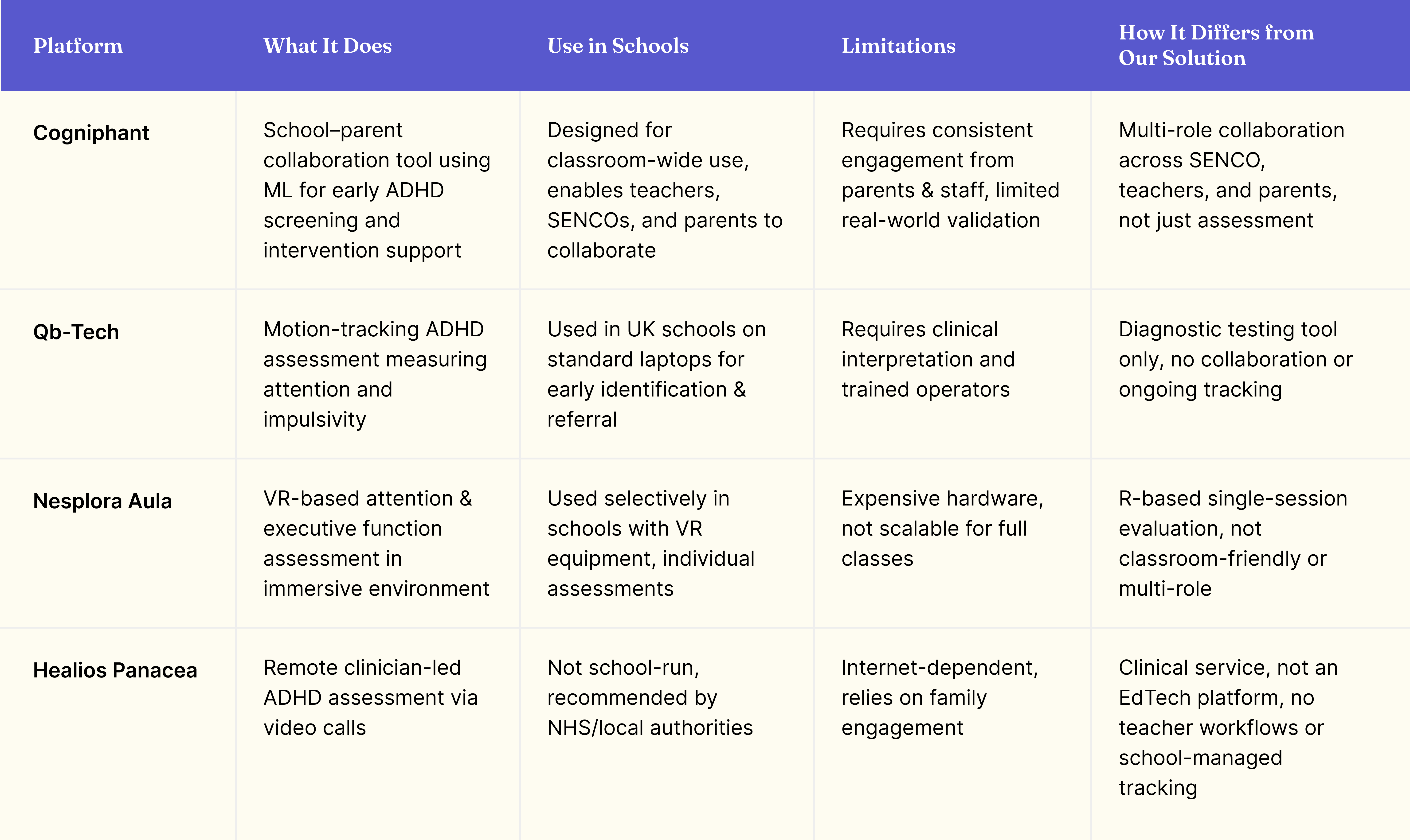
Through this analysis, we learned:
Through this analysis, we learned:
How assessments are structured
How assessments are structured
How progress is displayed over time
How progress is displayed over time
How parent access and communication are handled
How parent access and communication are handled
How role-based systems organize tasks
How role-based systems organize tasks
These insights helped inform Cogniphant’s UI patterns, reporting structure, and dashboard layouts.
These insights helped inform Cogniphant’s UI patterns, reporting structure, and dashboard layouts.
Previous Interview Insights
Previous Interview Insights
Our project partner had already conducted interviews with SENCOs. I reviewed these to extract recurring pain points before running our own sessions.
What I saw:
SENCOs were managing student documentation across paper, email, and spreadsheets simultaneously
There was no shared system between roles, coordination happened through word of mouth
The platform wasn't reducing admin burden, it was adding to it
UK School SEND Screening Process
Stakeholder &
Customer Inputs
I reviewed the current screening workflow that take place in the UK schools to get a better understanding.
Key Insights:
Screening involves multiple steps across different roles: teacher observation, SENCO review, parent consent
Reviewing Existing Data and Insights
Before running our own research, we reviewed everything Cogniphant had already gathered. Previous SENCO interviews, the UK school SEND screening process, and the existing platform itself. Taken together, these gave us a grounded starting point, and surfaced the gaps we'd need to dig into further.
The Interview Conversation That Changed Everything
Midway through the project, we managed to get time with a practising SENCO. It was the most important conversation of the entire project.
"I wouldn't use a platform that only supports ADHD."
That one line reframed everything.
We had been designing for an ADHD screening platform with better UX. But SENCOs don't work that way. They support students across a range of needs - dyslexia, autism, anxiety, and more, often at the same time. A platform built only around ADHD would never fit into their real workflow.
This didn't mean abandoning ADHD as the starting point. It meant designing the platform so it could naturally expand, where ADHD was the first use case, not the only one.

1. Understanding Constraints and Expectations
I spent the first week syncing with the Product Manager to understand:
What the business wanted to highlight
What content mattered most to users
What engineering could support within the given timeframe
How existing components could be restructured instead of reinvented
From this point on, we weren't just improving an existing product, we were rethinking what the platform needed to be.
Heuristic Evaluation
Heuristic Evaluation
We began by conducting a heuristic evaluation of Cogniphant’s existing platform to understand where users, especially SENCOs and teacher were struggling.
I walked through the existing platform, a game assessment tool and a teacher questionnaire, against real school workflows. What I found -
Our evaluation of the existing tool surfaced core usability issues:
No separation between roles ❗️
Confusing navigation ❗️
Lack of continuity between assessment and documentation ❗️
No clear place to track a student’s history ❗️
Disconnected features that didn’t support real workflows ❗️
These findings helped us map the core usability gaps and shaped our early direction before moving into user interviews and redesign.
These findings helped us map the core usability gaps and shaped our early direction before moving into user interviews and redesign.
No role separation, all three user types saw the same view
The two features had no connective workflow between them
Nothing guided users on what to do before or after each task
User Interview
User Interview
To gather grounded insights, we conducted interviews with two SENCOs managing extensive SEND caseloads and one parent actively involved in SEN support processes. Additionally, we reviewed previous interview data provided by our project partner to further improve our understanding.
To gather grounded insights, we conducted interviews with two SENCOs managing extensive SEND caseloads and one parent actively involved in SEN support processes. Additionally, we reviewed previous interview data provided by our project partner to further improve our understanding.
What we learned:
What we learned:
✅ SENCOs need a system that centralizes documentation and progress tracking
✅ SENCOs need a system that centralizes documentation and progress
tracking
✅ Teachers value quick, classroom-friendly ways to log assessments
✅ Teachers value quick, classroom-friendly ways to log assessments
✅ Parents want simple, transparent access to their child’s status
✅ Parents want simple, transparent access to their child’s status
✅ The platform must reduce cognitive and administrative load, not
add to it
✅ The platform must reduce cognitive and administrative load, not
add to it
3. Competitive Inspiration
3. Competitive Inspiration
To identify opportunities for a more effective multi-role support system, we analyzed four key tools used across ADHD assessment and SEN support. Comparing their strengths and limitations helped us understand where Cogniphant could differentiate, particularly around school-wide collaboration, documentation workflows, and parent engagement. This analysis grounded our design decisions in real market gaps rather than assumptions.
To identify opportunities for a more effective multi-role support system, we analyzed four key tools used across ADHD assessment and SEN support. Comparing their strengths and limitations helped us understand where Cogniphant could differentiate, particularly around school-wide collaboration, documentation workflows, and parent engagement. This analysis grounded our design decisions in real market gaps rather than assumptions.
Through this analysis, we learned:
Through this analysis, we learned:
How assessments are structured
How assessments are structured
How progress is displayed over time
How progress is displayed over time
How parent access and communication are handled
How parent access and communication are handled
How role-based systems organize tasks
How role-based systems organize tasks
These insights helped inform Cogniphant’s UI patterns, reporting structure, and dashboard layouts.
These insights helped inform Cogniphant’s UI patterns, reporting structure, and dashboard layouts.
Previous Interview Insights
Previous Interview Insights
Our project partner had already conducted interviews with SENCOs. I reviewed these to extract recurring pain points before running our own sessions.
What I saw:
SENCOs were managing student documentation across paper, email, and spreadsheets simultaneously
There was no shared system between roles, coordination happened through word of mouth
The platform wasn't reducing admin burden, it was adding to it
UK School SEND Screening Process
Stakeholder &
Customer Inputs
I reviewed the current screening workflow that take place in the UK schools to get a better understanding.
Key Insights:
Screening involves multiple steps across different roles: teacher observation, SENCO review, parent consent
Rethinking the Platform
The SENCO interview gave us a clear direction. But we still needed to figure out what that actually meant for the product.
We grouped all pain points and insights into thematic opportunity clusters such as:
Simplifying documentation
Improving classroom assessment workflows
Increasing parent visibility
Centralizing communication
Scaling across different SEND needs
These clusters helped us focus on the platform’s most impactful areas.
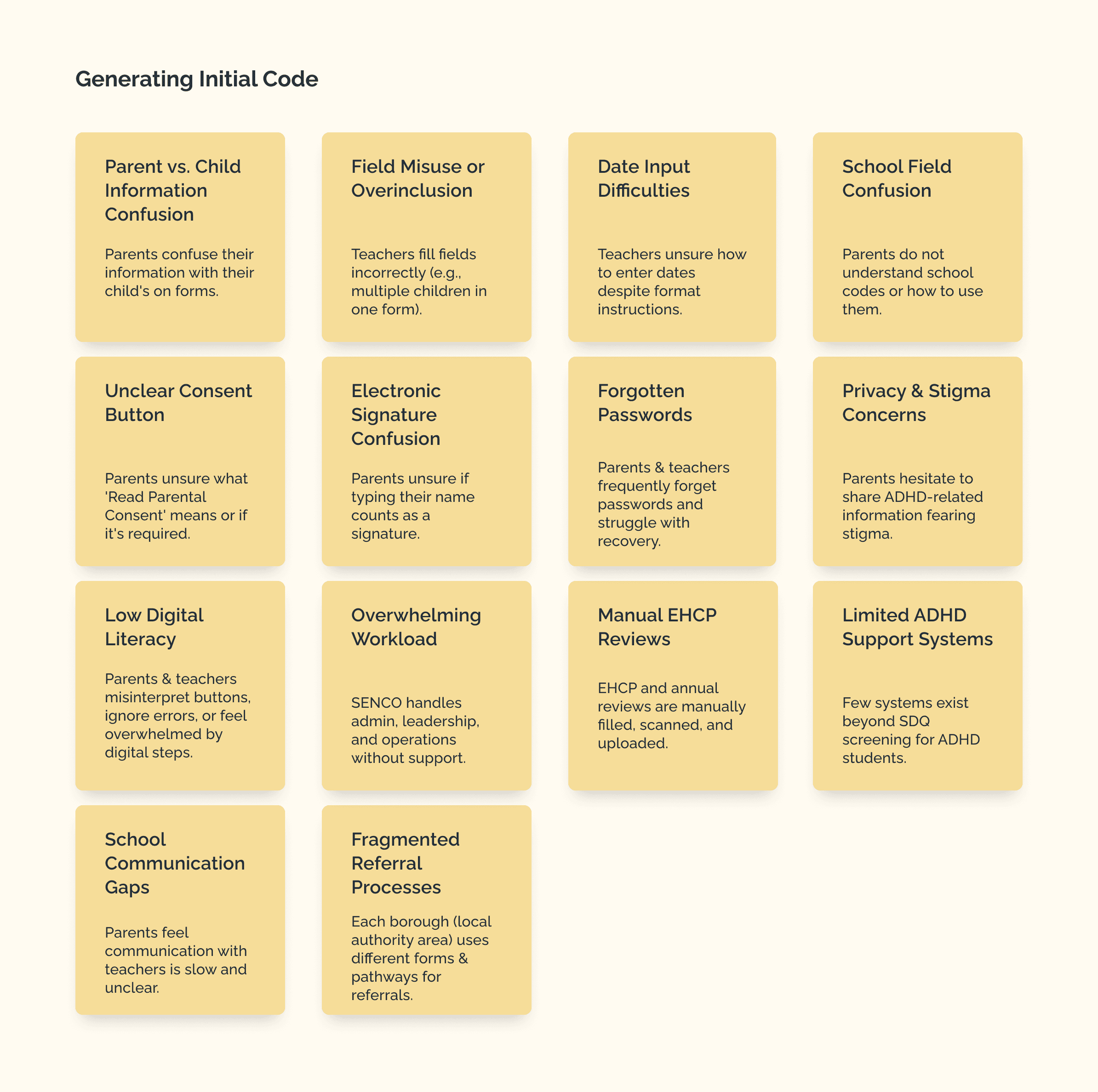
To translate these opportunity areas into actionable directions, we ran a short How Might We exercise.
This reframed problems into possibilities and helped align the team on what the platform should enable for each role.
How might we design for SENCOs without locking out teachers and parents?
How might we build for ADHD today while leaving room to expand tomorrow?
How might we make the platform feel familiar to parents who've never used something like this before?
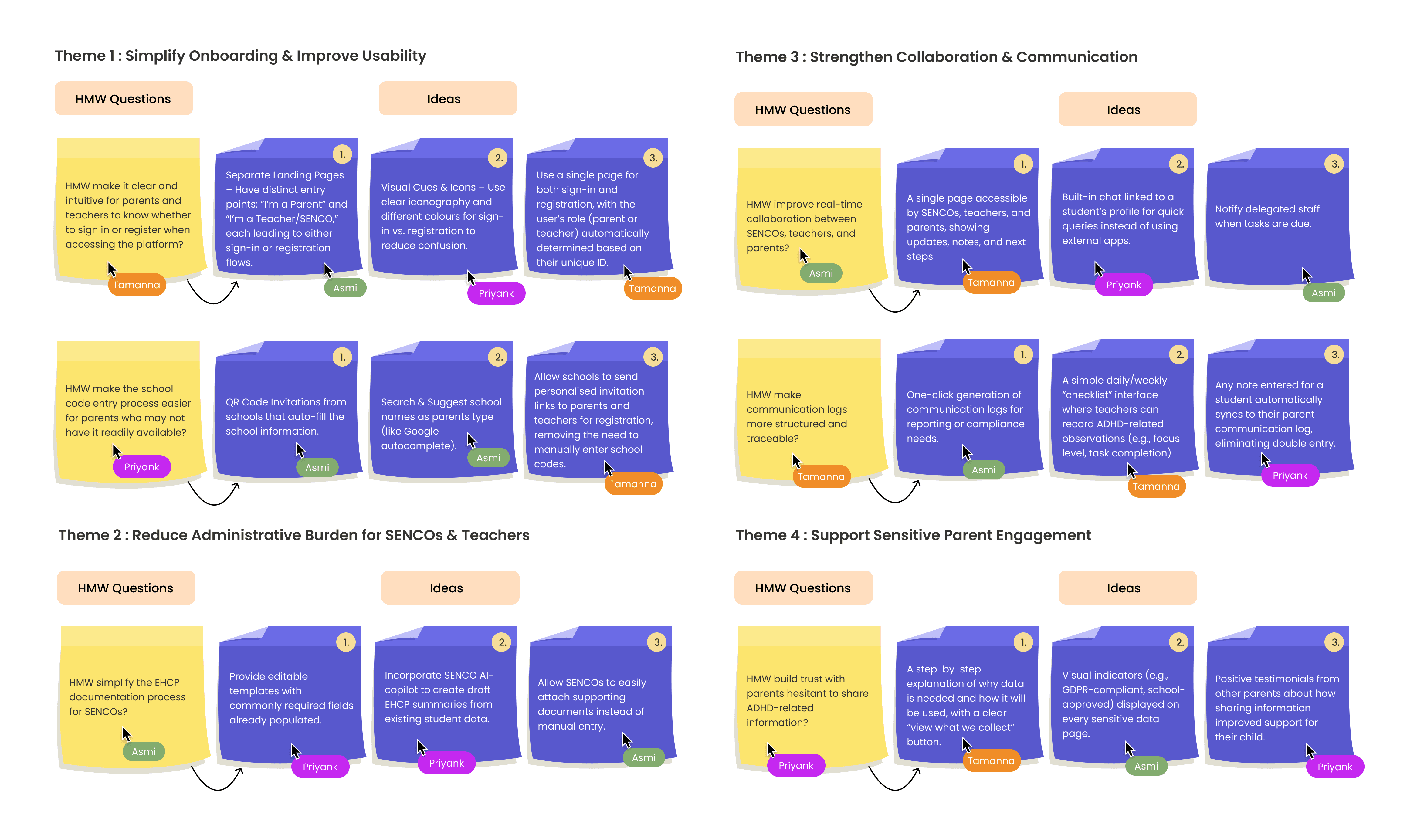
Shaping Opportunity Areas
Shaping Opportunity Areas
We grouped all pain points and insights into thematic opportunity clusters such as:
We grouped all pain points and insights into thematic opportunity clusters such as:
Simplifying documentation
Simplifying documentation
Improving classroom assessment workflows
Improving classroom assessment workflows
Increasing parent visibility
Increasing parent visibility
Centralizing communication
Centralizing communication
Scaling across different SEND needs
Scaling across different SEND needs
These clusters helped us focus on the platform’s most impactful areas.
These clusters helped us focus on the platform’s most impactful areas.
These clusters helped us focus on the platform’s most impactful areas.
These clusters helped us focus on the platform’s most impactful areas.
How Might We (HMW) Exploration
How Might We (HMW) Exploration
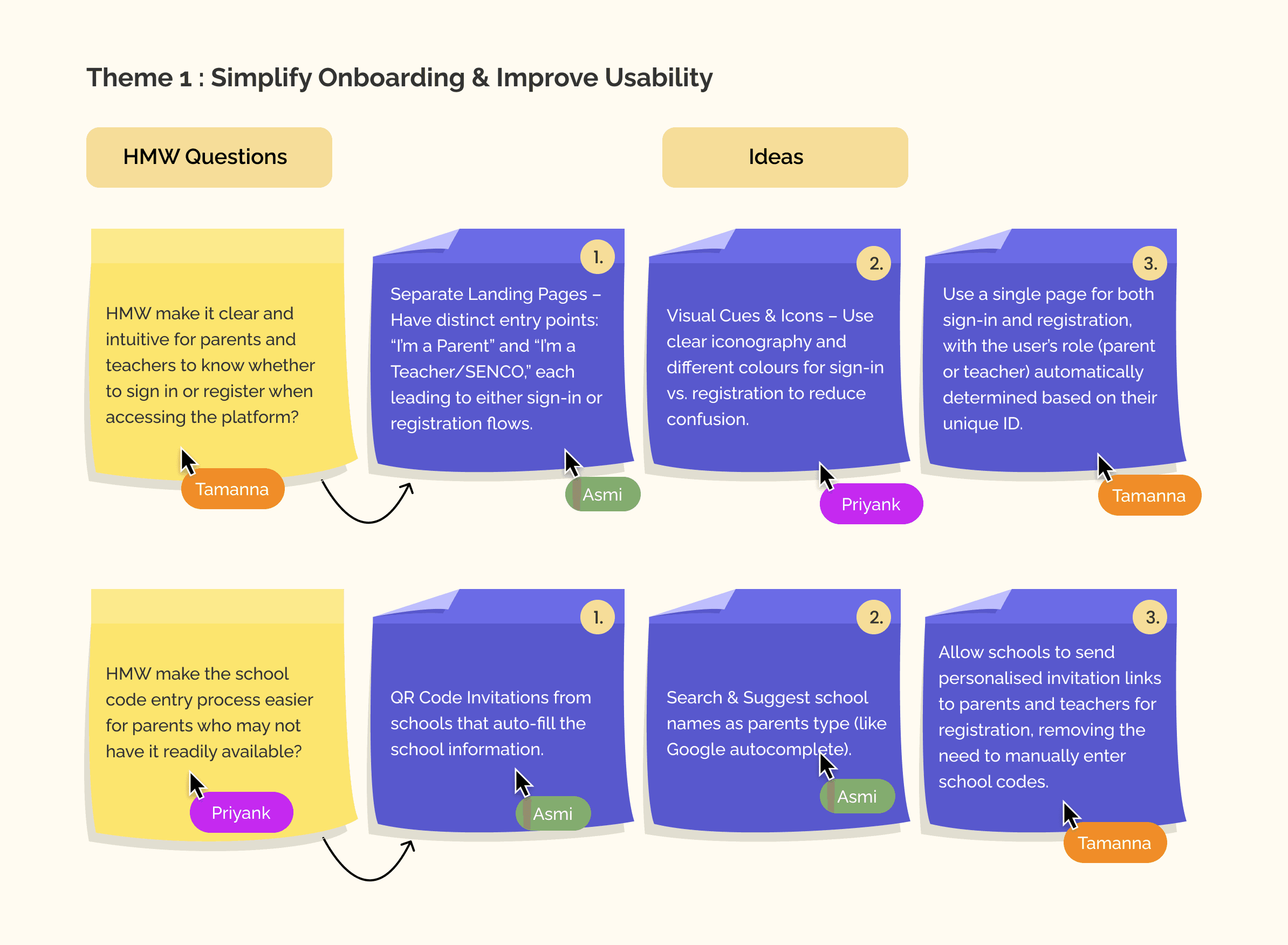
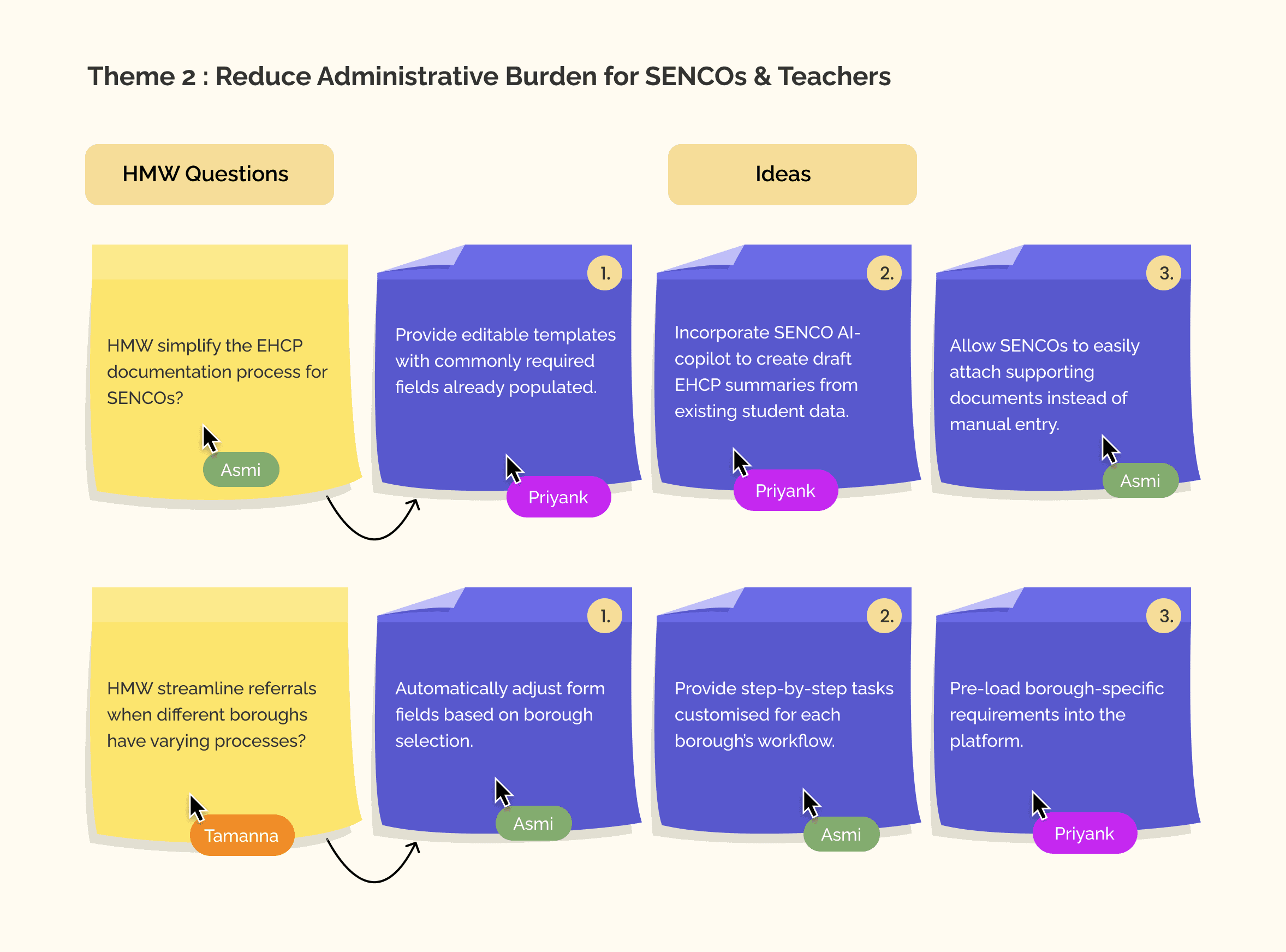
To translate these opportunity areas into actionable directions, we ran a short How Might We exercise. This reframed problems into possibilities and helped align the team on what the platform should enable for each role.
To translate these opportunity areas into actionable directions, we ran a short How Might We exercise. This reframed problems into possibilities and helped align the team on what the platform should enable for each role.
Information Architecture (IA)
Information Architecture (IA)
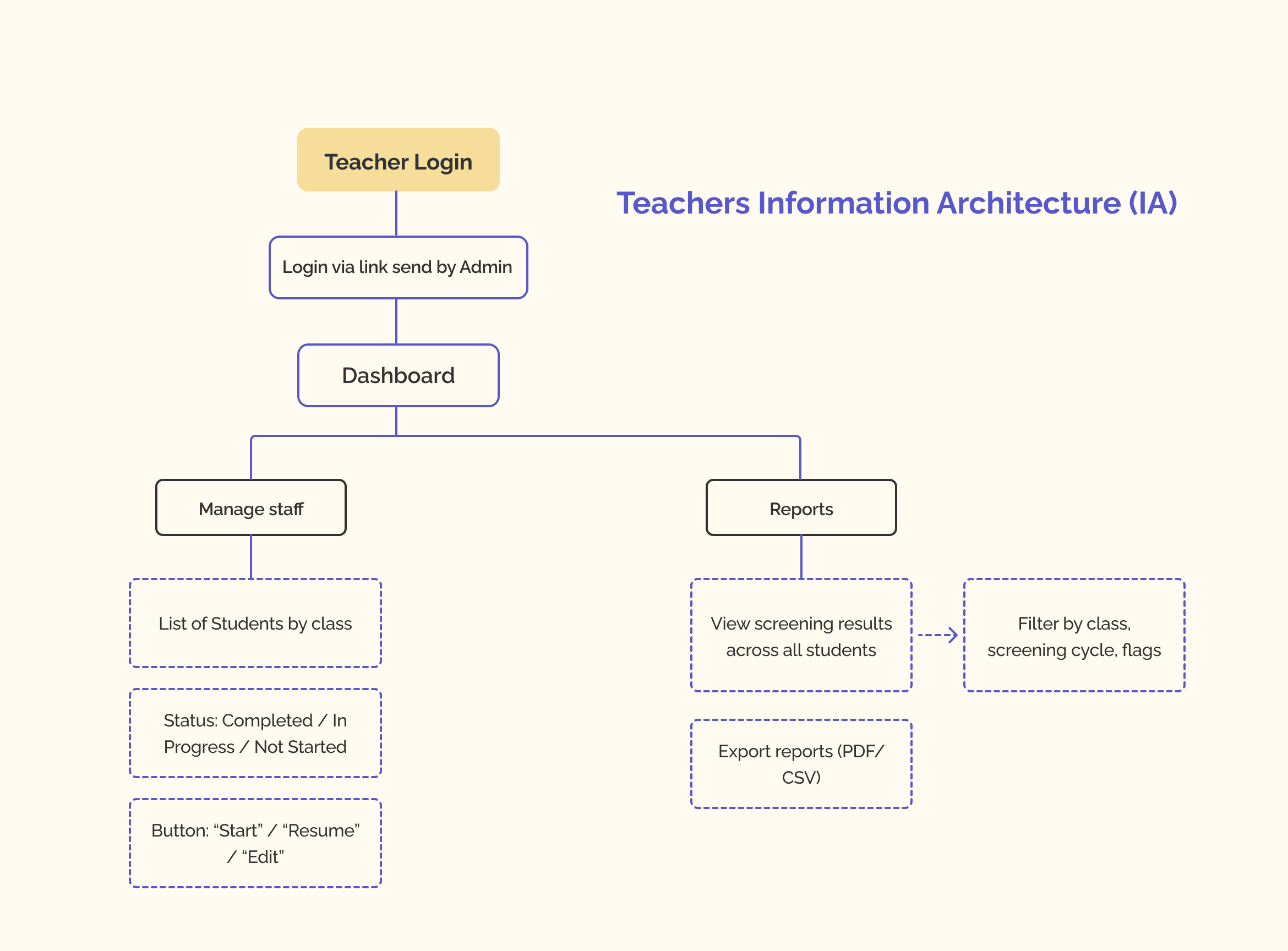
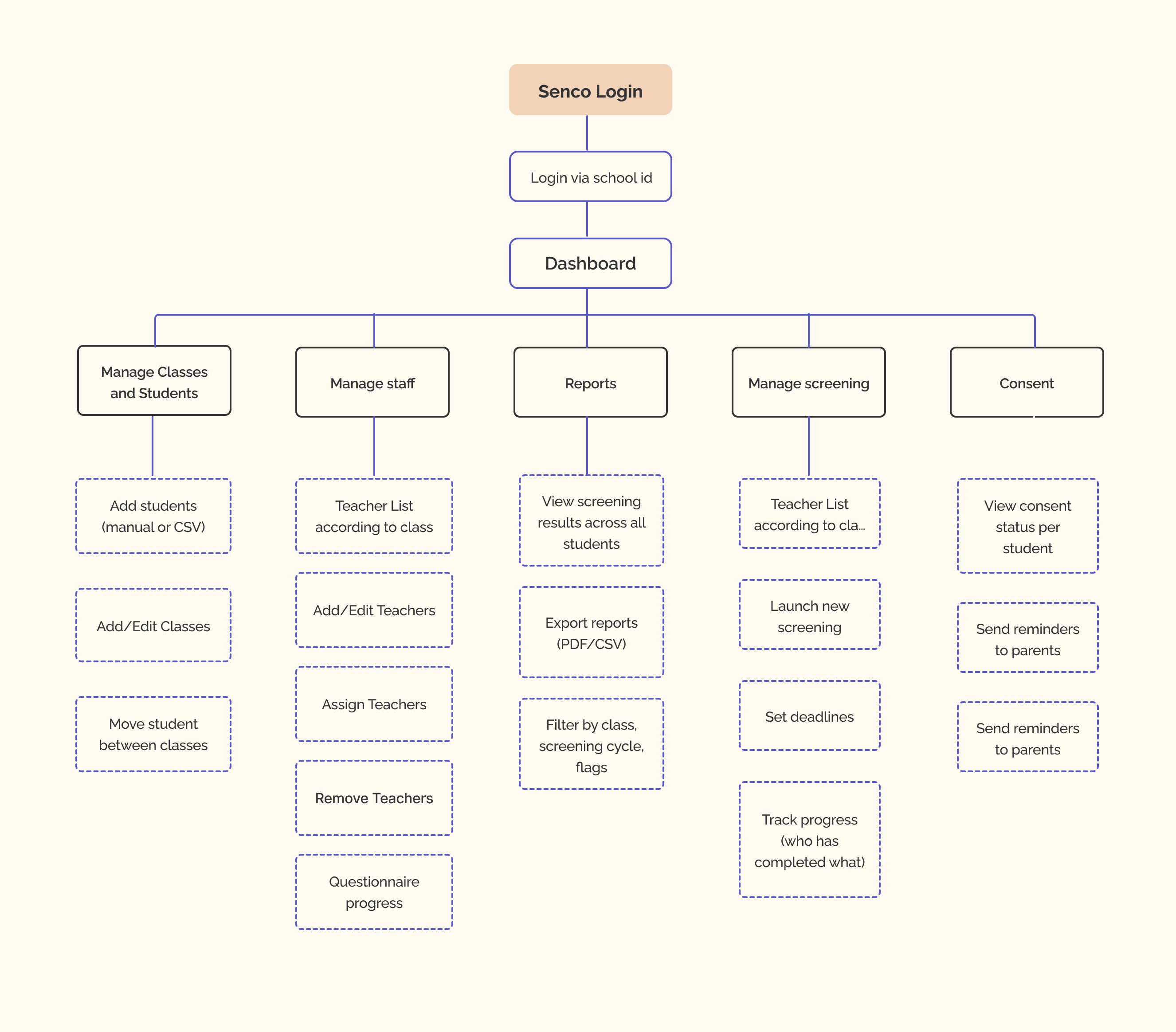
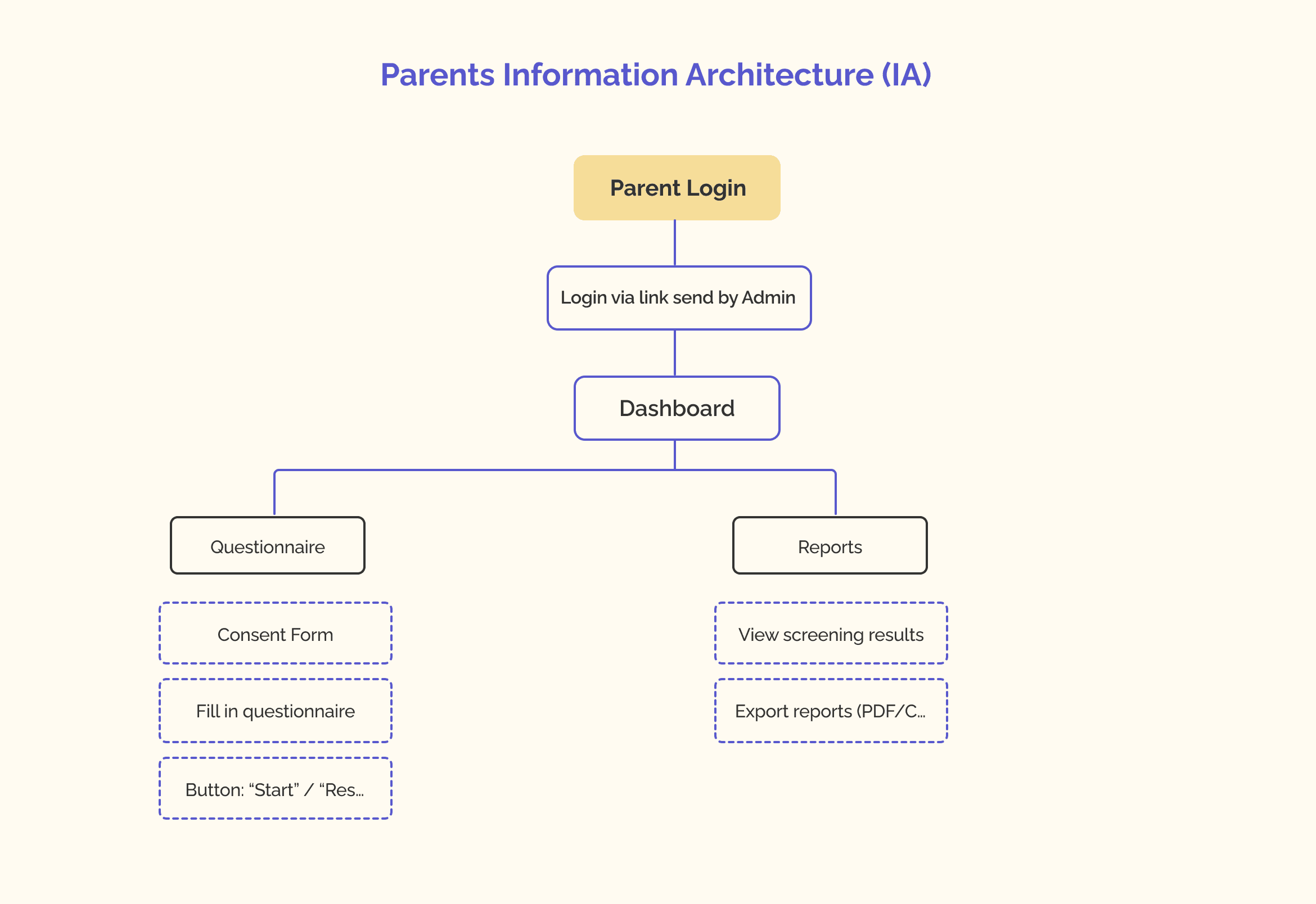
The ideation themes guided us toward defining the platform’s information architecture. This ensured we built workflows that matched each role’s responsibilities and reduced unnecessary complexity.
The IA maps the core tasks and responsibilities for SENCOs, teachers, and parents. It establishes a clear navigational structure that reduces cognitive overload and ensures role-specific clarity.
The ideation themes guided us toward defining the platform’s information architecture. This ensured we built workflows that matched each role’s responsibilities and reduced unnecessary complexity.
The IA maps the core tasks and responsibilities for SENCOs, teachers, and parents. It establishes a clear navigational structure that reduces cognitive overload and ensures role-specific clarity.
Shaping The Experience
With the structure in place, we moved into wireframes, testing flows before committing to anything visual.
We focused on three things: navigation, task flows, and how information was grouped across each role.

My name is priyank
SENCO Variant 1 - Led with today's highlights, priority tasks surfaced upfront, less navigation needed.

SENCO Variant 2 - Led with student management, full class view with screening status and assigned teachers.
Parent Version Variant 1 - Side navigation with child summary card upfront, mirroring the dashboard structure

My name is priyank
Parent Version Variant 2 - Simplified top navigation, leading with today's tasks and no dashboard structure

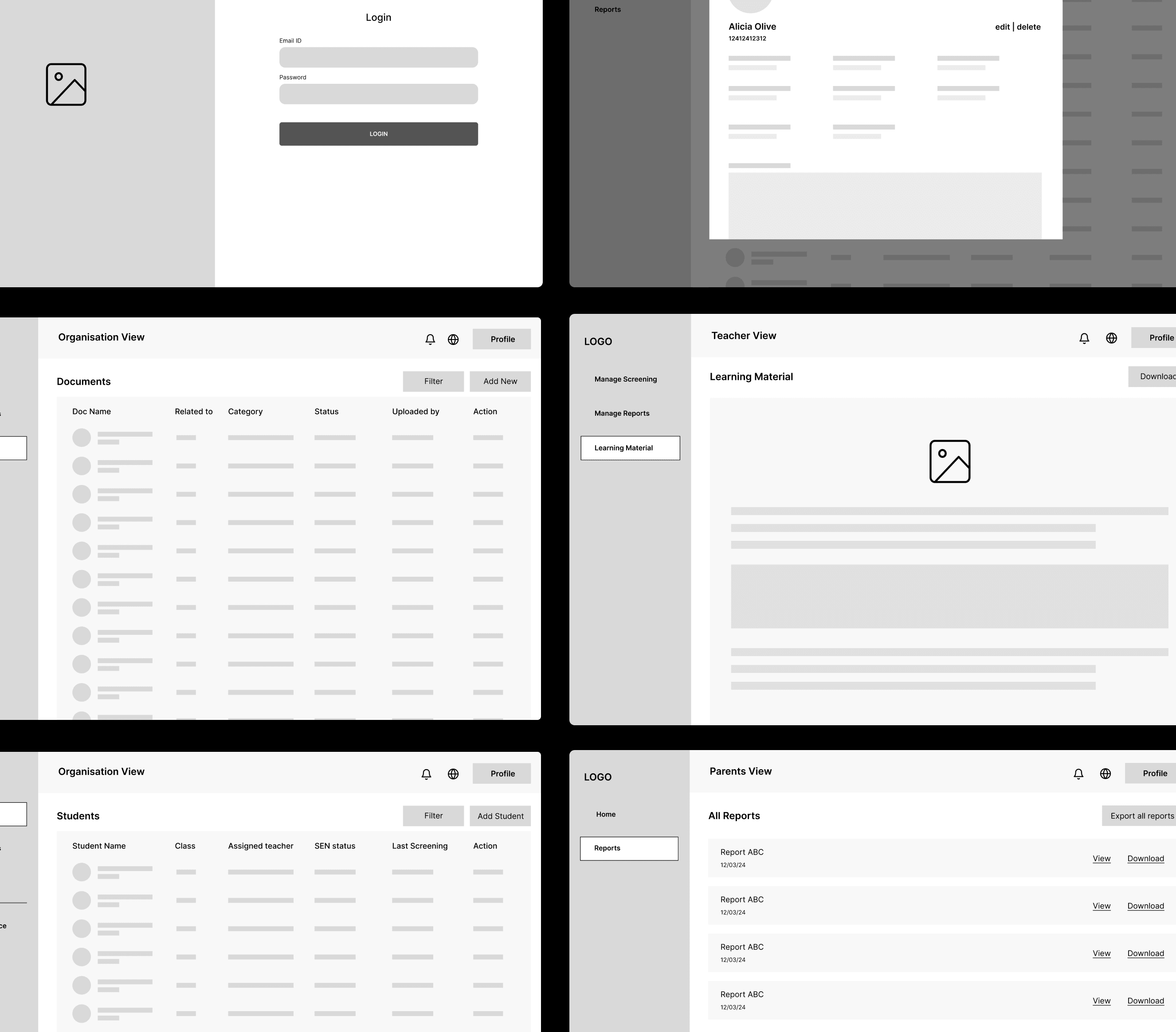
Once IA was clear, we translated it into low-fidelity wireframes to validate navigation, task flows, and information grouping.
Once IA was clear, we translated it into low-fidelity wireframes to validate navigation, task flows, and information grouping.
Wireframes
Wireframes
Low-fidelity wireframes were developed to validate layout decisions and core workflows early on. These helped define task flows such as student documentation, screening updates, parent messaging, and progress tracking.
Low-fidelity wireframes were developed to validate layout decisions and core workflows early on. These helped define task flows such as student documentation, screening updates, parent messaging, and progress tracking.
We knew we needed a dashboard. The question was whether the experience should be the same for everyone, or different depending on who was logging in.
For SENCO & Teachers
The previous interviews gave us a head start here. SENCOs had mentioned that teachers are often the first to notice something is wrong with a student, they are in the classroom every day. But the follow-up, the documentation, the broader oversight? That sits with the SENCO.
Similar world, different responsibilities.

That shaped our decision. A shared dashboard structure made sense but with different permissions and priorities for each role.
For parents, the same interviews told a clearer story. SENCOs described parents as mostly wanting to know one thing, how is my child doing? They're not managing workflows or reviewing documentation. They just want visibility. And most of them aren't sitting at a desk to check it.
That's where the mobile-first decision came from. Not an assumption, something we heard directly.
SENCO and teacher share the same dashboard, differentiated by permissions, not by layout.
Parents get a different experience entirely, simpler, focused, and built for mobile.
Accessibility was
non-negotiable from the start, not something we'd come back to later.
With those decisions made, we mapped out the full architecture, three distinct role-based journeys, each with their own entry point and flow. This became the foundation everything else was built on.
Rethinking the Platform
The SENCO interview gave us a clear direction. But we still needed to figure out what that actually meant for the product.


We knew we needed a dashboard. The question was whether the experience should be the same for everyone, or different depending on who was logging in.
For SENCO & Teachers
The previous interviews gave us a head start here. SENCOs had mentioned that teachers are often the first to notice something is wrong with a student, they are in the classroom every day. But the follow-up, the documentation, the broader oversight? That sits with the SENCO.
Similar world, different responsibilities.
That shaped our decision. A shared dashboard structure made sense but with different permissions and priorities for each role.
For parents, the same interviews told a clearer story. SENCOs described parents as mostly wanting to know one thing, how is my child doing? They're not managing workflows or reviewing documentation. They just want visibility. And most of them aren't sitting at a desk to check it.
That's where the mobile-first decision came from. Not an assumption, something we heard directly.
SENCO and teacher share the same dashboard, differentiated by permissions, not by layout.
Parents get a different experience entirely, simpler, focused, and built for mobile.
Accessibility was
non-negotiable from the start, not something we'd come back to later.
Shaping Opportunity Areas
Shaping Opportunity Areas
We grouped all pain points and insights into thematic opportunity clusters such as:
We grouped all pain points and insights into thematic opportunity clusters such as:
Simplifying documentation
Simplifying documentation
Improving classroom assessment workflows
Improving classroom assessment workflows
Increasing parent visibility
Increasing parent visibility
Centralizing communication
Centralizing communication
Scaling across different SEND needs
Scaling across different SEND needs
These clusters helped us focus on the platform’s most impactful areas.
These clusters helped us focus on the platform’s most impactful areas.
These clusters helped us focus on the platform’s most impactful areas.
These clusters helped us focus on the platform’s most impactful areas.
How Might We (HMW) Exploration
How Might We (HMW) Exploration
To translate these opportunity areas into actionable directions, we ran a short How Might We exercise. This reframed problems into possibilities and helped align the team on what the platform should enable for each role.
To translate these opportunity areas into actionable directions, we ran a short How Might We exercise. This reframed problems into possibilities and helped align the team on what the platform should enable for each role.
Information Architecture (IA)
Information Architecture (IA)
The ideation themes guided us toward defining the platform’s information architecture. This ensured we built workflows that matched each role’s responsibilities and reduced unnecessary complexity.
The IA maps the core tasks and responsibilities for SENCOs, teachers, and parents. It establishes a clear navigational structure that reduces cognitive overload and ensures role-specific clarity.
The ideation themes guided us toward defining the platform’s information architecture. This ensured we built workflows that matched each role’s responsibilities and reduced unnecessary complexity.
The IA maps the core tasks and responsibilities for SENCOs, teachers, and parents. It establishes a clear navigational structure that reduces cognitive overload and ensures role-specific clarity.
Once IA was clear, we translated it into low-fidelity wireframes to validate navigation, task flows, and information grouping.
Once IA was clear, we translated it into low-fidelity wireframes to validate navigation, task flows, and information grouping.
Wireframes
Wireframes
Low-fidelity wireframes were developed to validate layout decisions and core workflows early on. These helped define task flows such as student documentation, screening updates, parent messaging, and progress tracking.
Low-fidelity wireframes were developed to validate layout decisions and core workflows early on. These helped define task flows such as student documentation, screening updates, parent messaging, and progress tracking.
With those decisions made, we mapped out the full architecture, three distinct role-based journeys, each with their own entry point and flow. This became the foundation everything else was built on.


Shaping Opportunity Areas
Shaping Opportunity Areas
We grouped all pain points and insights into thematic opportunity clusters such as:
We grouped all pain points and insights into thematic opportunity clusters such as:
Simplifying documentation
Simplifying documentation
Improving classroom assessment workflows
Improving classroom assessment workflows
Increasing parent visibility
Increasing parent visibility
Centralizing communication
Centralizing communication
Scaling across different SEND needs
Scaling across different SEND needs
These clusters helped us focus on the platform’s most impactful areas.
These clusters helped us focus on the platform’s most impactful areas.
These clusters helped us focus on the platform’s most impactful areas.
These clusters helped us focus on the platform’s most impactful areas.
How Might We (HMW) Exploration
How Might We (HMW) Exploration
To translate these opportunity areas into actionable directions, we ran a short How Might We exercise. This reframed problems into possibilities and helped align the team on what the platform should enable for each role.
To translate these opportunity areas into actionable directions, we ran a short How Might We exercise. This reframed problems into possibilities and helped align the team on what the platform should enable for each role.
Information Architecture (IA)
Information Architecture (IA)
The ideation themes guided us toward defining the platform’s information architecture. This ensured we built workflows that matched each role’s responsibilities and reduced unnecessary complexity.
The IA maps the core tasks and responsibilities for SENCOs, teachers, and parents. It establishes a clear navigational structure that reduces cognitive overload and ensures role-specific clarity.
The ideation themes guided us toward defining the platform’s information architecture. This ensured we built workflows that matched each role’s responsibilities and reduced unnecessary complexity.
The IA maps the core tasks and responsibilities for SENCOs, teachers, and parents. It establishes a clear navigational structure that reduces cognitive overload and ensures role-specific clarity.
Shaping The Experience
With the structure in place, we moved into wireframes, testing flows before committing to anything visual.
We focused on three things: navigation, task flows, and how information was grouped across each role.
Once IA was clear, we translated it into low-fidelity wireframes to validate navigation, task flows, and information grouping.
Once IA was clear, we translated it into low-fidelity wireframes to validate navigation, task flows, and information grouping.
Wireframes
Wireframes
Low-fidelity wireframes were developed to validate layout decisions and core workflows early on. These helped define task flows such as student documentation, screening updates, parent messaging, and progress tracking.
Low-fidelity wireframes were developed to validate layout decisions and core workflows early on. These helped define task flows such as student documentation, screening updates, parent messaging, and progress tracking.
My name is priyank
SENCO Variant 1 - Led with today's highlights, priority tasks surfaced upfront, less navigation needed.
SENCO Variant 2 - Led with student management, full class view with screening status and assigned teachers.
My name is priyank
Parent Version Variant 1 - Side navigation with child summary card upfront, mirroring the dashboard structure
Parent Version Variant 2 - Simplified top navigation, leading with today's tasks and no dashboard structure
Before moving to high fidelity, we ran a structured walkthrough of the wireframes with our project partner and team. We used dot voting to collectively prioritise which flows and layout decisions were working and which needed revisiting, making sure we were aligned on direction before investing in visual design.
Variant 2 was selected in both cases.
The Interview Conversation That Changed Everything
Midway through the project, we managed to get time with a practising SENCO. It was the most important conversation of the entire project.
"I wouldn't use a platform that only supports ADHD."
That one line reframed everything.
To gather grounded insights, we conducted interviews with two SENCOs managing extensive SEND caseloads and one parent actively involved in SEN support processes. Additionally, we reviewed previous interview data provided by our project partner to further improve our understanding.
To gather grounded insights, we conducted interviews with two SENCOs managing extensive SEND caseloads and one parent actively involved in SEN support processes. Additionally, we reviewed previous interview data provided by our project partner to further improve our understanding.
We had been designing for an ADHD screening platform with better UX. But SENCOs don't work that way. They support students across a range of needs - dyslexia, autism, anxiety, and more, often at the same time. A platform built only around ADHD would never fit into their real workflow.
This didn't mean abandoning ADHD as the starting point. It meant designing the platform so it could naturally expand, where ADHD was the first use case, not the only one.
From this point on, we weren't just improving an existing product, we were rethinking what the platform needed to be.
The Final Platform
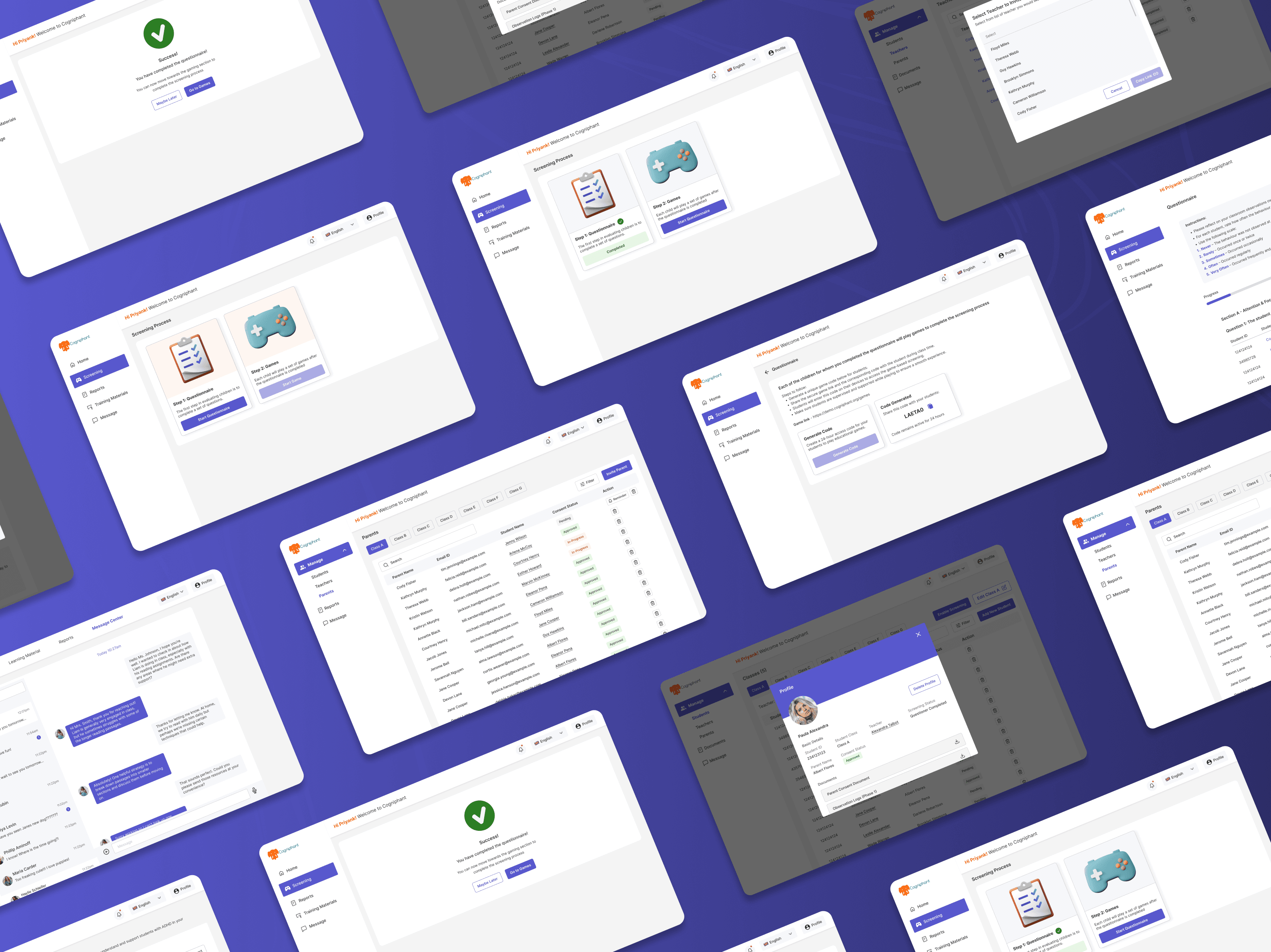
Three roles. Three different needs. Three distinct experiences.
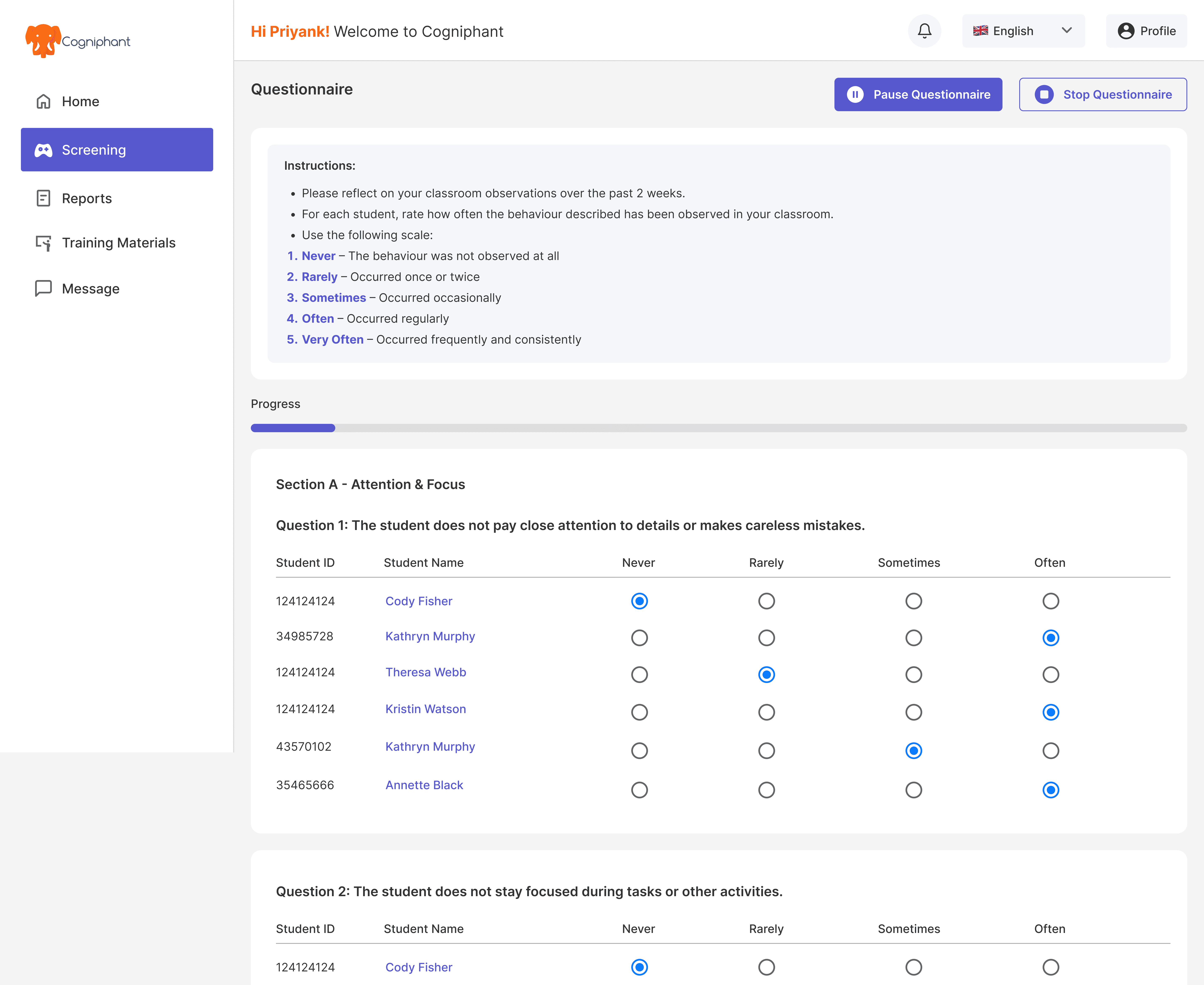
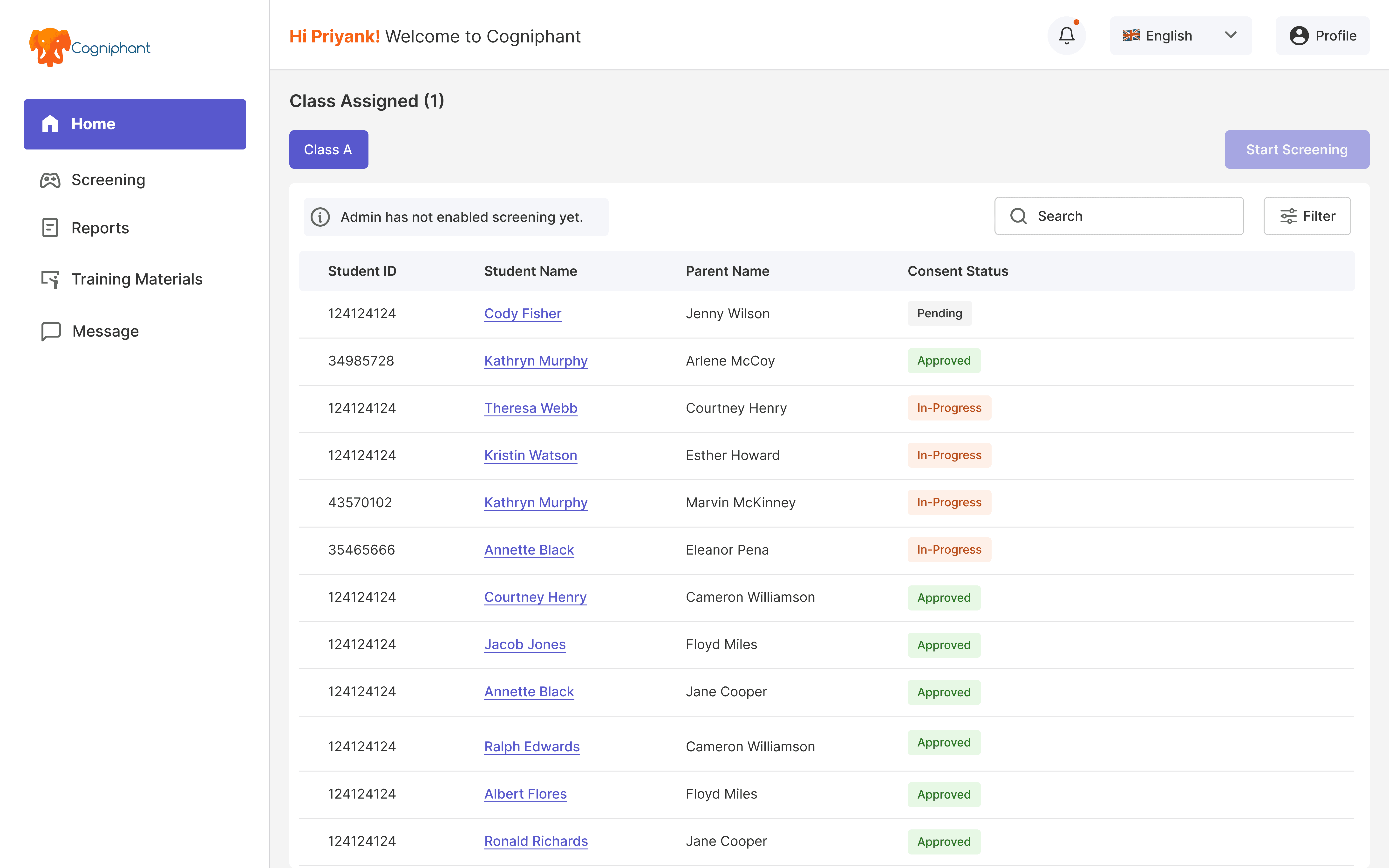
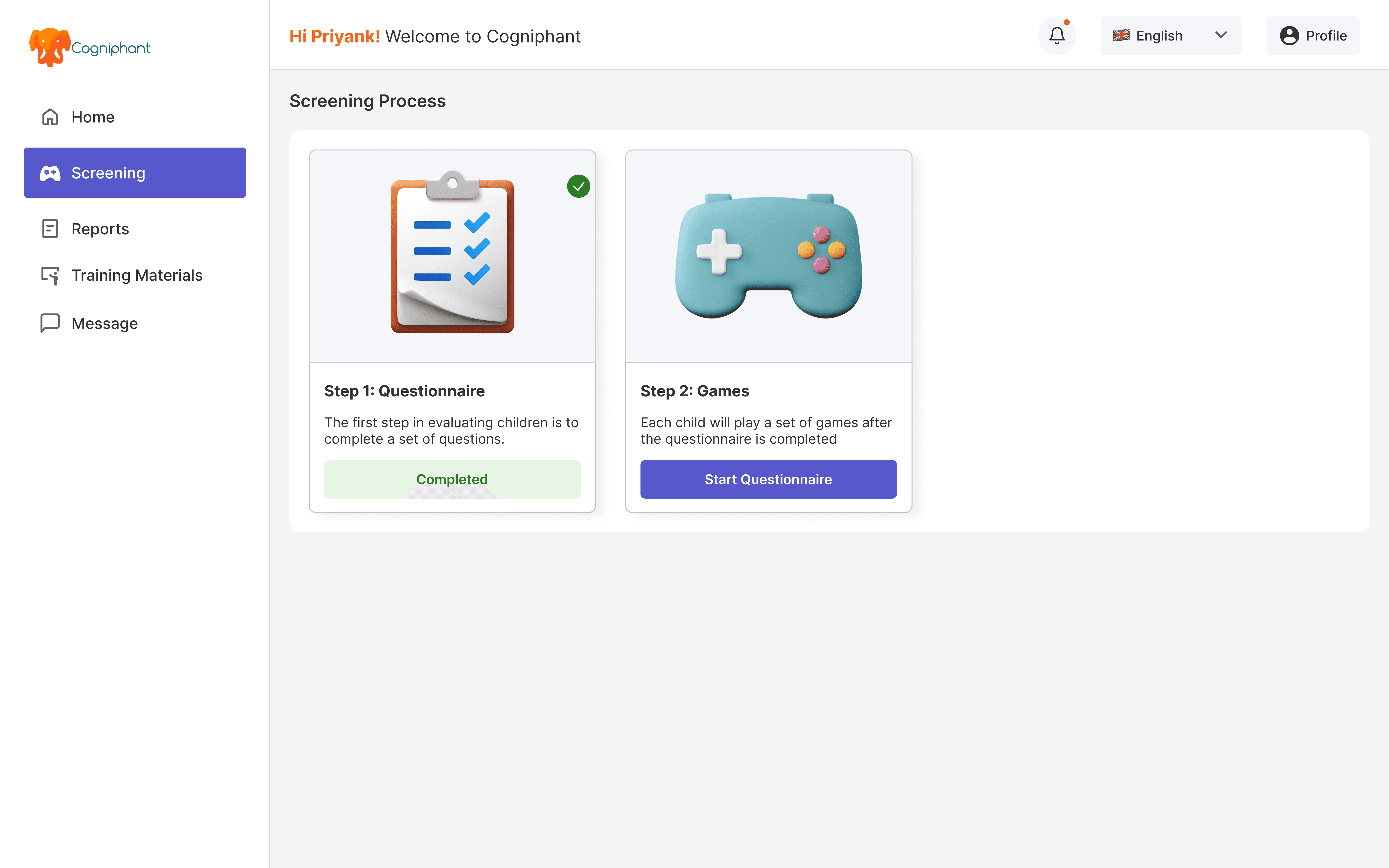
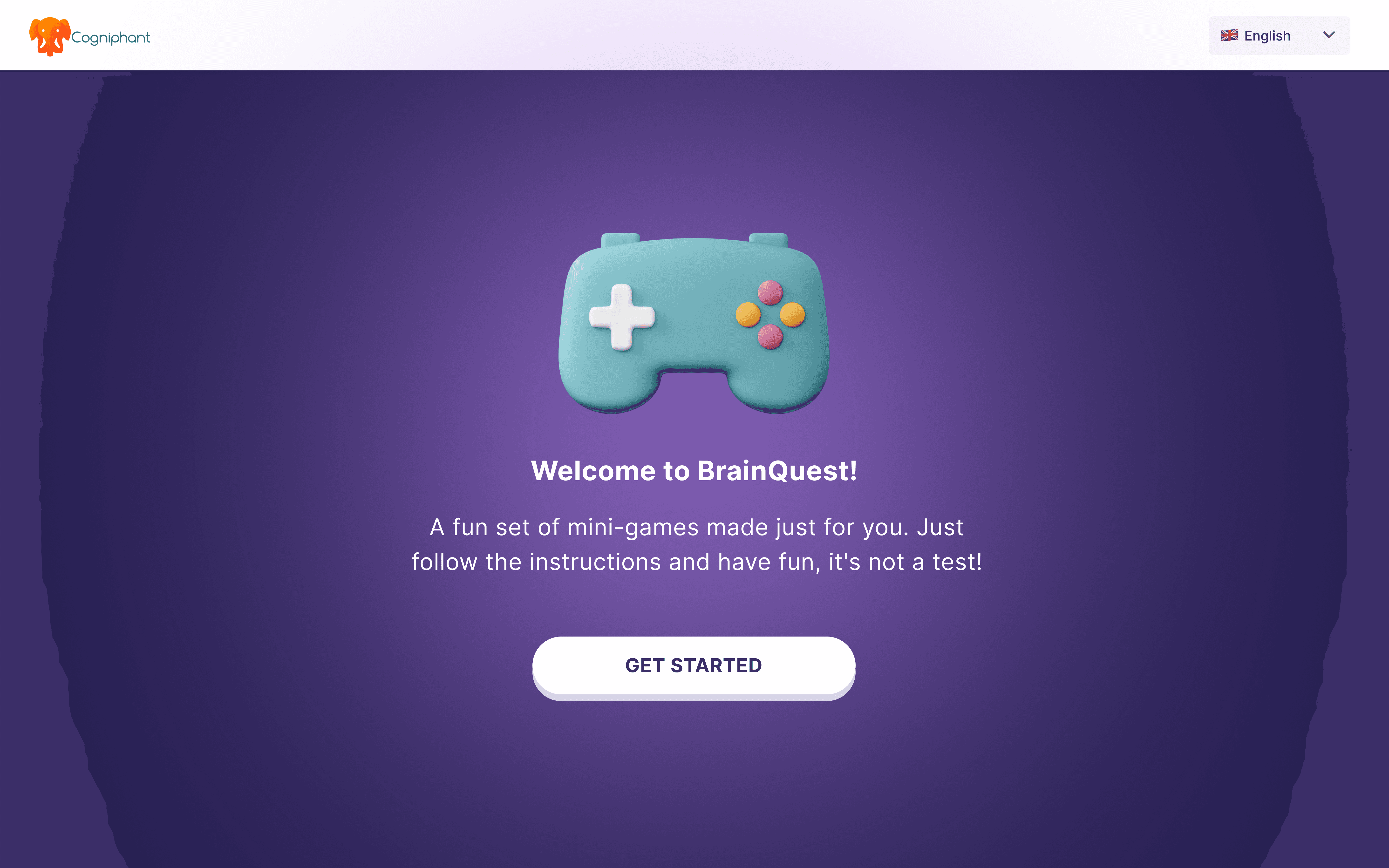
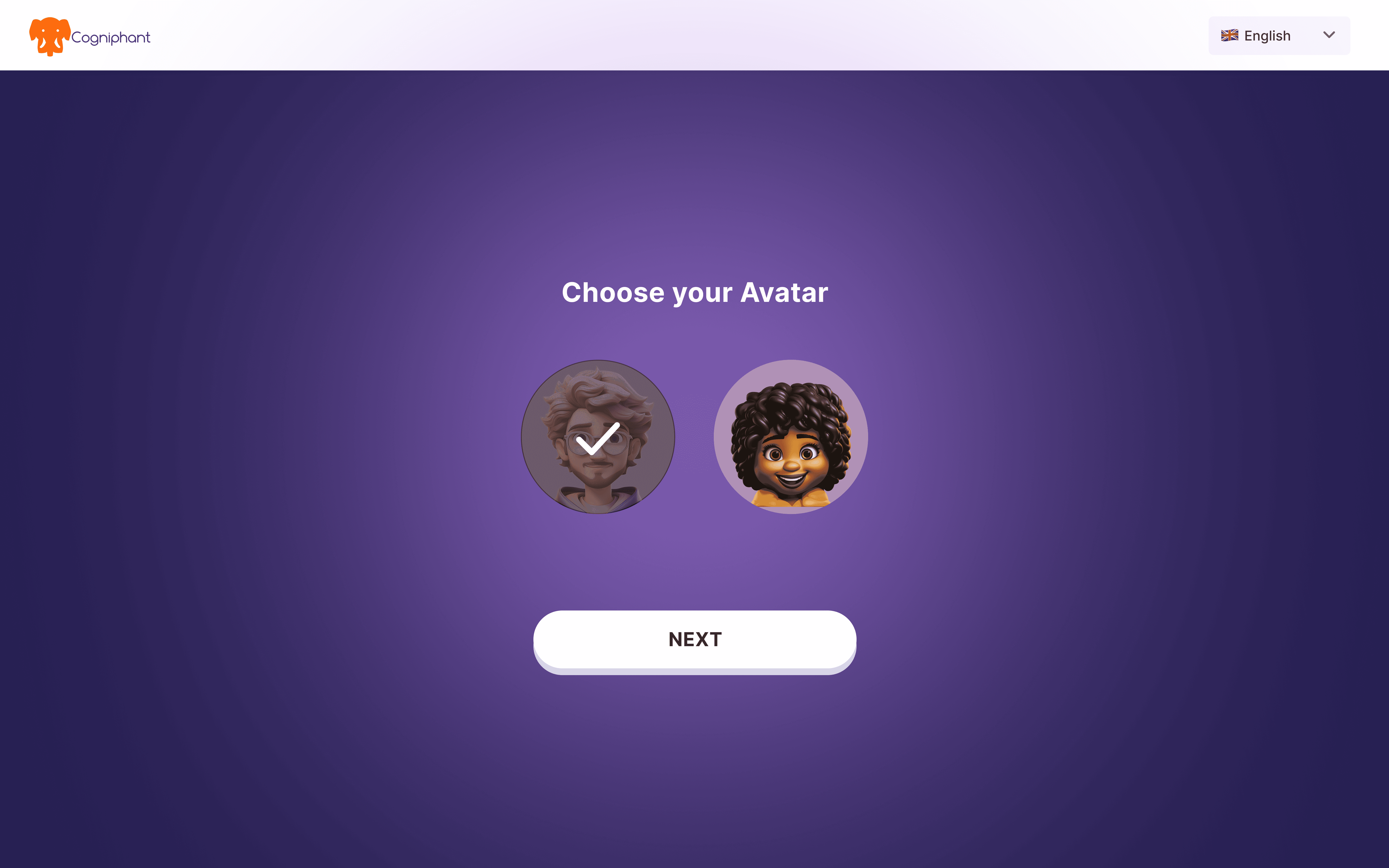
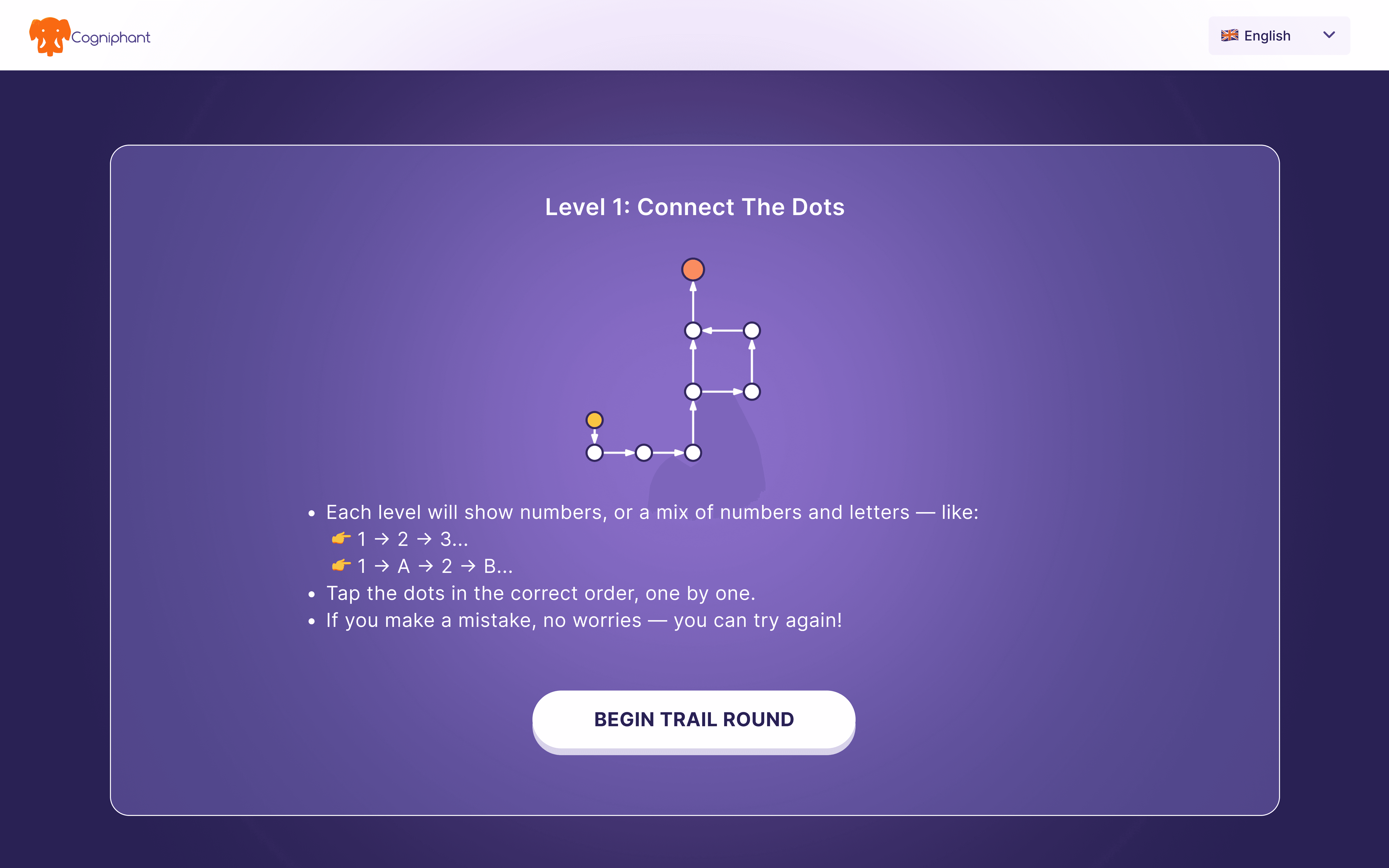
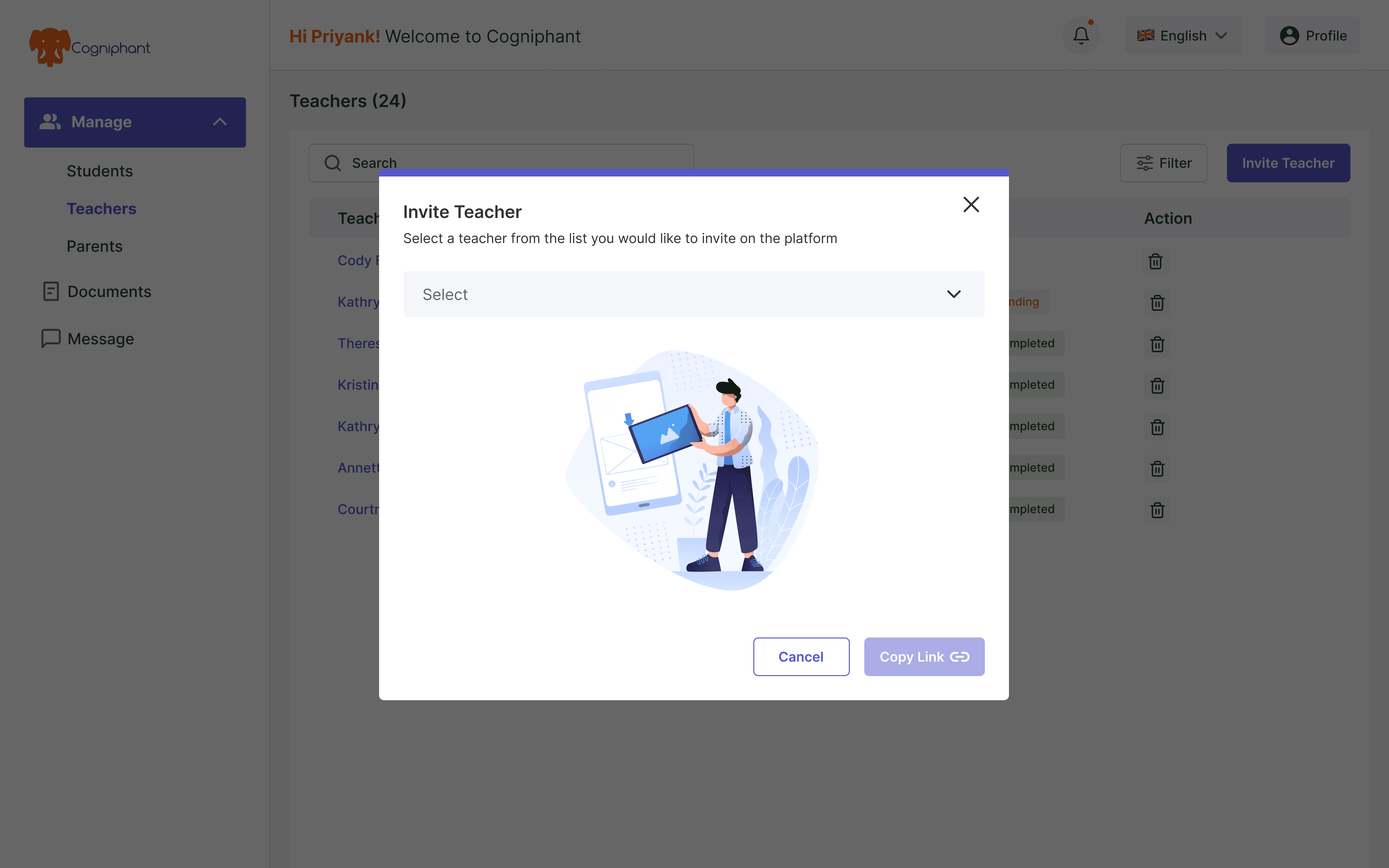
Teacher Workspace
Teachers needed something they could use mid-class - fast, focused, no unnecessary steps.
So we kept the experience tight around what they actually do.
Run a screening questionnaire or cognitive assessment directly from a student's profile.
Log observations, update status, and move on. Nothing else in the way.
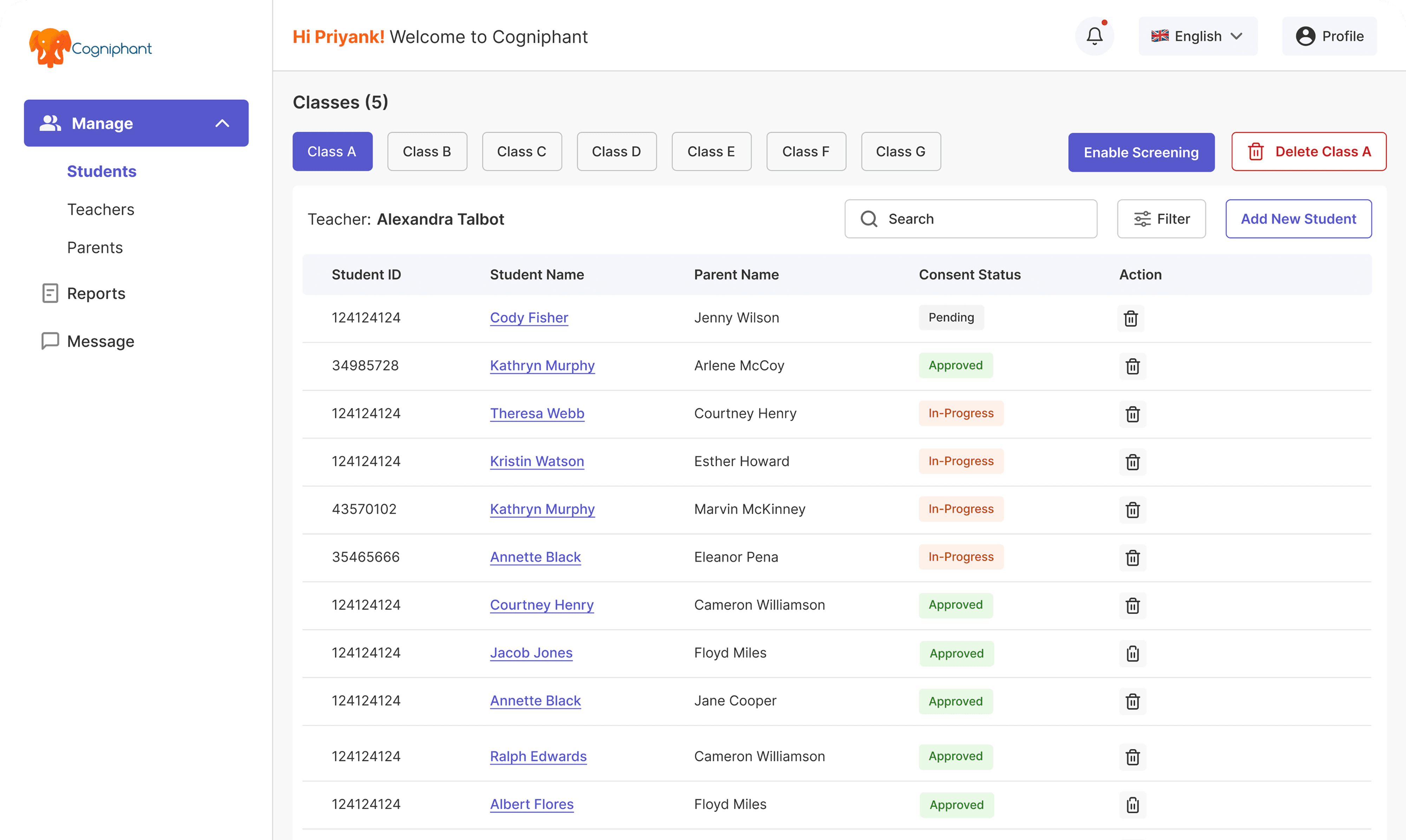
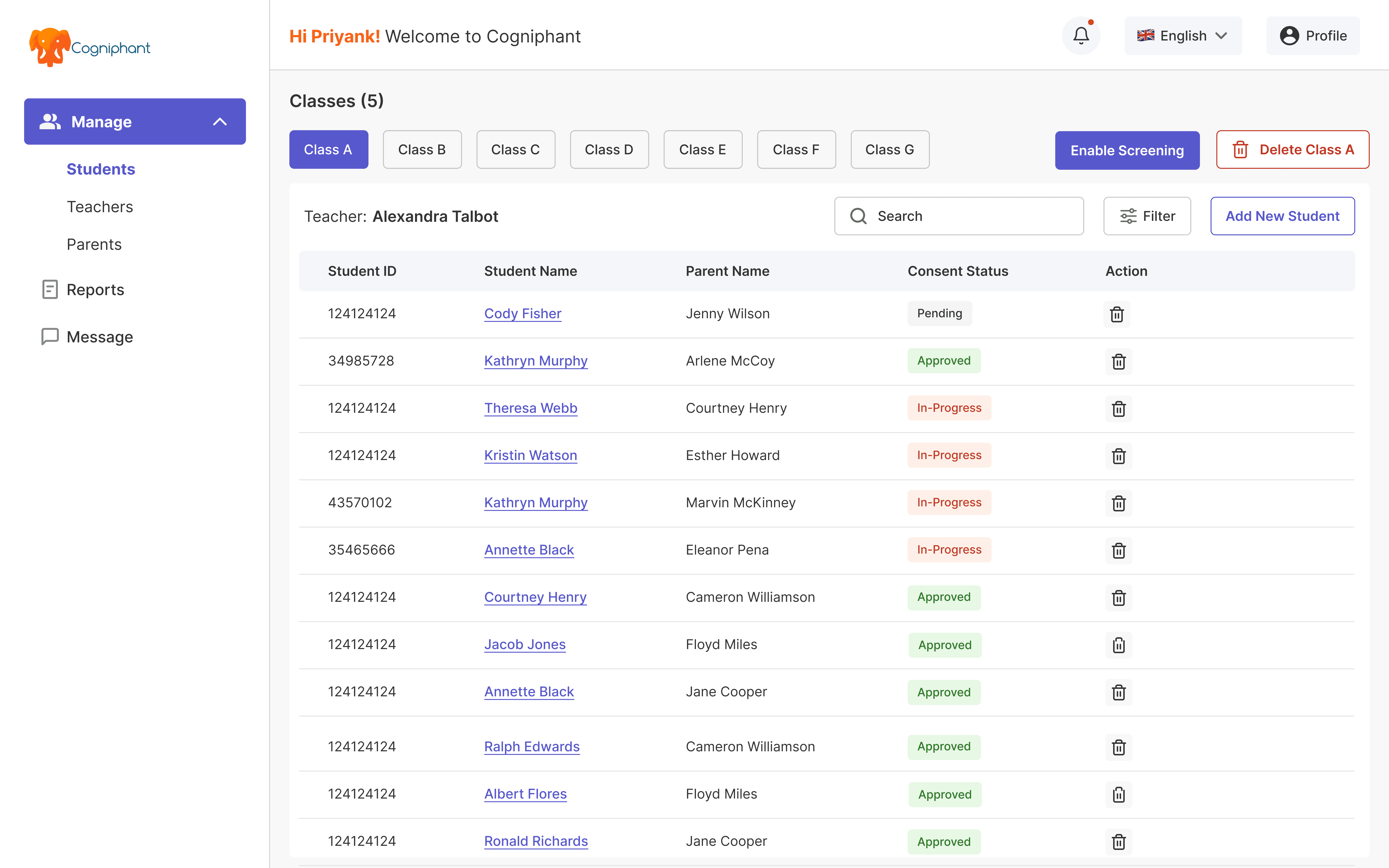
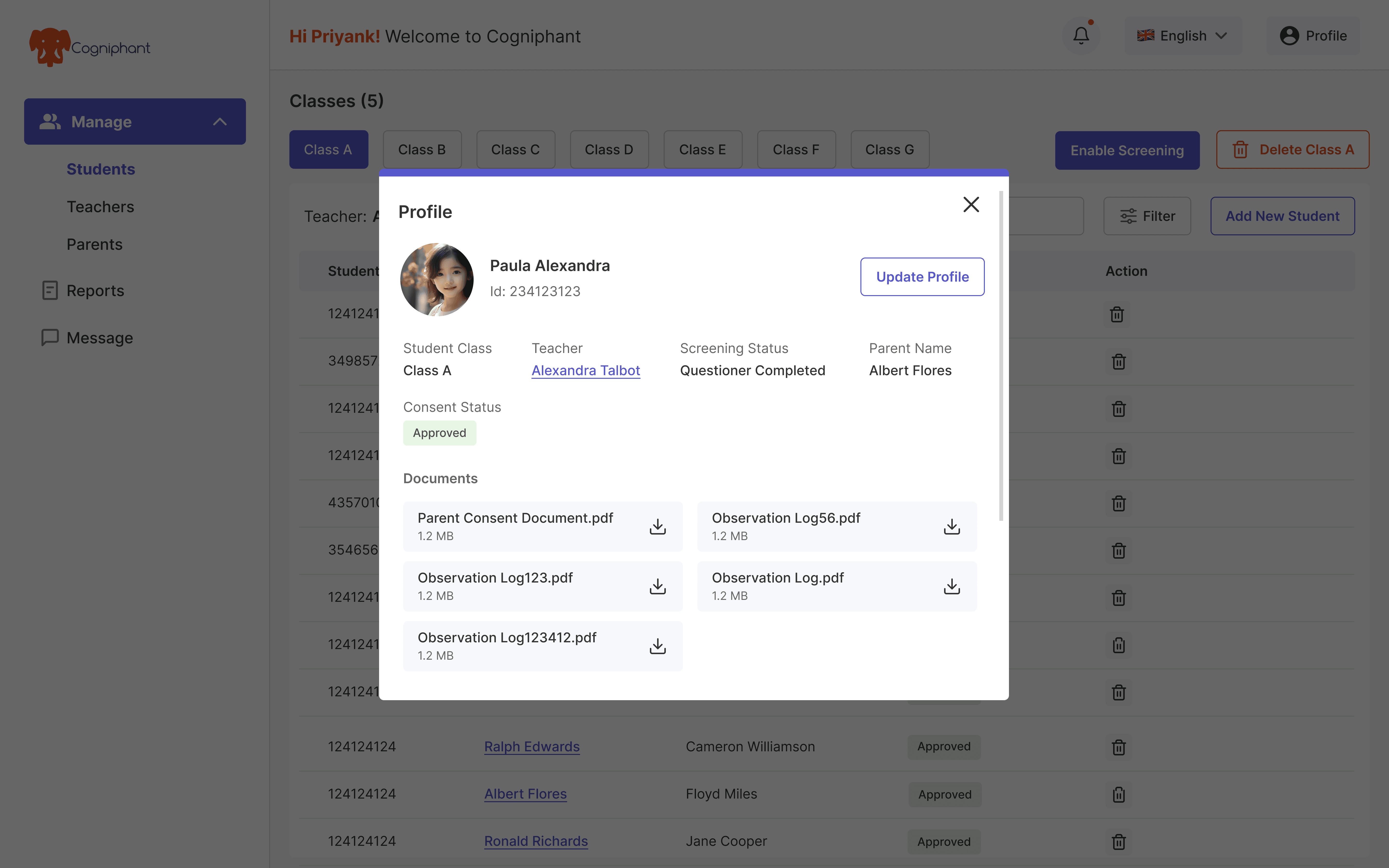
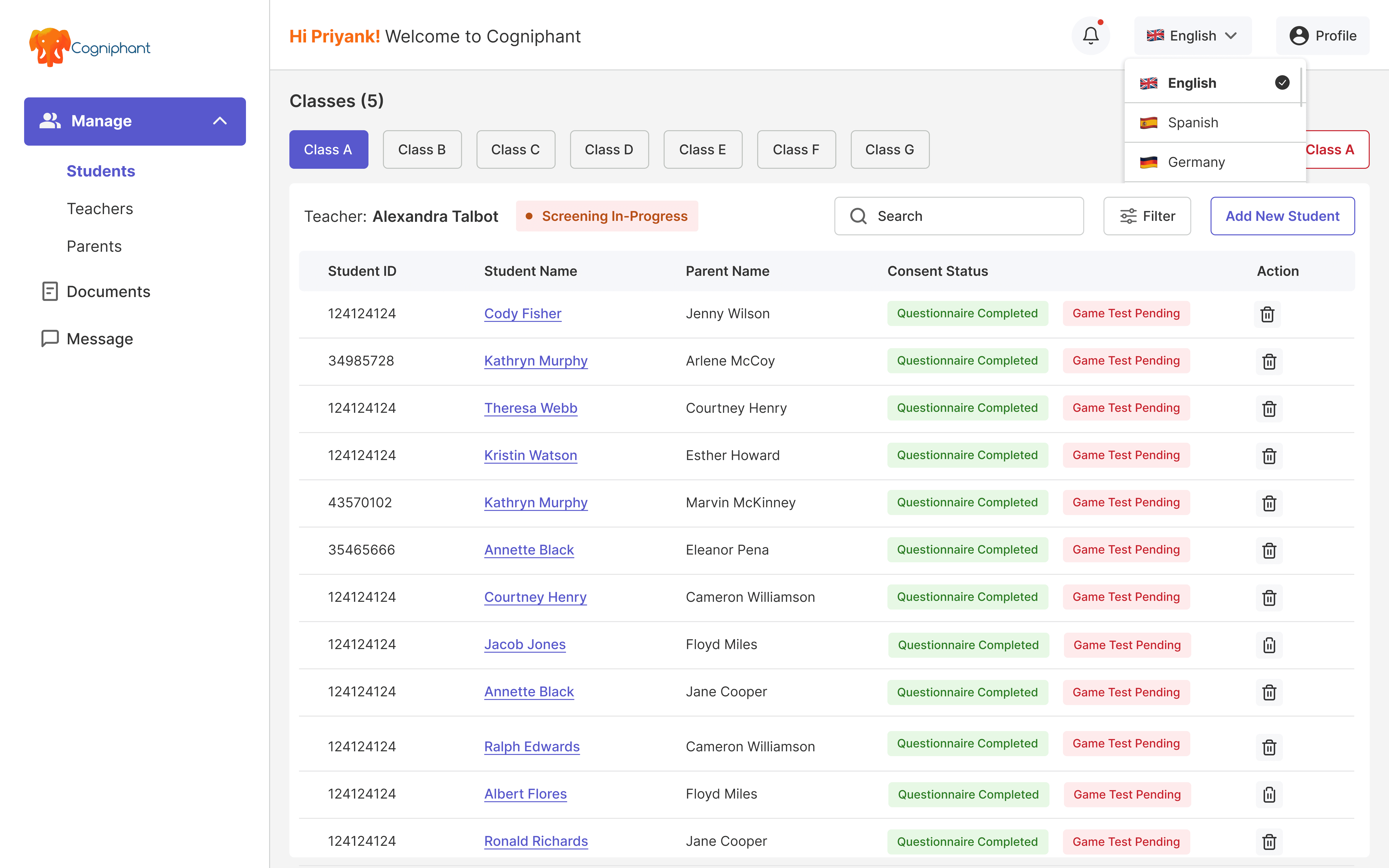
SENCO Dashboard
The SENCO view needed more depth. This is where the full picture lives, not just one student,
but an entire school's SEND caseload.
Same structural foundation as the teacher view, but with broader access. Student management,
documentation, progress tracking, and assessment history all in one place.
SENCOs don't switch between tools anymore.
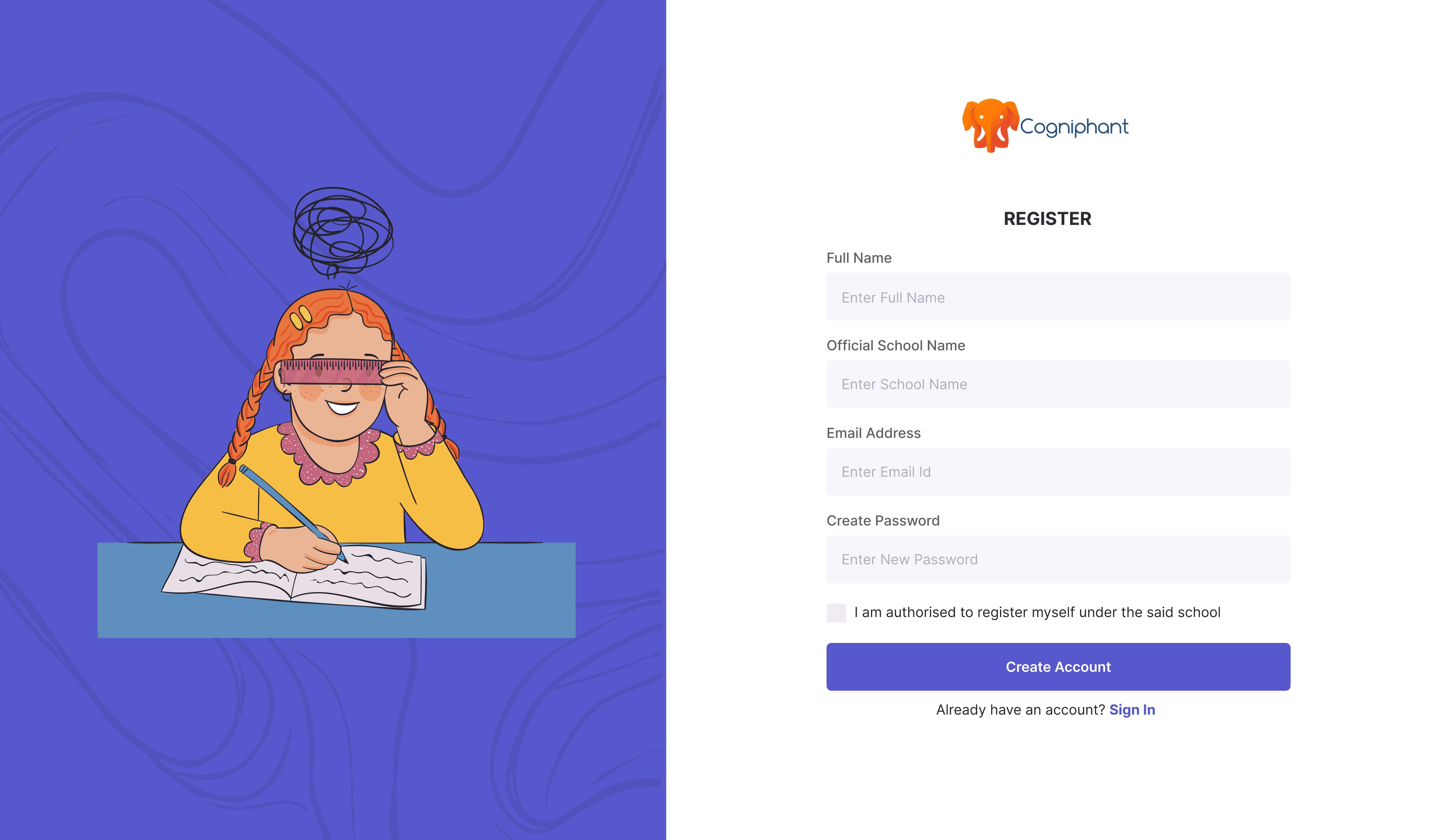

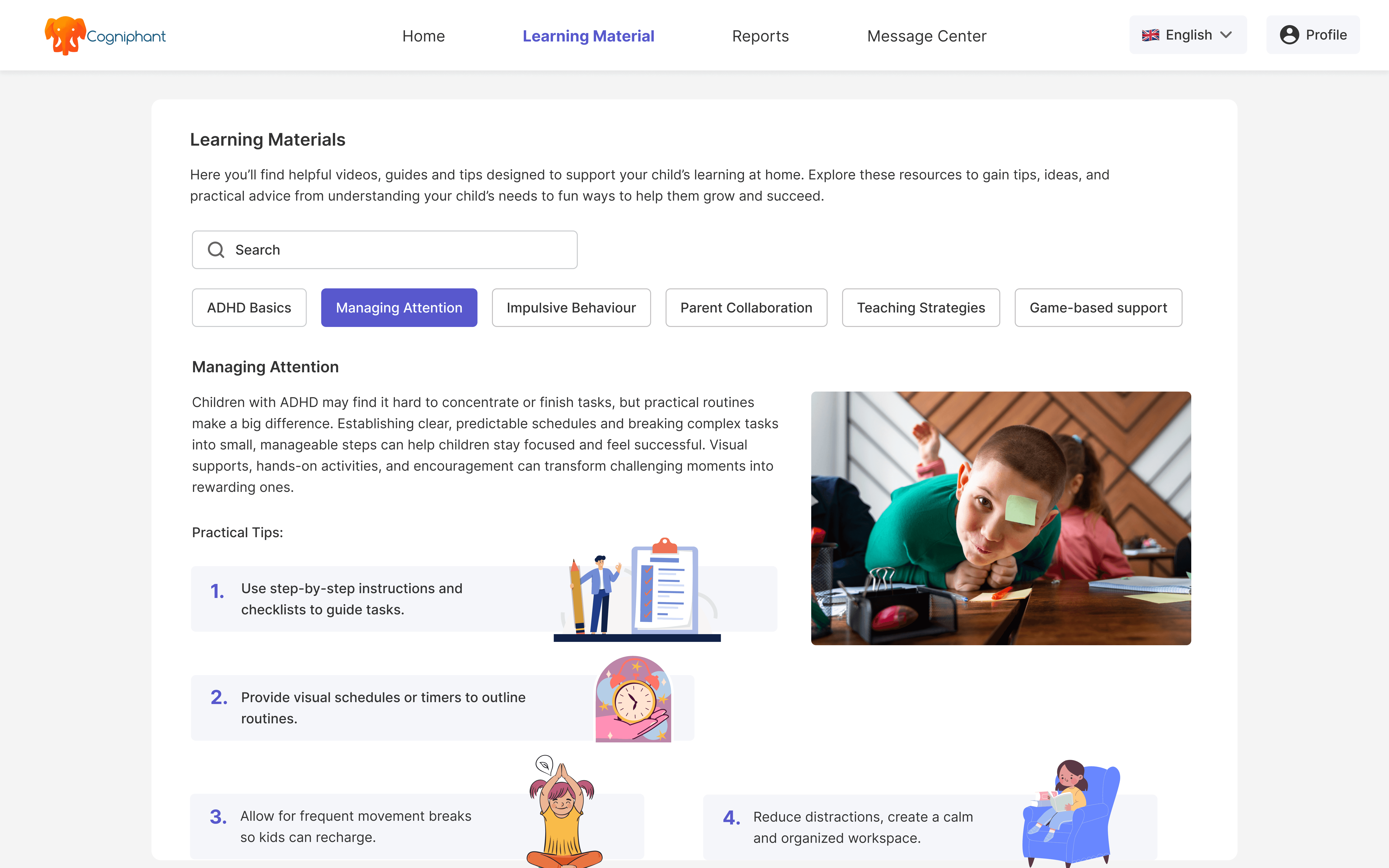
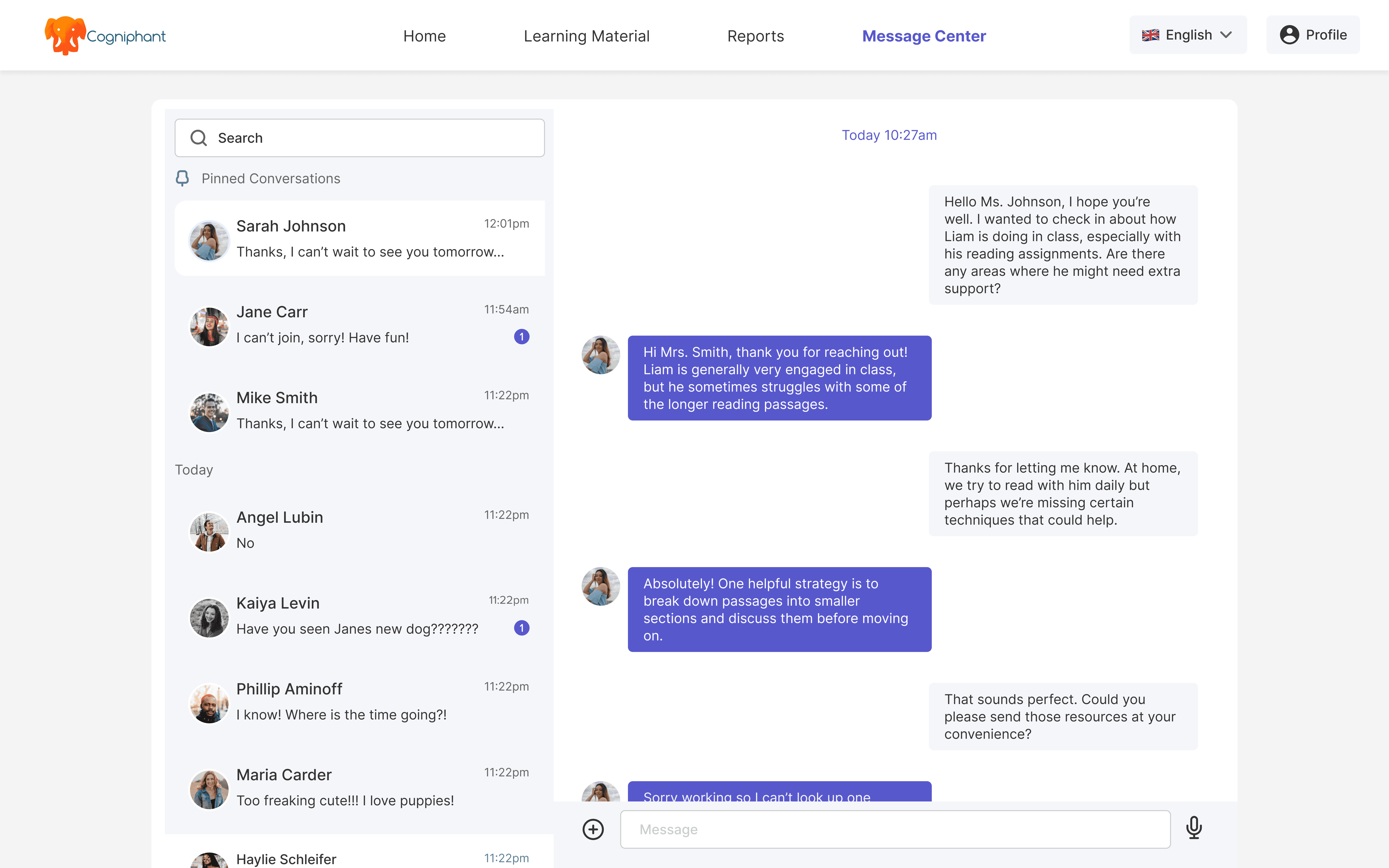
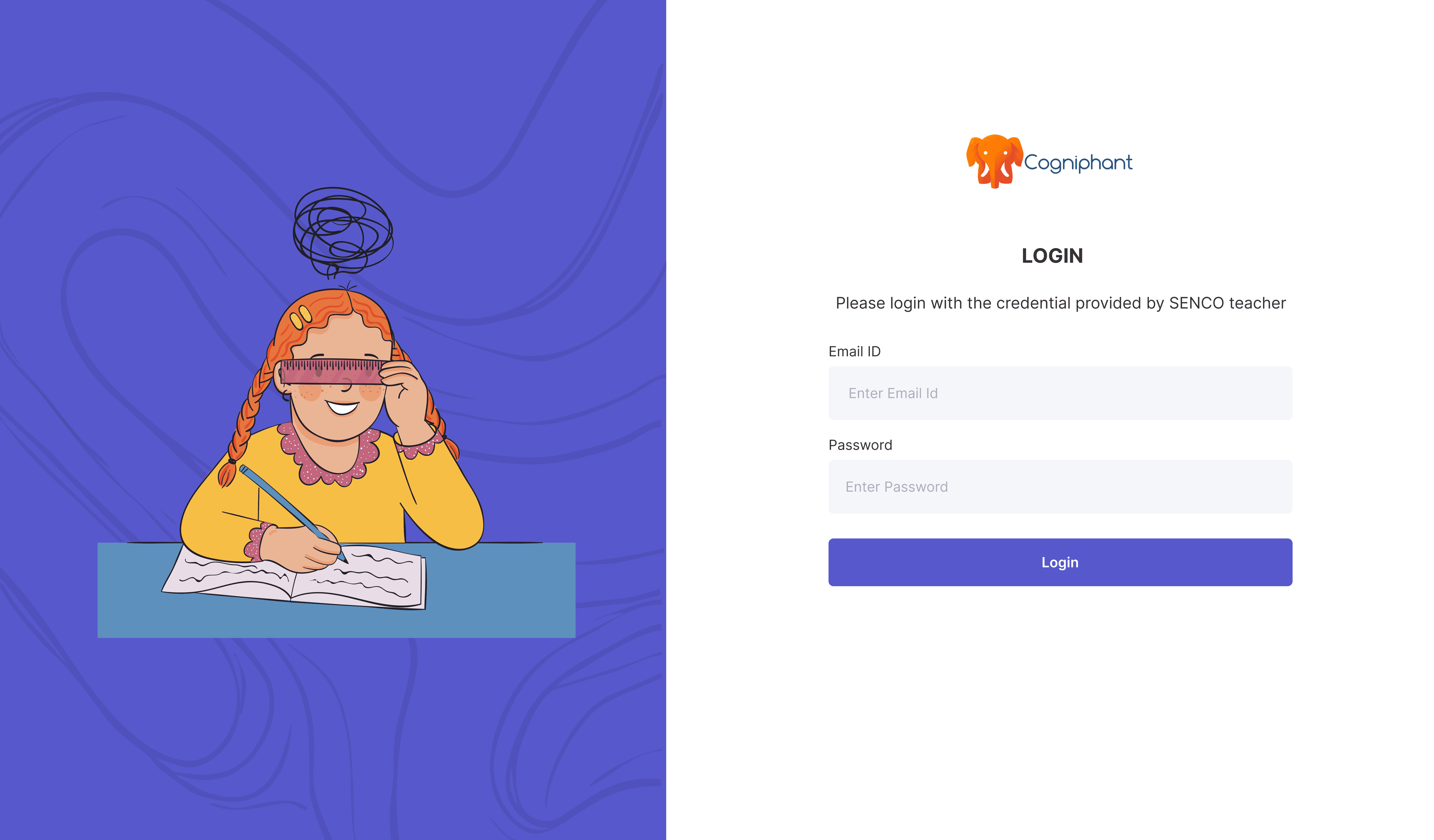
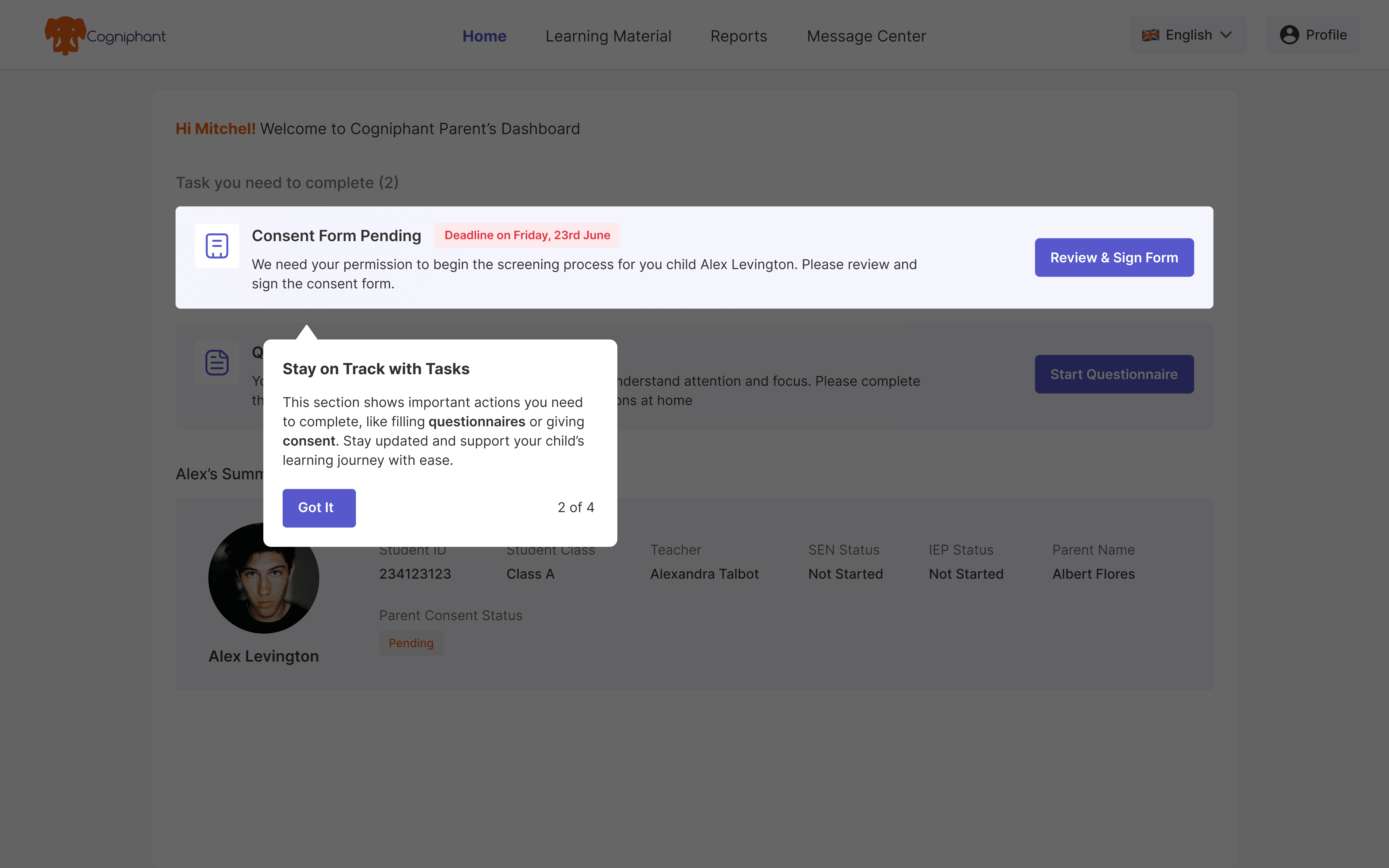
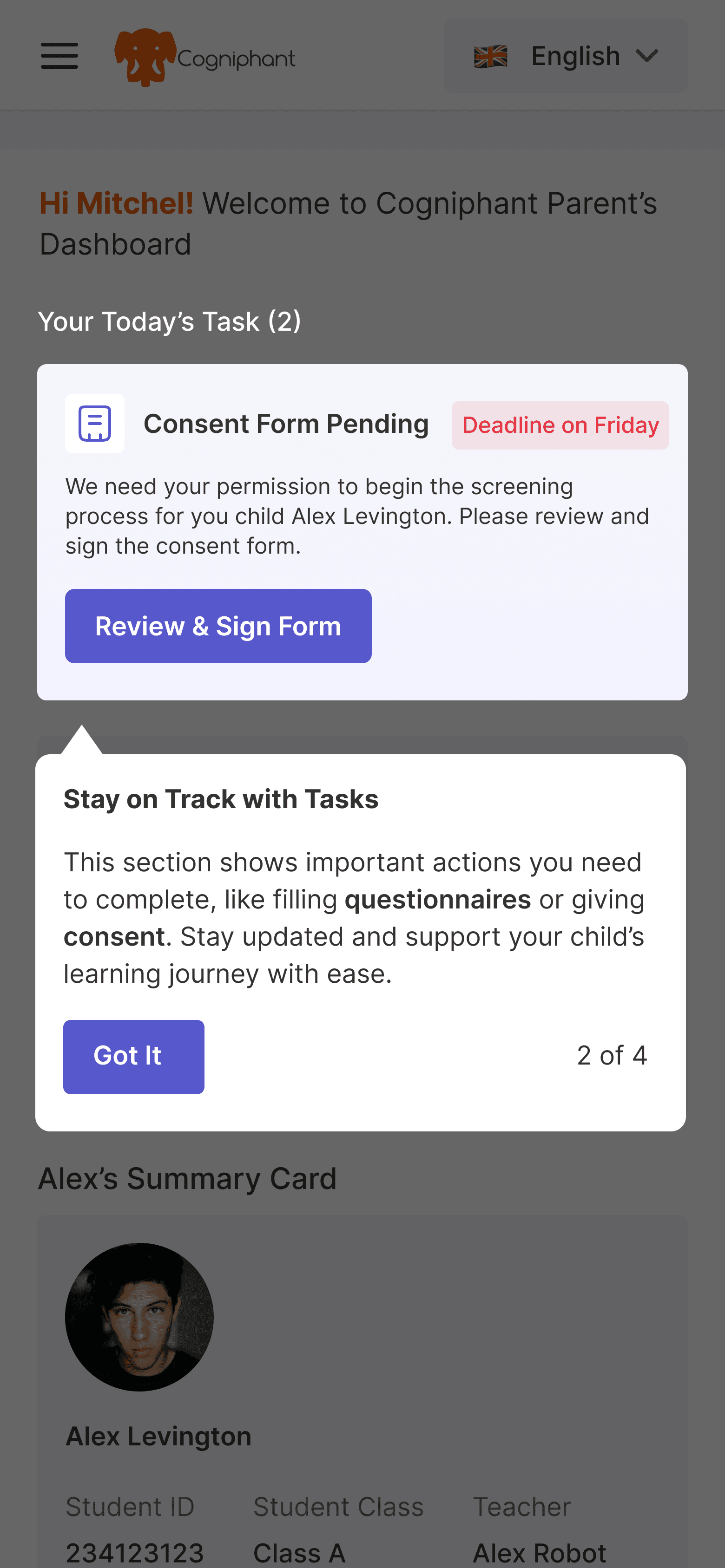
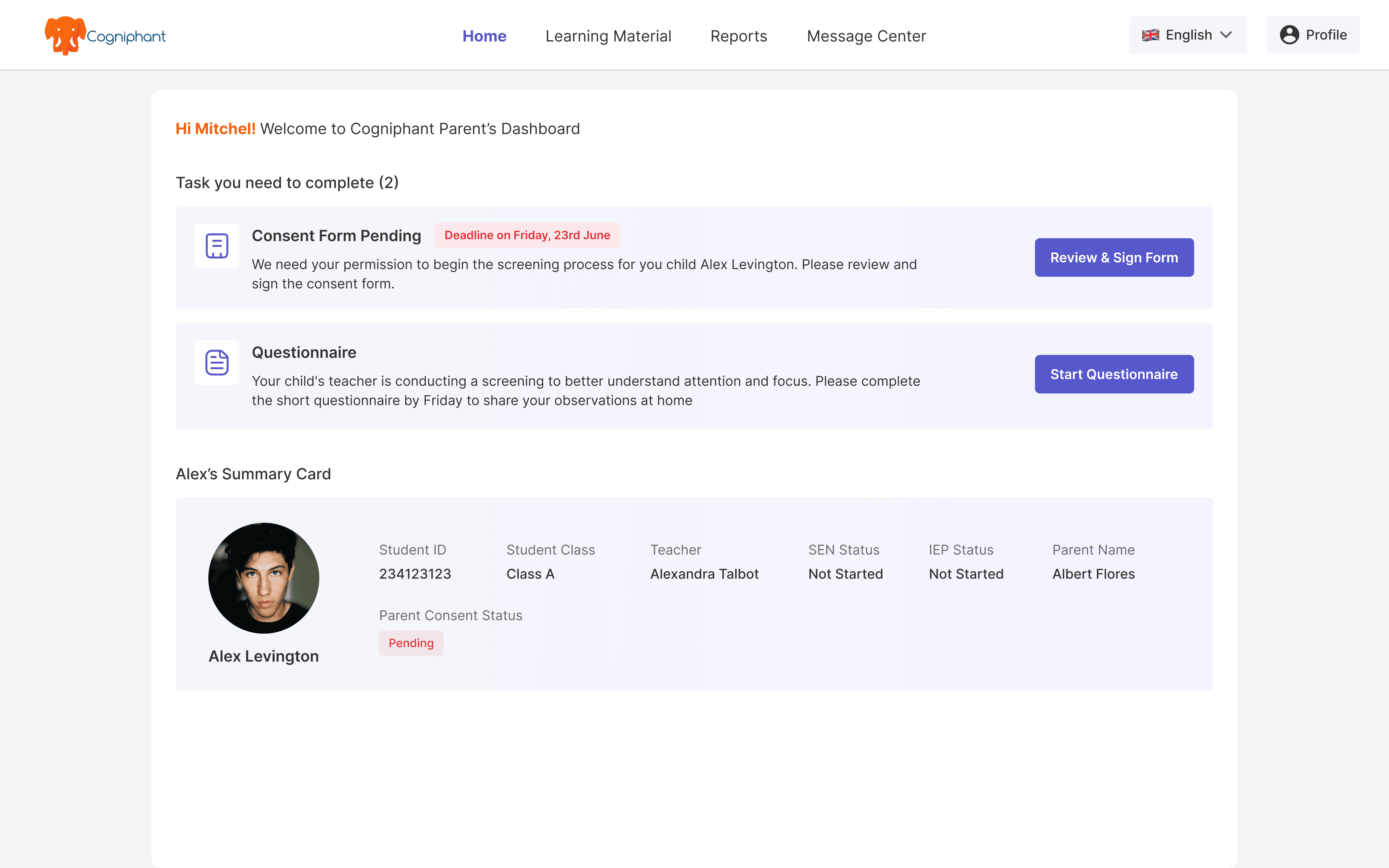
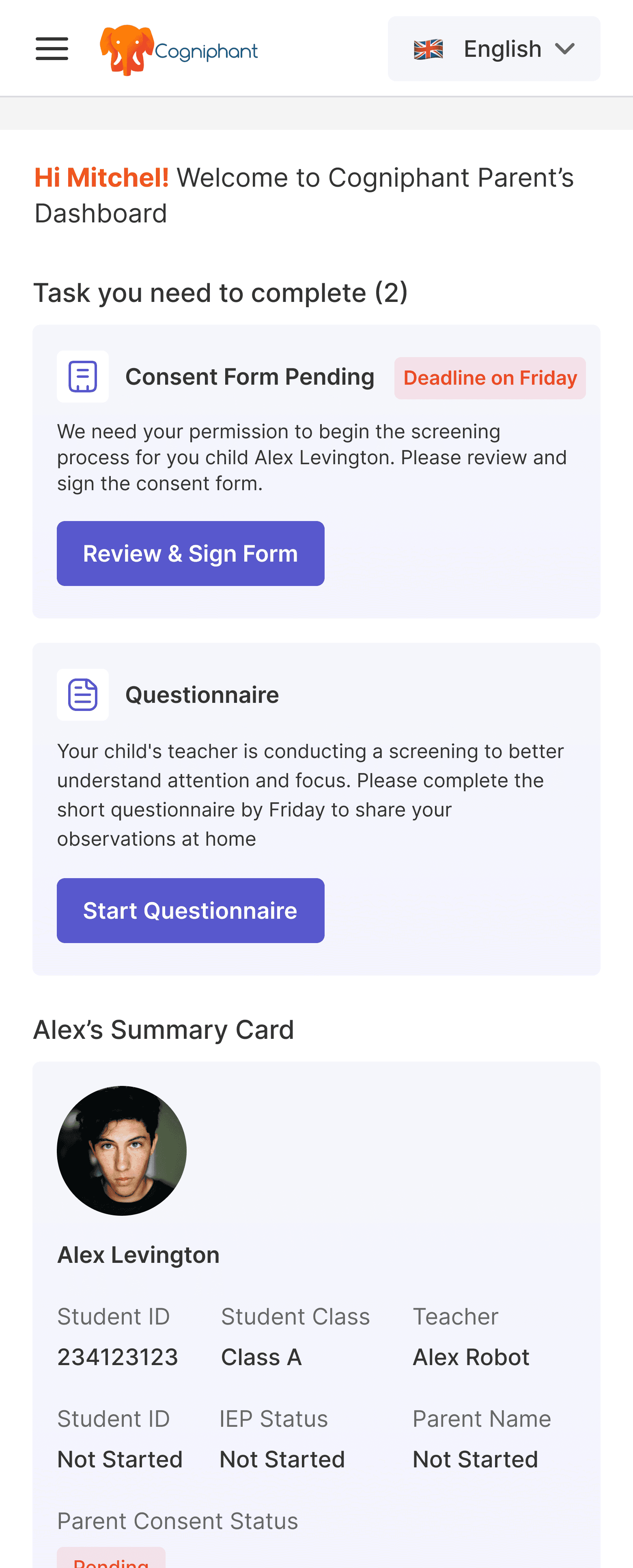
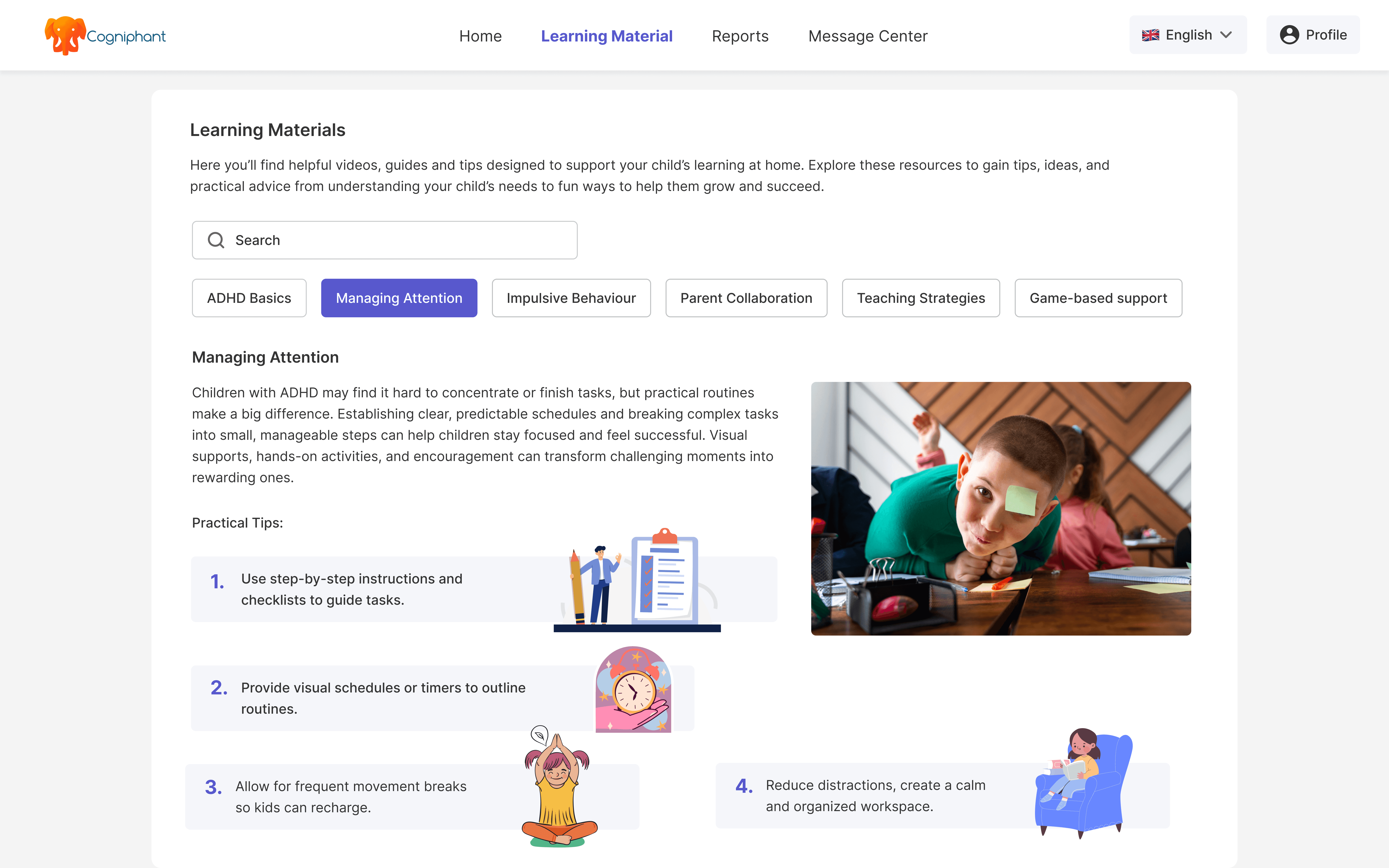
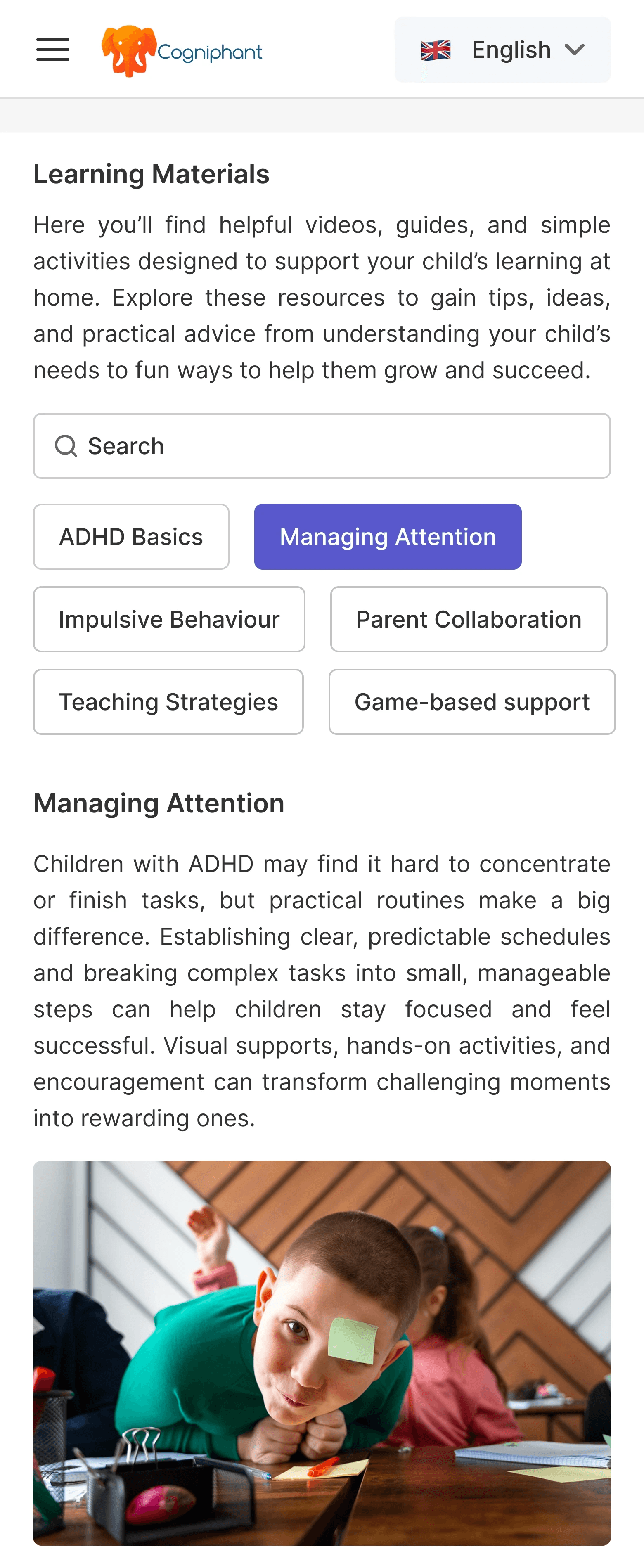
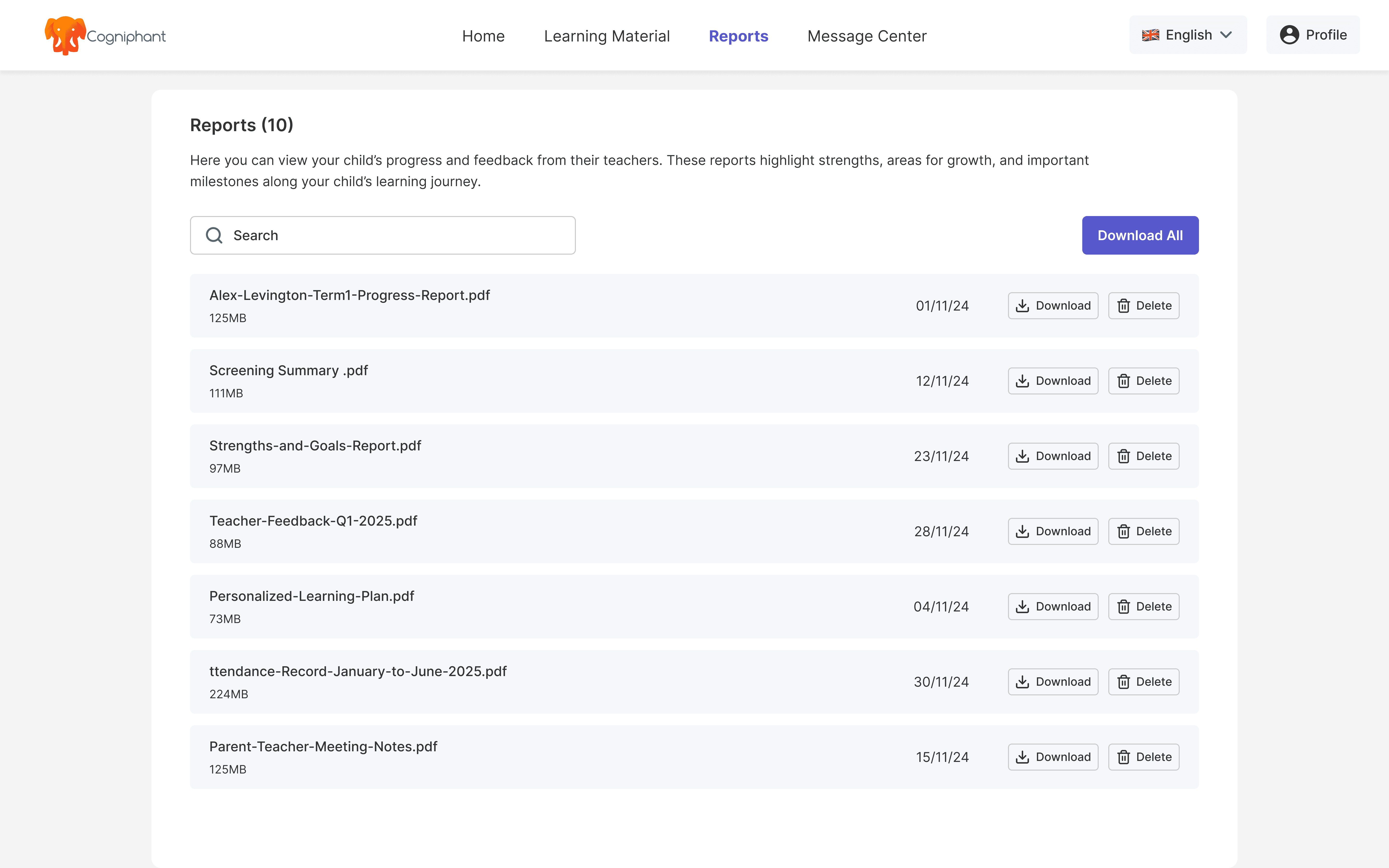
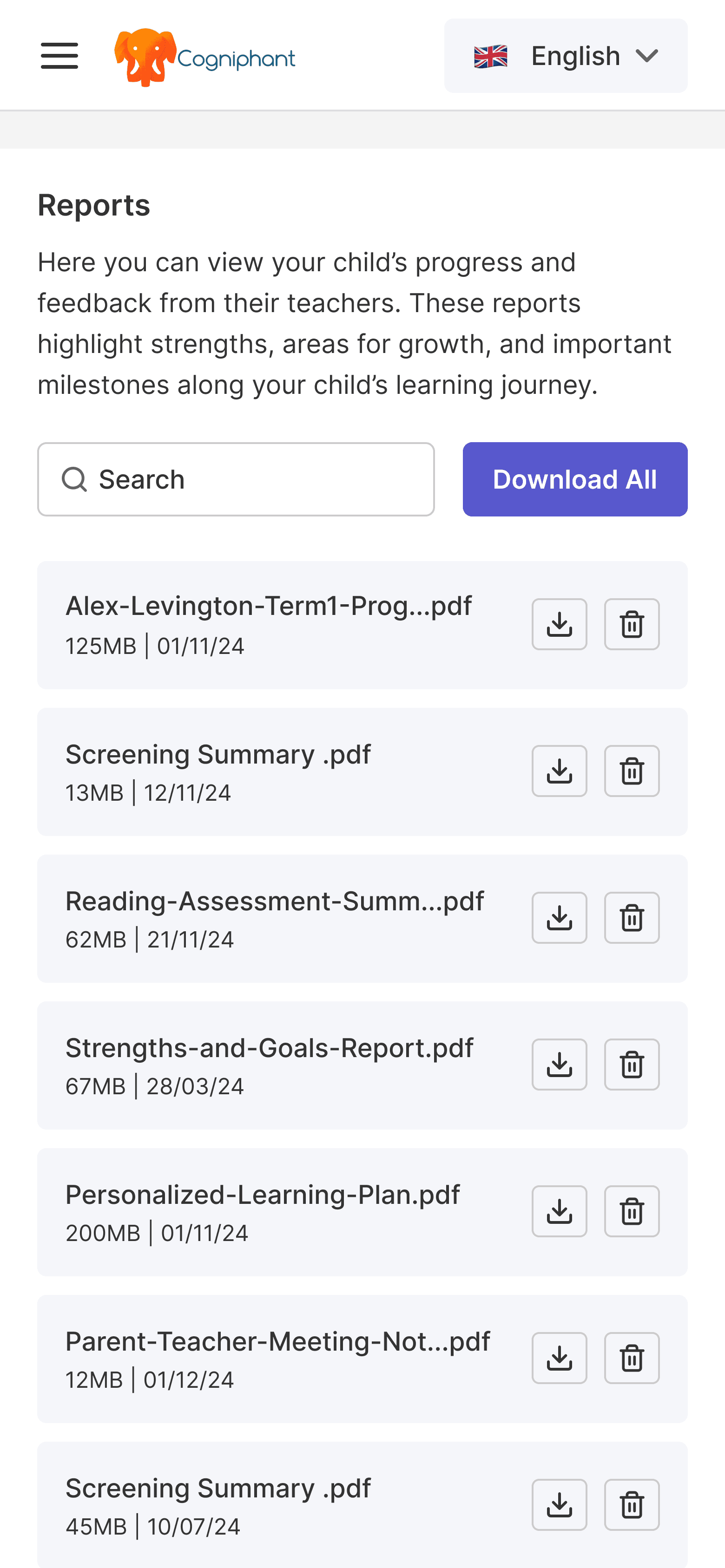
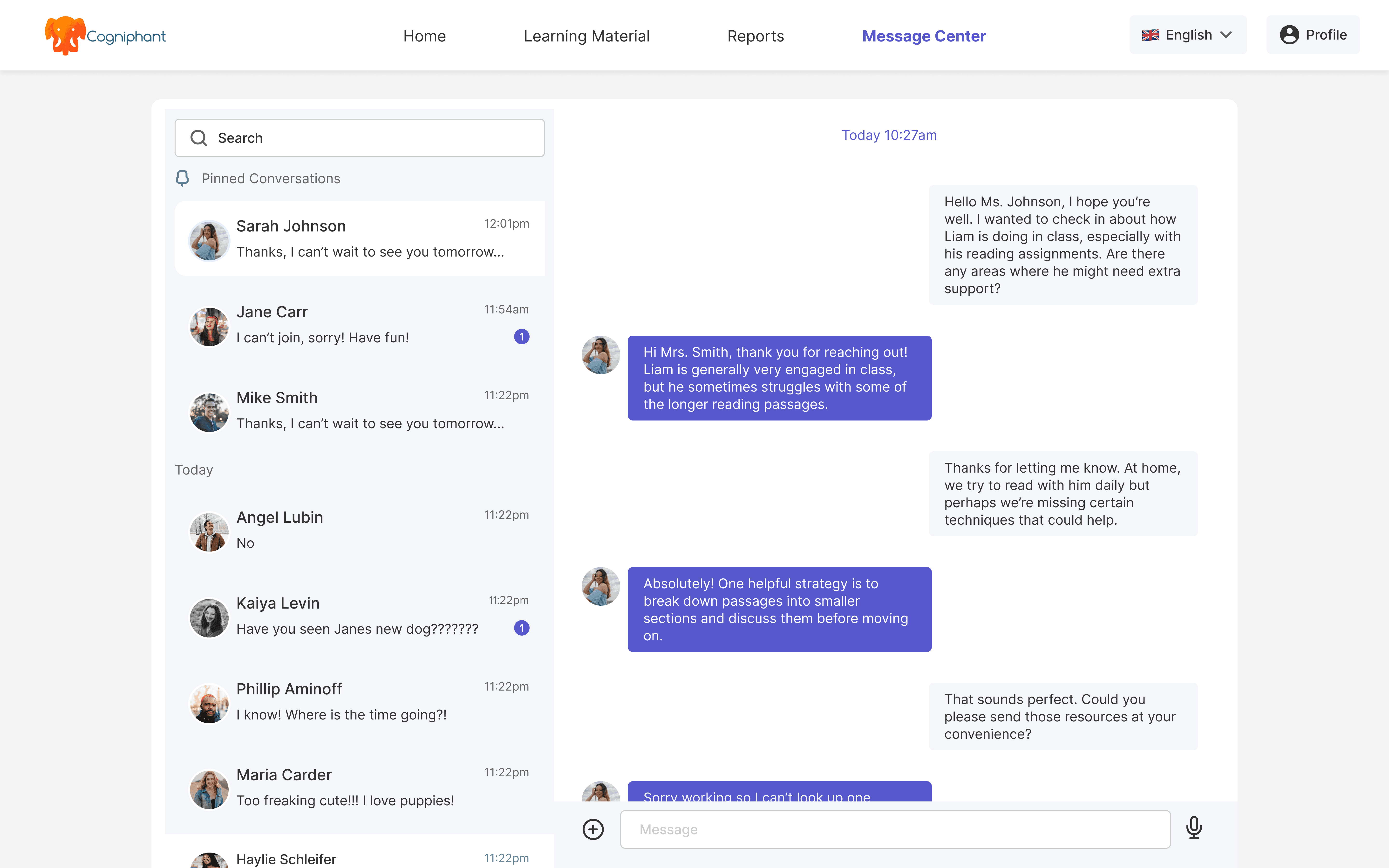
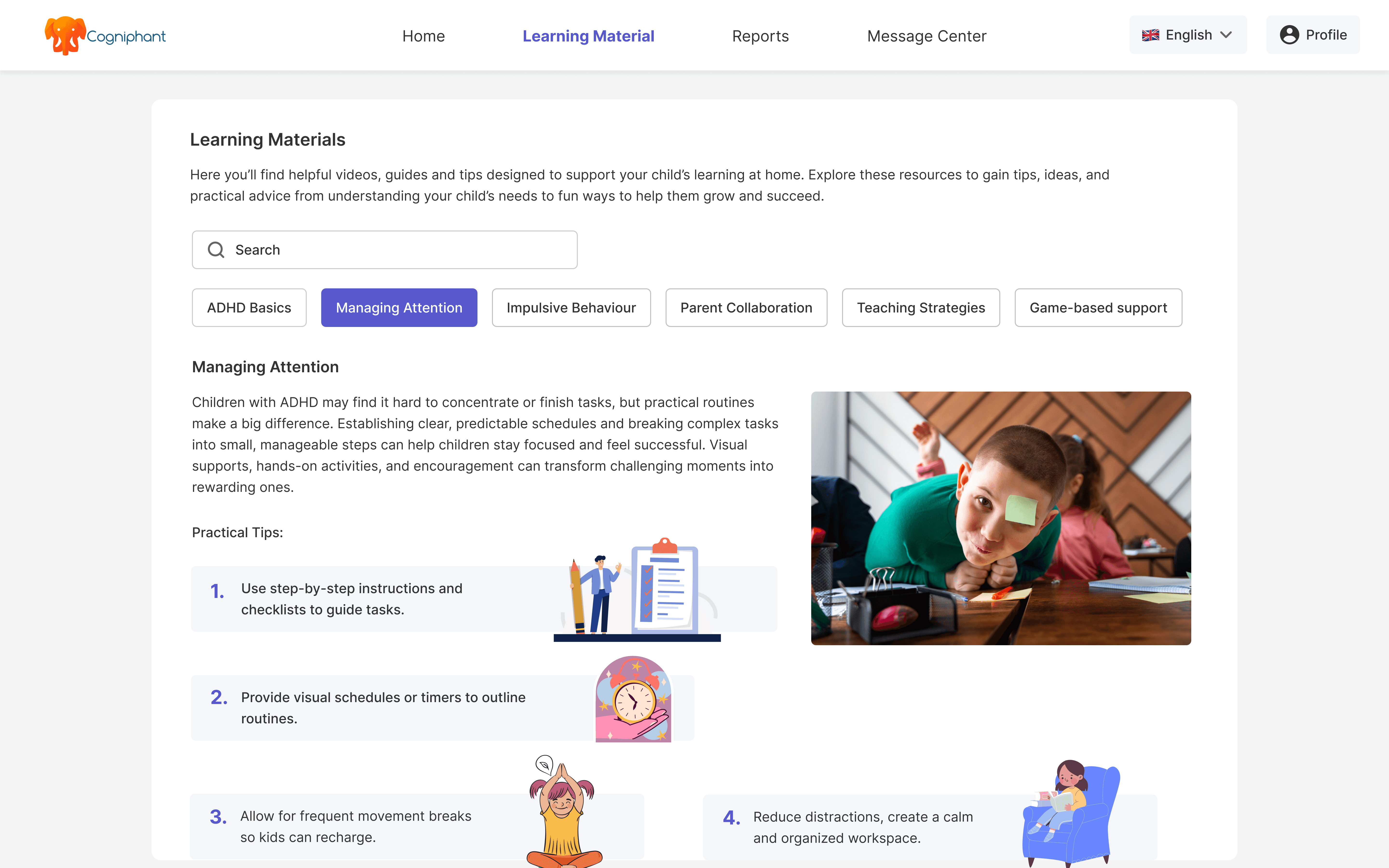
Parent Experience (Web + Mobile)
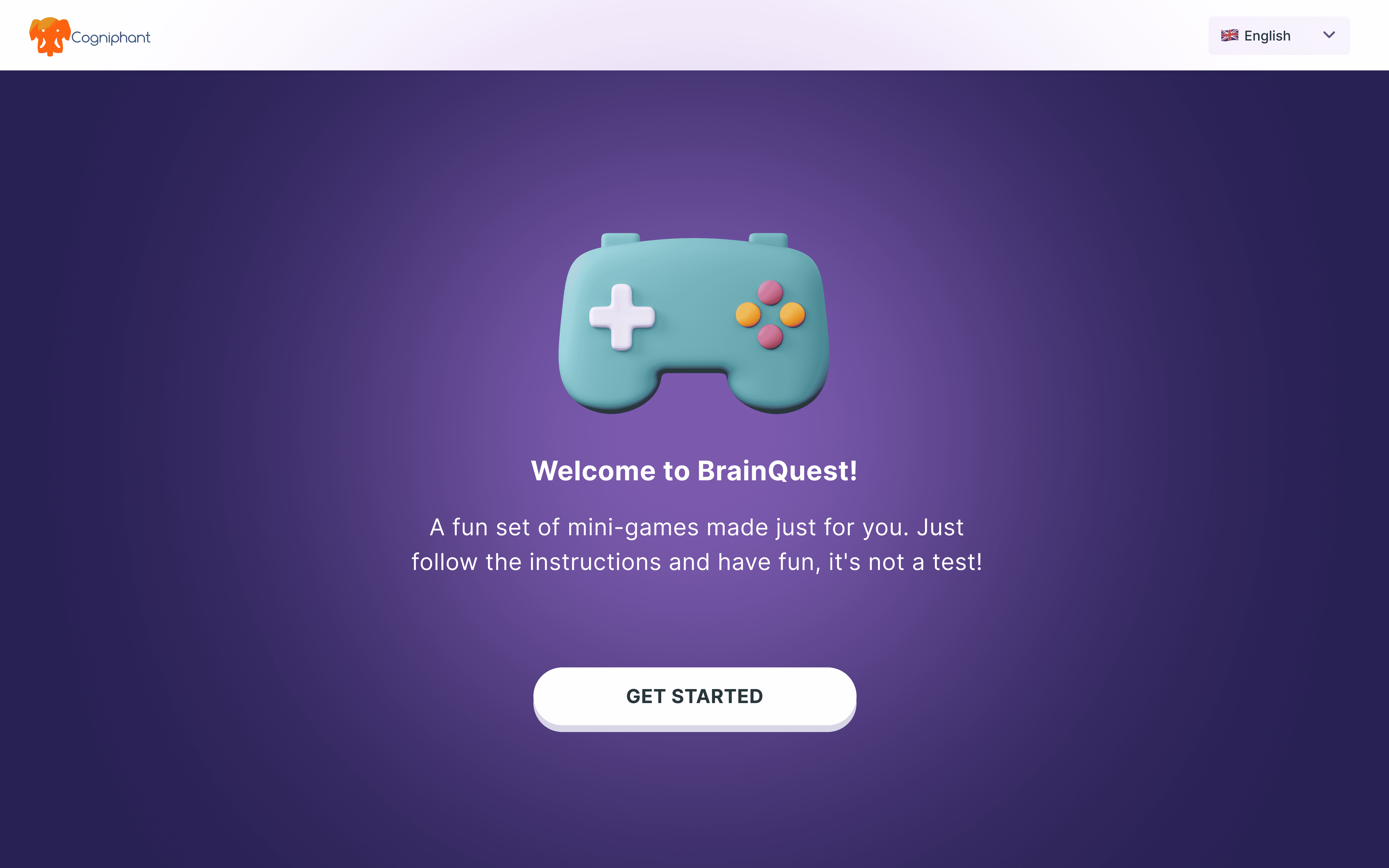
Parents got something different entirely.
No dashboard, no admin complexity. Just a clear view of how their child is doing - tasks, reports,
consent, and messaging, without needing to figure out a platform. Built mobile-first because
that's where parents actually are, and that's what the SENCO interview told us directly.

Reflection ✨
This project taught us that a startup's vision and what users actually need don't always match, and the designer's job is to bridge that gap without losing either.
This project taught us that a startup's vision and what users actually need don't always match, and the designer's job is to bridge that gap without losing either.
Fresh research changes everything
The SENCO interview shifted the entire direction of the project. We wouldn't have got there from existing documents alone.
Designing for real collaboration
Getting three very different roles to work inside one platform meant every decision had a knock-on effect. What worked for a SENCO didn't always work for a teacher or parent.
The next step is real users
The platform needs usability testing with actual SENCOs, teachers, and parents before it scales. That's where the next round of decisions will come from.
Two areas are already on the roadmap. The platform is currently built around ADHD, the next step is expanding it to support all SEND needs, not just one. Cogniphant also wants to explore an AI feature that helps SENCOs draft and manage documentation faster, reducing the admin burden that came up in almost every interview.
Two areas are already on the roadmap. The platform is currently built around ADHD, the next step is expanding it to support all SEND needs, not just one. Cogniphant also wants to explore an AI feature that helps SENCOs draft and manage documentation faster, reducing the admin burden that came up in almost every interview.
Prototype
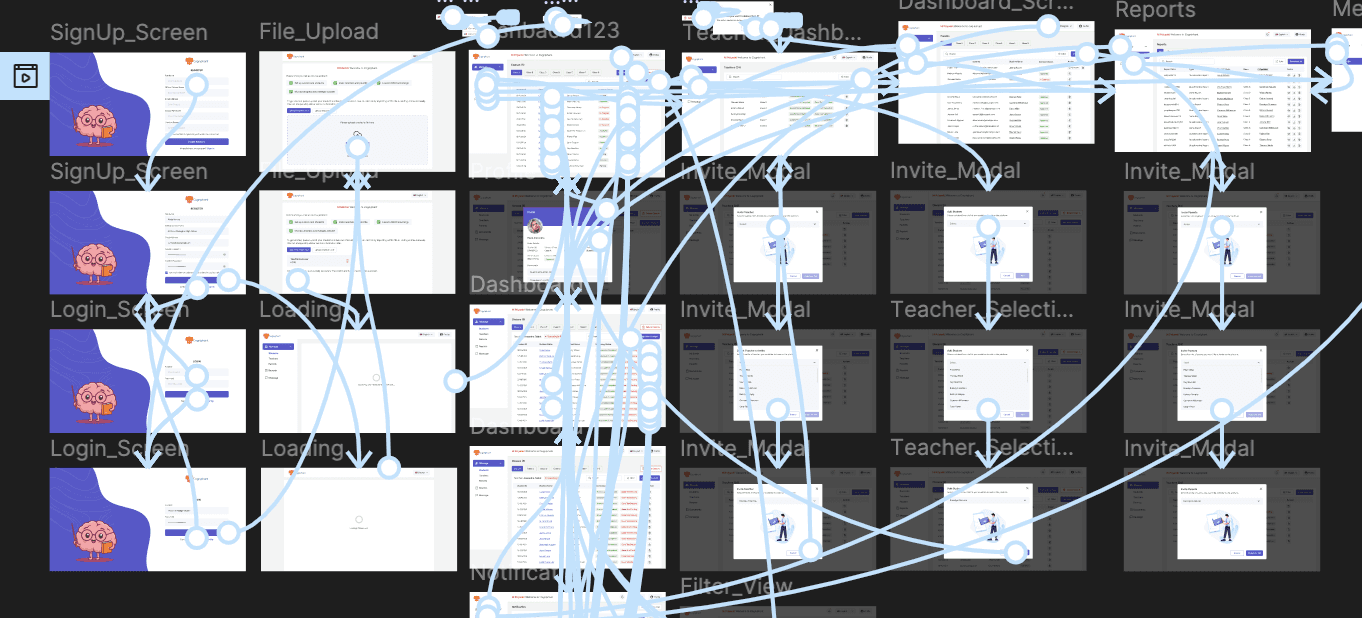
Prototype
A clickable prototype was created to simulate the cross-role journeys, allowing stakeholders to walk through onboarding, documentation, screening updates, parent interactions, and student progress tracking. This became a key asset during stakeholder reviews.
A clickable prototype was created to simulate the cross-role journeys, allowing stakeholders to walk through onboarding, documentation, screening updates, parent interactions, and student progress tracking. This became a key asset during stakeholder reviews.
The Final Platform
Three roles. Three different needs. Three distinct experiences.
Three roles. Three different needs. Three distinct experiences.
Teacher Workspace
Teachers needed something they could use mid-class - fast, focused, no unnecessary steps.
So we kept the experience tight around what they actually do.
Run a screening questionnaire or cognitive assessment directly from a student's profile.
Log observations, update status, and move on. Nothing else in the way.
SENCO Dashboard
The SENCO view needed more depth. This is where the full picture lives, not just one student,
but an entire school's SEND caseload.
Same structural foundation as the teacher view, but with broader access. Student management,
documentation, progress tracking, and assessment history all in one place.
SENCOs don't switch between tools anymore.
Parent Experience (Web + Mobile)
Parents got something different entirely.
No dashboard, no admin complexity. Just a clear view of how their child is doing - tasks, reports,
consent, and messaging, without needing to figure out a platform. Built mobile-first because
that's where parents actually are, and that's what the SENCO interview told us directly.
2025
Cogniphant
Designing an Inclusive
Multi-Role Platform for
SEND Support
2025
Cogniphant