2024
HowNow
Transforming a cluttered L&D platform into an engaging,
user-centric experience.


Project Overview
Role
UI/UX Designer
Duration
3 months (April 2024 - June 2024)
Team
Design Team, Product Manager, Development Team


Overview
The existing HowNow L&D platform homepage was failing to engage users effectively, creating barriers to learning and platform adoption
What Wasn’t Working
The existing HowNow L&D platform homepage was failing to engage users effectively, creating barriers to learning and platform adoption
1. The homepage felt overwhelming
The page dumped large volumes of content all at once, without structure or hierarchy. Users had no clear starting point.
2. Content was hard to discover
Even though the platform had strong content, the homepage made everything feel buried. Users struggled to find courses aligned with their interests.
3. Lack of personalization
Everyone saw the same homepage, regardless of their learning history or goals. This reduced motivation and engagement.
Business Impact
High bounce rate ❗️
Low course discovery ❗️
Increase in “can’t find content” support issues ❗️
Negative first-time experience for new users ❗️
2024
HowNow
Transforming a cluttered L&D platform into an engaging,
user-centric experience.

Project Overview
Role
UI/UX Designer
Duration
3 months (April 2024 - June 2024)
Team
Design Team, Product Manager, Development Team
Overview
When I joined this project, the HowNow homepage was overcrowded, visually noisy, and unintentionally discouraging users from exploring courses. Our goal was simple but ambitious: turn the homepage into a clear, motivating learning hub that helps users discover relevant content faster.
The existing HowNow L&D platform homepage was failing to engage users effectively, creating barriers to learning and platform adoption
Unlike many projects where the process starts from research, this redesign began with clear business pain points, existing analytics indicators, and stakeholder frustrations. My role was to work within these constraints, identify what was actually causing friction, and redesign the experience in a way that balanced content discovery and productivity needs.
The existing HowNow L&D platform homepage was failing to engage users effectively, creating barriers to learning and platform adoption
What Wasn’t Working
The existing HowNow L&D platform homepage was failing to engage users effectively,
creating barriers to learning and platform adoption
The existing HowNow L&D platform homepage was failing to engage users effectively, creating barriers to learning and platform adoption


After reviewing analytics, support tickets, and internal feedback, three issues stood out:
The existing HowNow L&D platform homepage was failing to engage users effectively, creating barriers to learning and platform adoption
1. The homepage felt overwhelming
The page dumped large volumes of content all at once, without structure or hierarchy. Users had no clear starting point.
2. Content was hard to discover
Even though the platform had strong content, the homepage made everything feel buried. Users struggled to find courses aligned with their interests.
3. Lack of personalization
Everyone saw the same homepage, regardless of their learning history or goals. This reduced motivation and engagement.
Business Impact
High bounce rate ❗️
Low course discovery ❗️
Increase in “can’t find content” support issues ❗️
Negative first-time experience for new users ❗️
How I Approached the Redesign
This project wasn’t a linear, textbook process. It evolved through multiple rounds of alignment, feasibility checks, rapid design exploration, and usability reviews. Here’s what the real process looked like:
1. Understanding Constraints and Expectations
I spent the first week syncing with the Product Manager to understand:
What the business wanted to highlight
What content mattered most to users
What engineering could support within the given timeframe
How existing components could be restructured instead of reinvented
Key priorities that emerged:
✅ Make the homepage instantly understandable
✅ Surface content that is most relevant and timely
✅ Reduce noise
✅ Improve hierarchy
✅ Keep the redesign implementable within the quarter
1. Understanding Constraints and Expectations
I spent the first week syncing with the Product Manager to understand:
What the business wanted to highlight
What content mattered most to users
What engineering could support within the given timeframe
How existing components could be restructured instead of reinvented
2. Auditing the Existing Experience
I analyzed:
User click patterns
What content mattered most to users
Support logs
Returning user flows
A few patterns became obvious:
❗️ Users weren’t scrolling enough.
❗️ Primary tasks (like checking assigned tasks) weren’t visible at the top.
❗️ Recommendations weren’t personalized at all.
This became the foundation of the redesign.


3. Competitive Inspiration
I didn’t do traditional competitive analysis; instead, I studied engagement patterns from familiar content platforms:


I wasn’t trying to copy these platforms, but understand the mental models users already have.
4. Iterations & Exploration
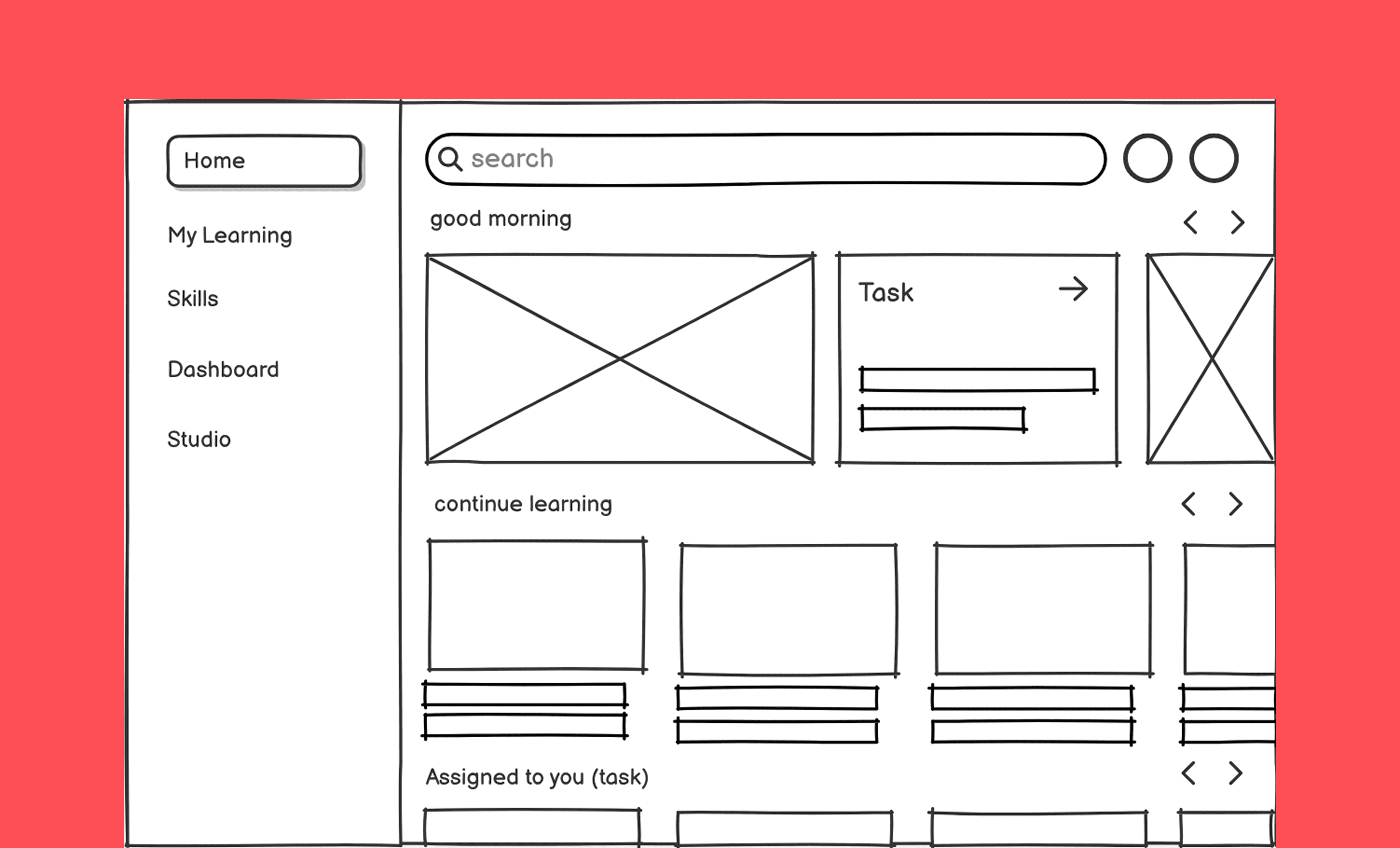
Instead of creating multiple polished concepts, I explored quick variations in Figma to understand the balance between
Visual engagement, Personal relevance, Clarity of tasks and Navigation familiarity.
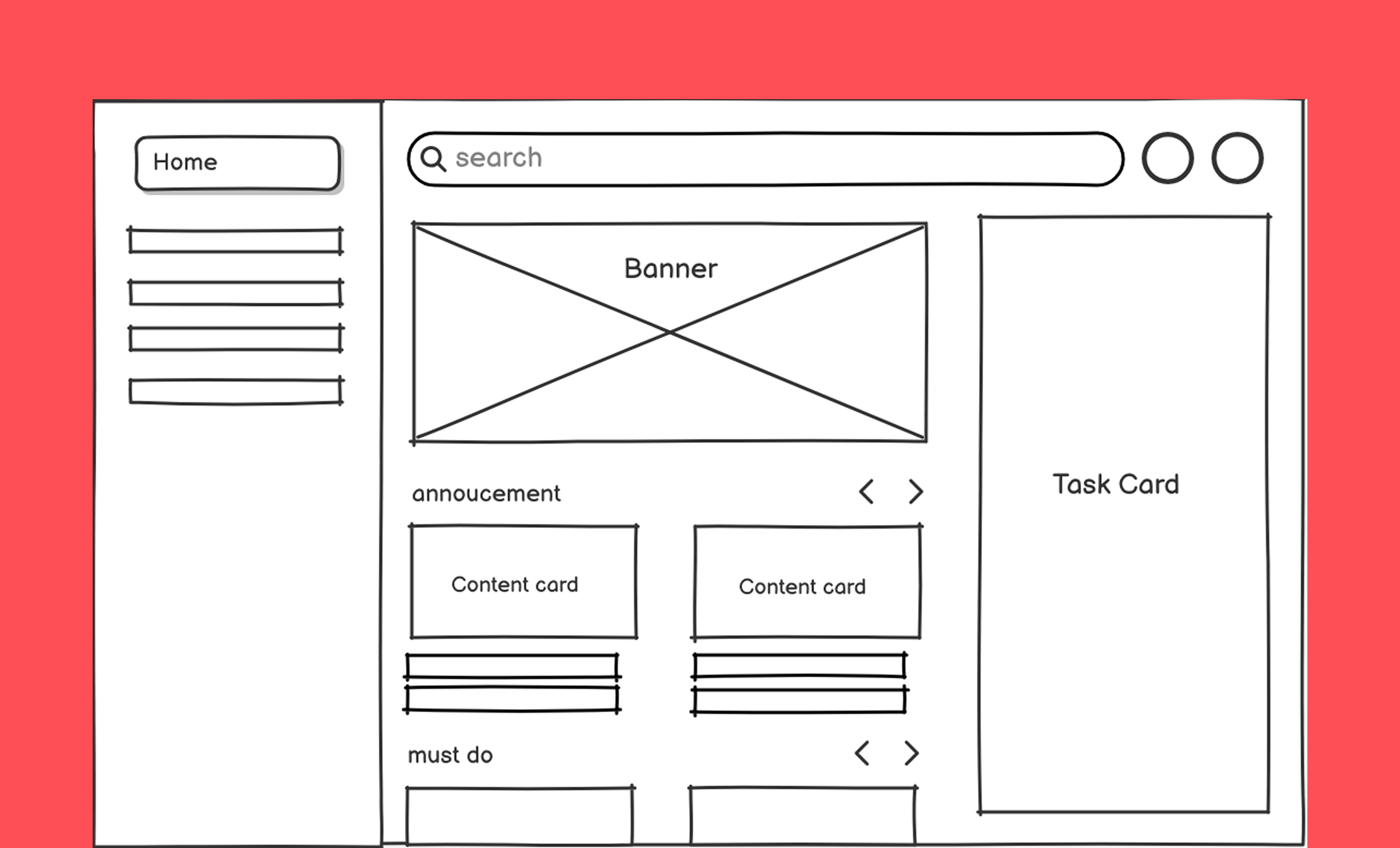
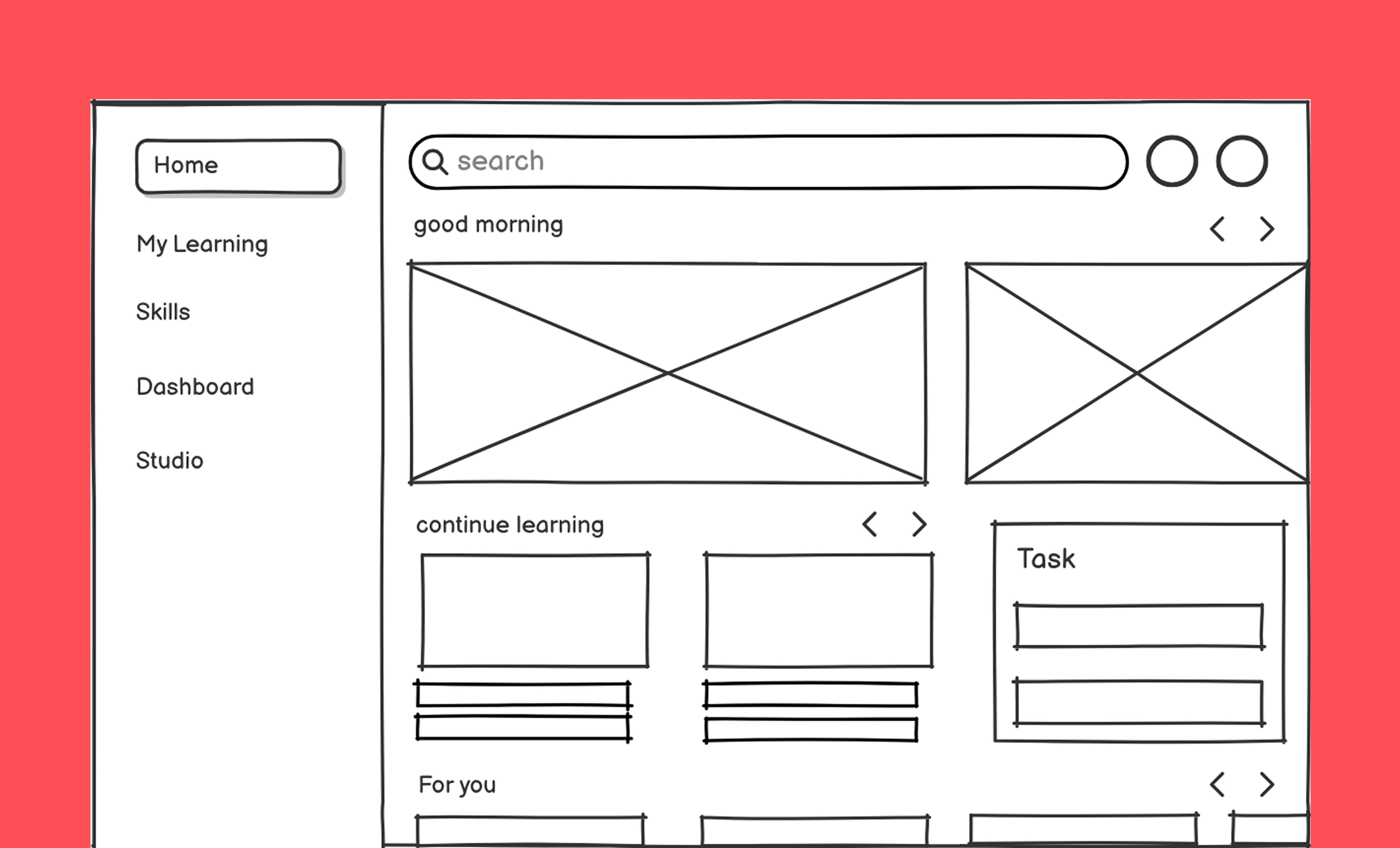
During exploration, three directions naturally emerged:


I refined this direction through several rounds of PM and developer reviews to ensure we weren’t
designing something overly complex.
Key priorities that emerged:
✅ Make the homepage instantly understandable
✅ Surface content that is most relevant and timely
✅ Reduce noise
✅ Improve hierarchy
✅ Keep the redesign implementable within the quarter
A few patterns became obvious:
❗️ Users weren’t scrolling enough.
❗️ Primary tasks (like checking assigned tasks) weren’t visible at the top.
❗️ Recommendations weren’t personalized at all.
This became the foundation of the redesign.
2. Auditing the Existing Experience
I analyzed:
User click patterns
What content mattered most to users
Support logs
Returning user flows


3. Competitive Inspiration
I didn’t do traditional competitive analysis; instead, I studied engagement patterns from familiar content platforms:


I wasn’t trying to copy these platforms, but understand the mental models users already have.
4. Iterations & Exploration
Instead of creating multiple polished concepts, I explored quick variations in Figma to understand the balance between
Visual engagement, Personal relevance, Clarity of tasks and Navigation familiarity.
During exploration, three directions naturally emerged:


I refined this direction through several rounds of PM and developer reviews to ensure we weren’t designing something overly complex.
The Solution ✨
Final Design Strategy
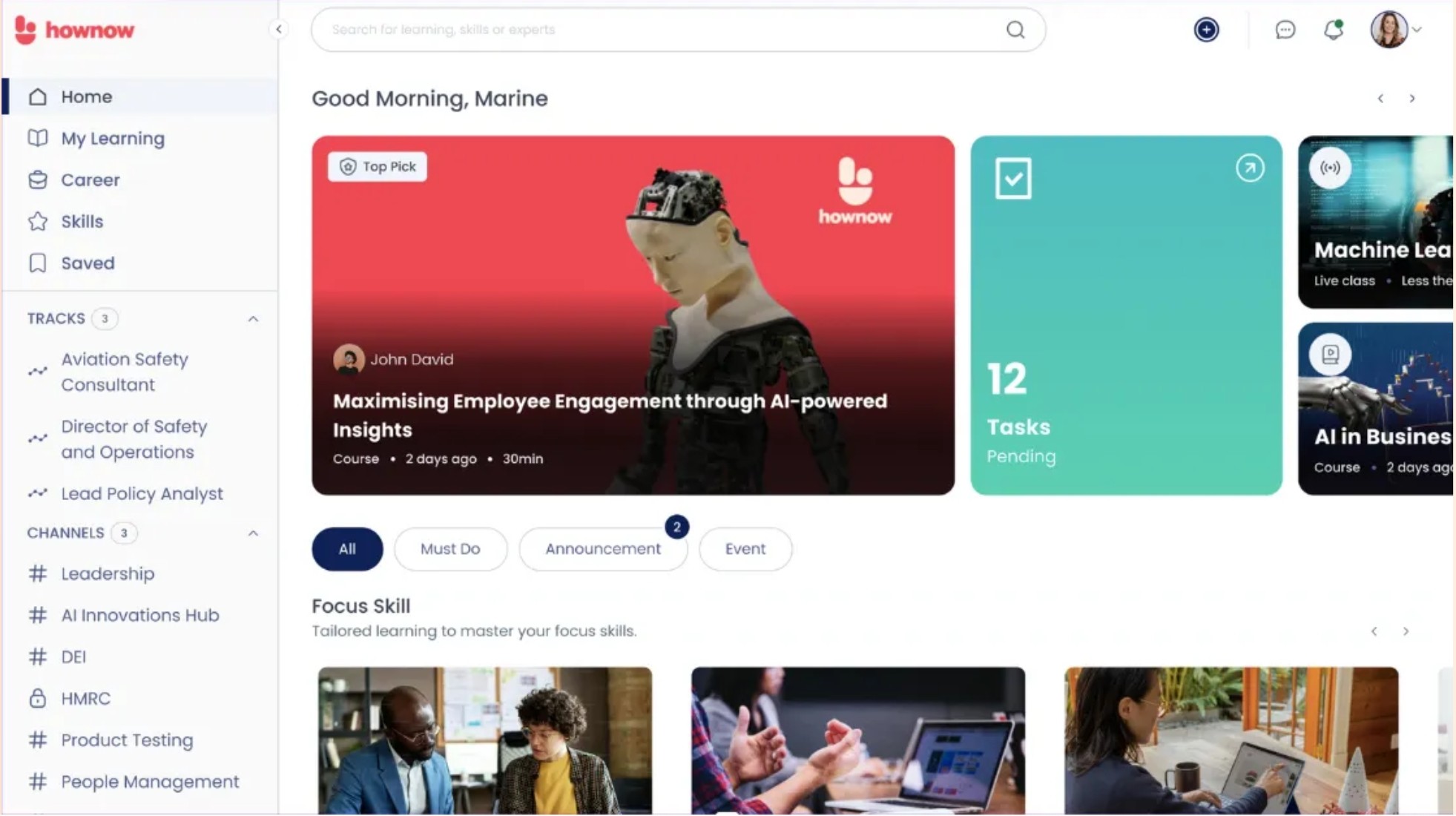
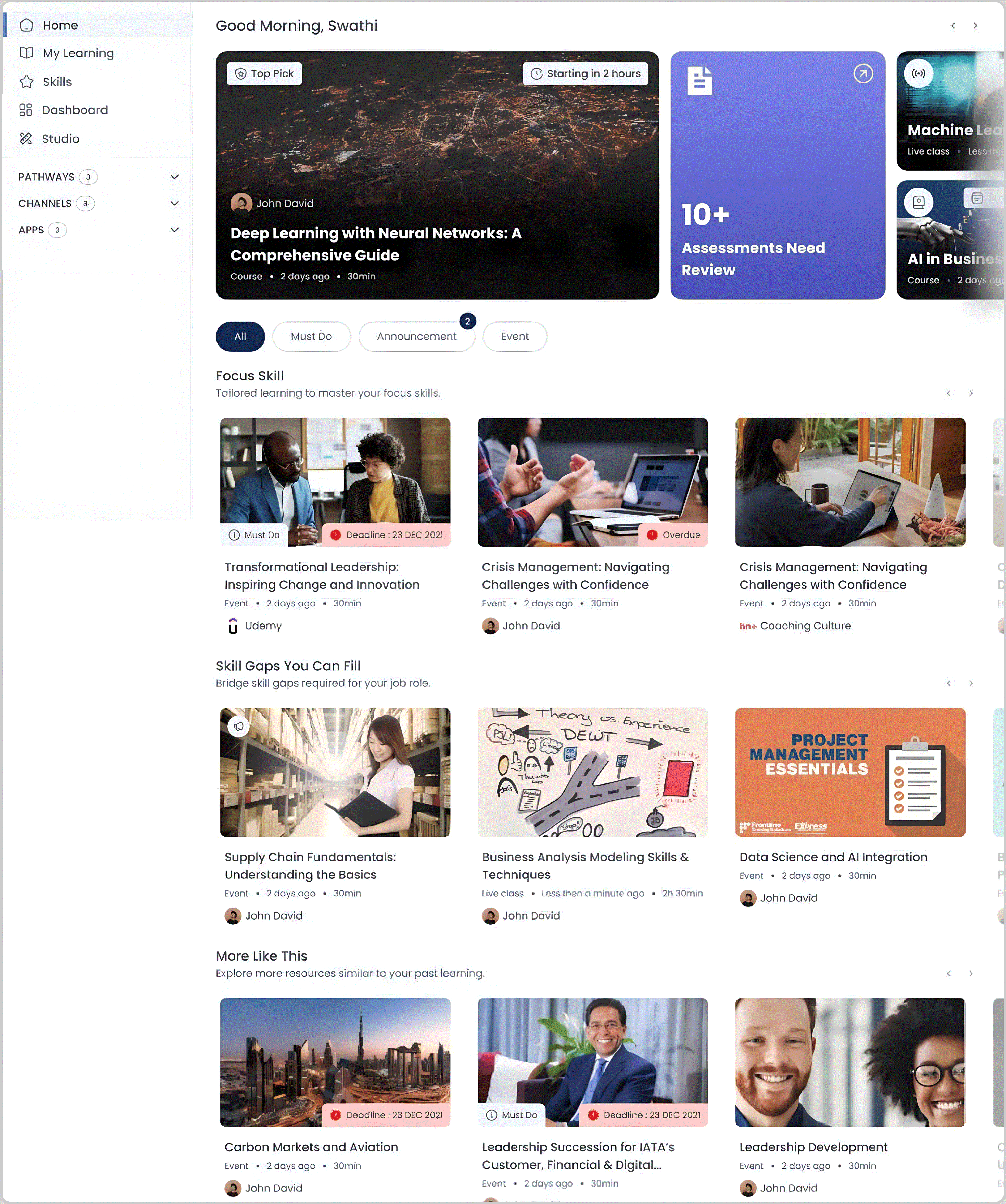
The final homepage design focuses on three pillars:
Clarity First
The hero section establishes the purpose of the platform instantly. No clutter, no confusion.
Clarity First
The hero section establishes the purpose of the platform instantly. No clutter, no confusion.
Personalization First
Recommendations and “Continue Learning” blocks adapt based on user behavior. This keeps the platform feeling relevant.
Predictability First
Horizontal scrollable sections, clean cards, and logical categories help users skim and act quickly.
Predictability First
Horizontal scrollable sections, clean cards, and logical categories help users skim and act quickly.
Clarity First
The hero section establishes the purpose of the platform instantly. No clutter, no confusion.
Personalization First
Recommendations and “Continue Learning” blocks adapt based on user behavior. This keeps the platform feeling relevant.
Predictability First
Horizontal scrollable sections, clean cards, and logical categories help users skim and act quickly.
Key Design Decisions
1
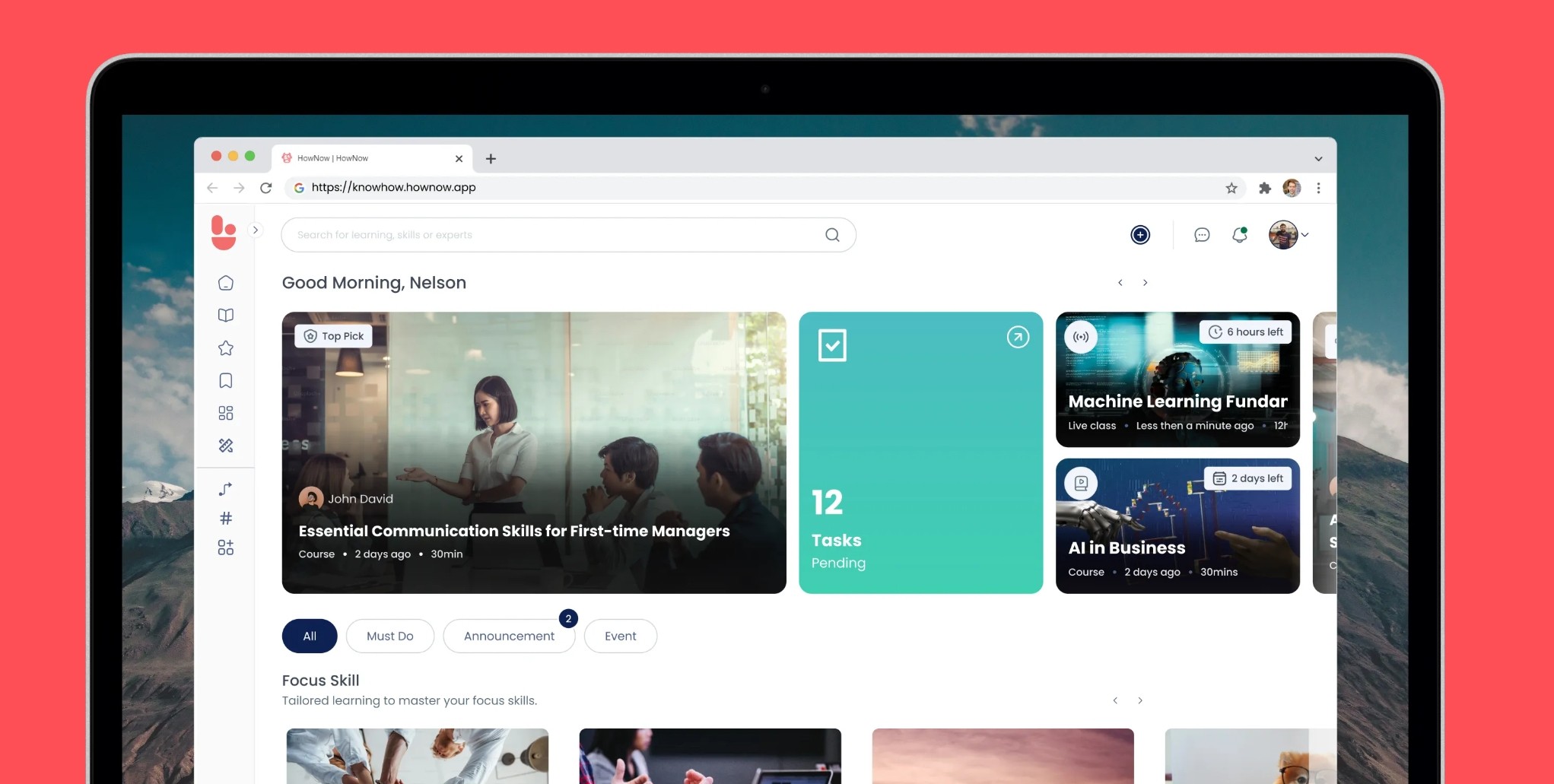
✨ Hero Section Redesign
Large, visually compelling banner showcasing featured content
Personalized recommendations based on user behavior
Clear value proposition and call-to-action
1
Hero Section Redesign
Large, visually compelling banner showcasing
featured contentPersonalized recommendations based on user
behaviorClear value proposition and call-to-action
2
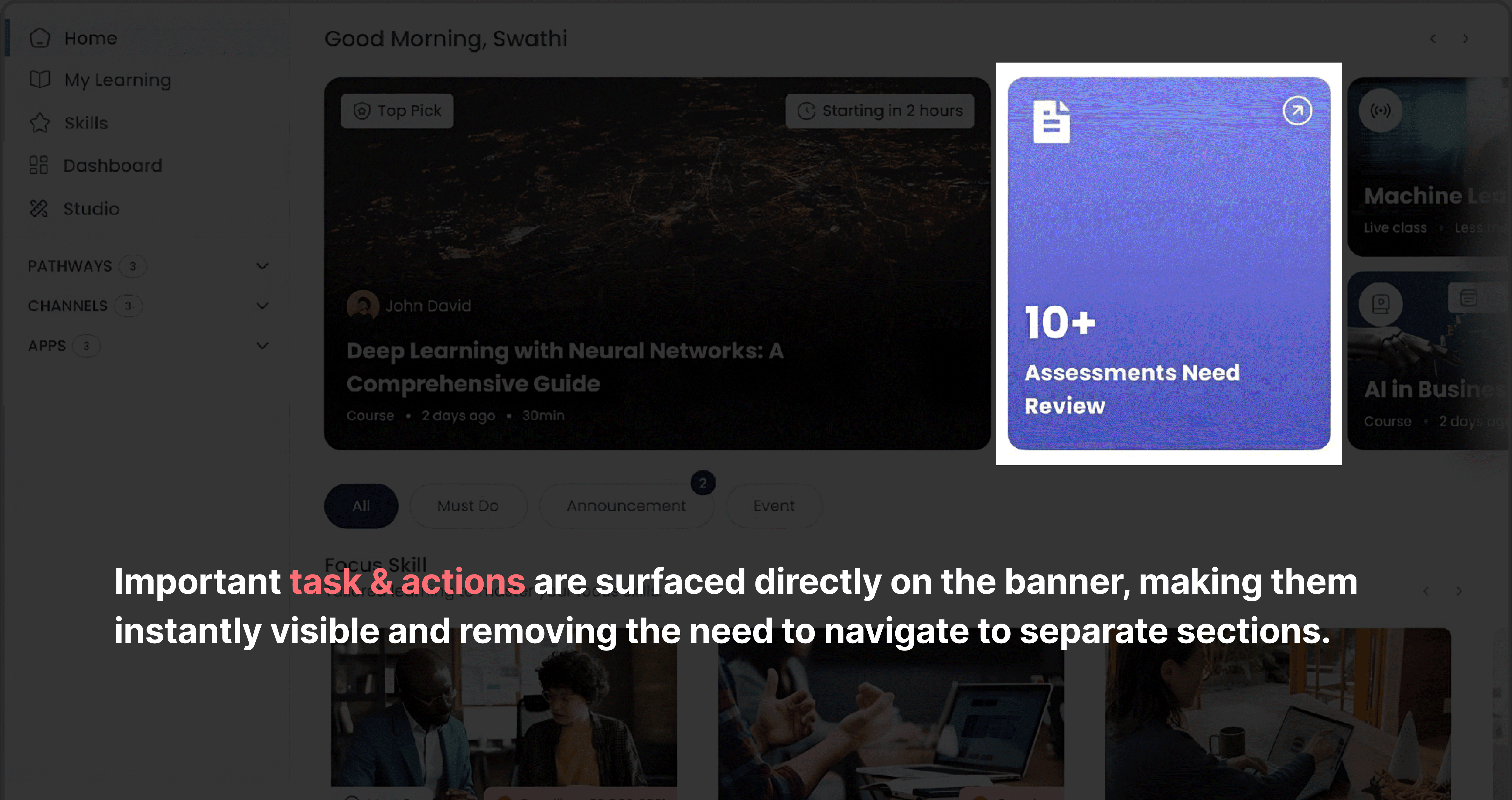
✨ Information Architecture
Prominent task/deadline section for immediate user needs
Categorized content sections for easy exploration
Quick access to frequently used features
Information Architecture
Prominent task/deadline section for immediate user
needsCategorized content sections for easy exploration
Quick access to frequently used features
3
✨ Visual Design System
Modern, clean aesthetic aligned with learning context
Consistent component library for scalability
Accessible color contrast and typography
✨ Visual Design System
Modern, clean aesthetic aligned with learning context
Consistent component library for scalability
Accessible color contrast and typography
4
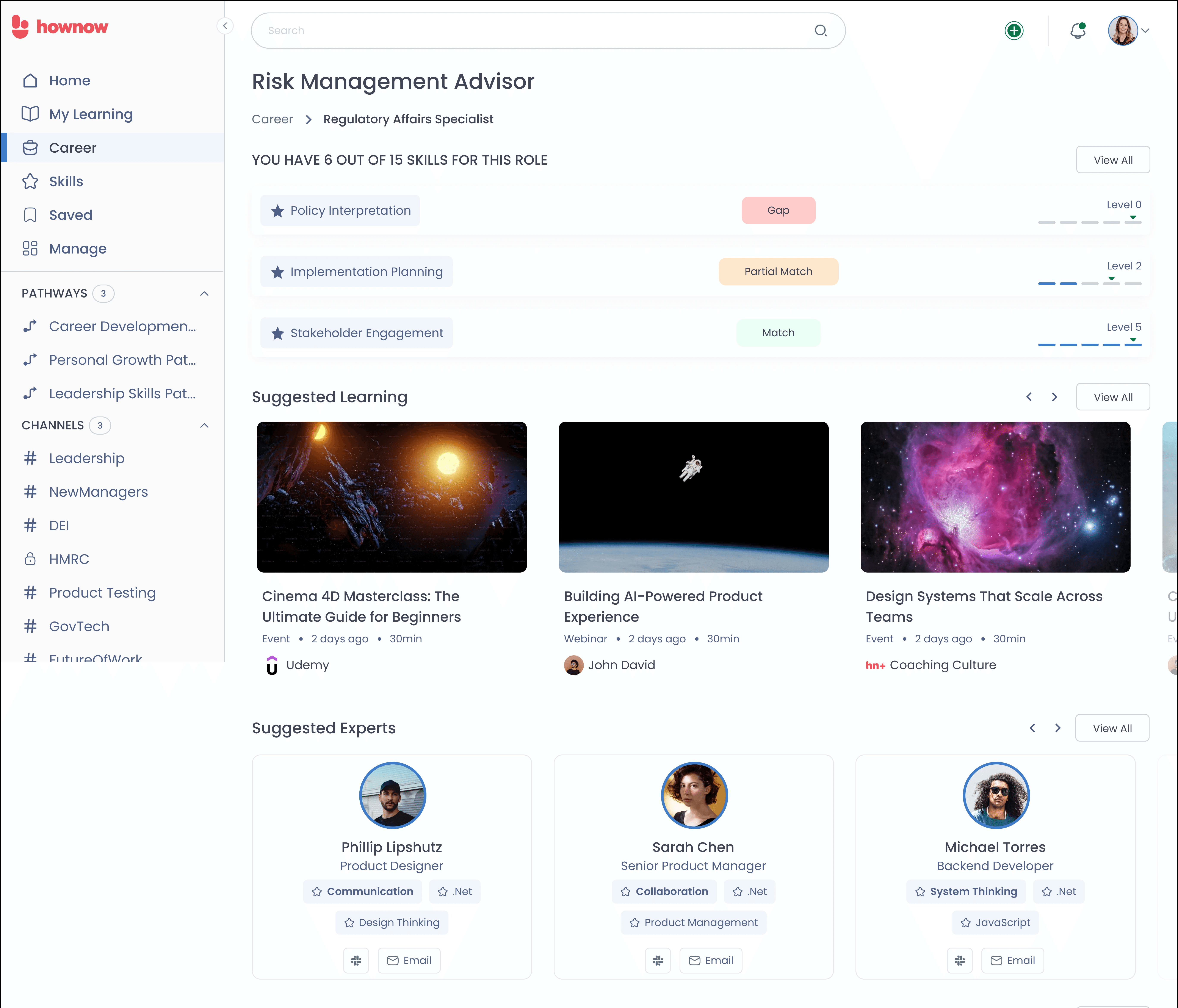
✨ Responsive Design Approach
Desktop: Full hero experience with detailed content cards
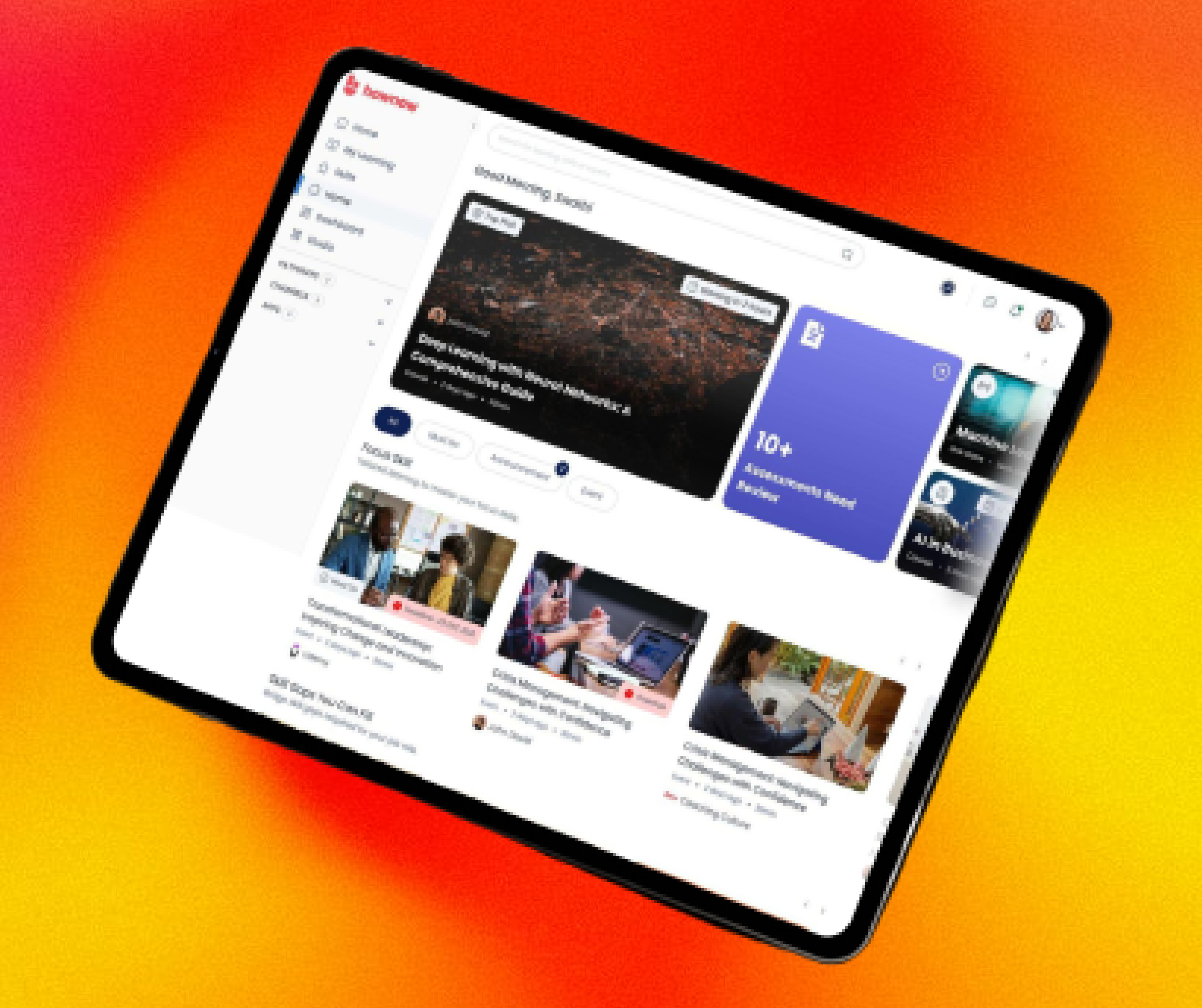
Tablet: Adapted layout maintaining visual hierarchy
✨ Responsive Design Approach
Desktop: Full hero experience with detailed content cards
Tablet: Adapted layout maintaining visual hierarchy
Result


Hero Section Redesign
Large, visually compelling banner showcasing
featured contentPersonalized recommendations based on user
behaviorClear value proposition and call-to-action
1
2
Information Architecture
Prominent task/deadline section for immediate user
needsCategorized content sections for easy exploration
Quick access to frequently used features
3
✨ Visual Design System
Modern, clean aesthetic aligned with learning context
Consistent component library for scalability
Accessible color contrast and typography
4
✨ Responsive Design Approach
Desktop: Full hero experience with detailed content cards
Tablet: Adapted layout maintaining visual hierarchy
Expected Impact & Success Metrics 📈
Project Improvement
50% reduction in bounce rate through improved engagement
30% increase in course discovery and enrollment
25% improvement in task completion rates
Enhanced brand perception of the platform
50% reduction in bounce rate through improved engagement
30% increase in course discovery and enrollment
25% improvement in task completion rates
Enhanced brand perception of the platform
50% reduction in bounce rate through improved engagement
30% increase in course discovery and enrollment
25% improvement in task completion rates
Enhanced brand perception of the platform
Success Metrics to Track 💯
Time spent on homepage
Click-through rates on featured content
Task completion from dashboard
User satisfaction scores